Jumbo Studio - for PostgreSQL
Import a pg_dump and query it offline, or connect to a live PostgreSQL server
About Jumbo Studio - for PostgreSQL
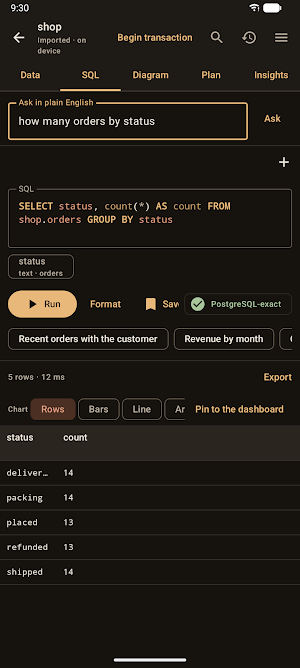
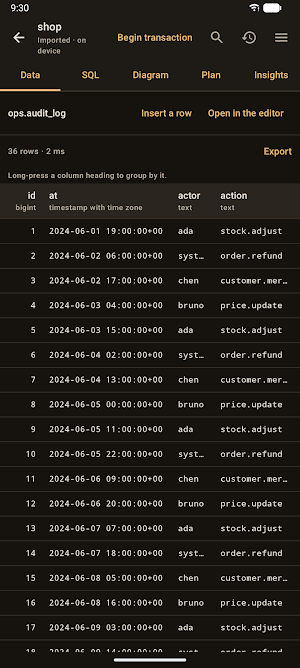
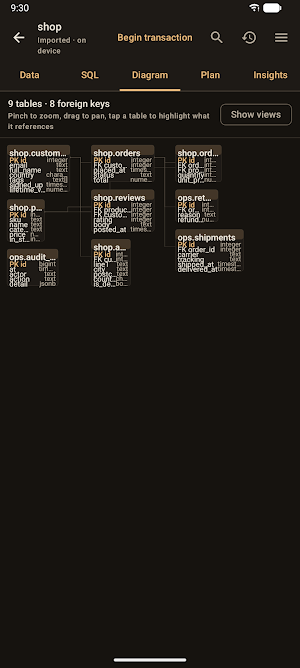
Jumbo Studio is an on-device workbench for PostgreSQL. Import a pg_dump and query it offline with PostgreSQL's own semantics, or connect to a live server. Tablet-first, and it runs on a phone.
WHAT IT DOES
• Read every format pg_dump produces — plain SQL, custom (-Fc), directory and tar — from PostgreSQL 14 through 18. The custom archive is the one PostgreSQL's own docs recommend, and no other mobile tool reads it.
• Query it offline. No server, no upload, works on a plane.
• Ask in plain English and get SQL back to review before you run it.
HOW ACCURATE IS OFFLINE?
Every result carries a badge, because the answer is not always "identical". PostgreSQL-exact means nothing was rewritten. Emulated means an on-device implementation served it — schemas, arrays, jsonb, ILIKE, full-text search, pgvector — reasons one tap away. Check results means a construct answers differently here; it is still shown, still labelled. Every one is tested against a real PostgreSQL 18 server, so divergences are documented, not found.
VISUAL EXPLAIN
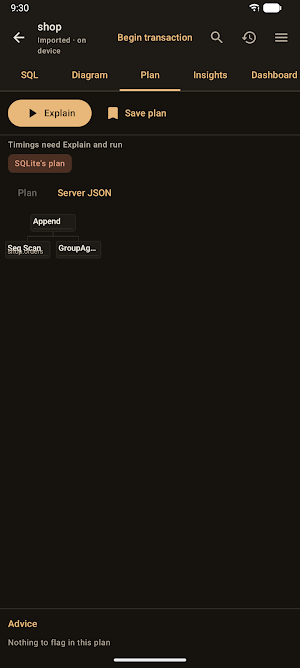
EXPLAIN (ANALYZE, BUFFERS, VERBOSE) drawn as a tree: node types, actual against planned rows with a misestimate badge, time bars, buffers and parallel workers. Save plans and diff them pairwise, before and after an index. Where the server has hypopg you can try an index without building it.
LIVE CONNECTIONS
The PostgreSQL v3 wire protocol, implemented directly — no JDBC driver, no client library.
• SCRAM-SHA-256, with the method shown, so a cleartext password on a plain socket is visible, not silent.
• TLS in PostgreSQL's five modes with certificate pinning, and SSH tunnels with host-key pinning.
• Ten platform presets, from Supabase and Neon to RDS, Cloud SQL and self-hosted.
• Read-only by default, set in the startup packet, so the server refuses writes rather than the app.
THE SERVER PANEL
pg_stat_statements top queries, table and index activity, an unused-index report that never lists a constraint index, a blocking tree, activity with cancel and terminate, and replication slots with the WAL each retains. Plus a row-security audit, and a headroom section for the two counters that fail silently for years and then all at once: wraparound and sequence exhaustion.
PRIVACY
No analytics. No telemetry. No crash reporting. No ads. No accounts. There is no Jumbo Studio server for your data to go to.
Connection passwords, SSH keys and AI API keys are sealed in the Android Keystore. The workspace list, query library, saved plans and connection profiles are encrypted with SQLCipher (AES-256) under a key held there.
Imported table rows are NOT encrypted at rest, and that is a real compromise rather than an oversight. The offline engine needs SQLite functions that return values, and the encrypted binding offers only an older API that cannot. The two are mutually exclusive today, and fidelity won. If that trade is wrong for your data, connect live — rows are then never written to the device.
Plain-English translation runs on the device and needs no network. Add your own Anthropic or OpenAI key and a request carries your question and the schema's names and types, never a row — and the app shows the exact payload first.
Full policy: https://stephentaylor.com/privacy/jumbo-studio
In English, French, German, Spanish, Italian, Portuguese, Hindi and Indonesian.
Similar Apps

Orca Studio - for Opensearch
Works with OpenSearch and Elasticsearch: search offline, or query a live cluster
BSON Studio - for MongoDB
A private, offline workbench for MongoDB — import, query & visualize data
Crabby Shell SSH
Secure SSH, Mosh & Telnet terminal with tunnels, keys & local shell

GPS NMEA Tether
Turn your phone into a Bluetooth GPS — stream NMEA 0183 via SPP/RFCOMM.

Dualem
Companion app for purchased DUALEM geosensing equipment.
