

WiFi Signal Strength Test
Tools In-app purchases Contains ads
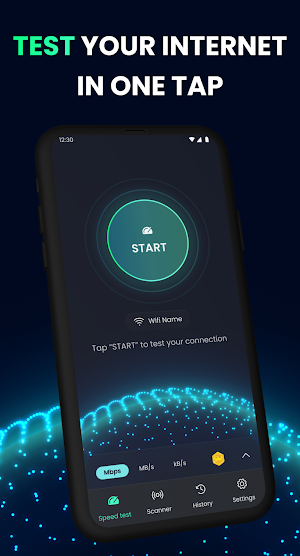
One -tap WiFi & 4G speed test: download, upload, ping, jitter & signal.
- Downloads
- 42.4K+
- on Google Play
- Price
- Free
- In-app purchases
- Updated
- Sep 24
- 2026 · v1.0.37
Screenshots


About WiFi Signal Strength Test
What you can do
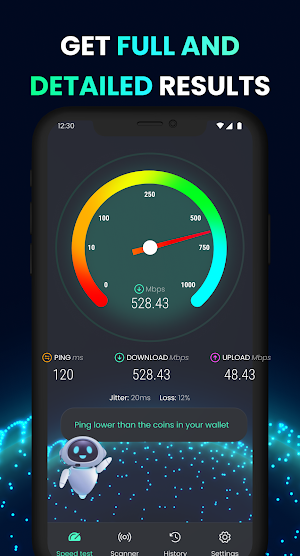
Measure speed instantly: Download & Upload (Mbps), Ping & Jitter for gaming and calls.
See stability in real time: Live graphs reveal spikes, drops, and buffering risks.
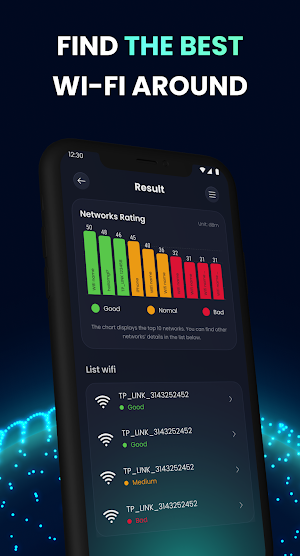
Check WiFi quality: Signal strength, link speed, frequency (2.4/5 GHz), channel, IP details.
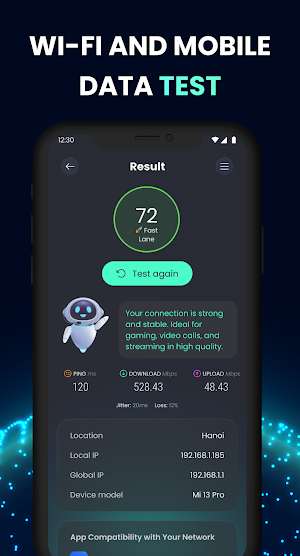
Verify mobile data: 3G/4G/LTE/5G detection with latency and throughput checks.
Track your history: Auto-save results with date, network type, and location (if allowed).
Share or export: Send results to friends or support when troubleshooting.
Why it’s accurate
Smart server selection to minimize routing delays.
Multi-thread tests for realistic, peak throughput.
Short + extended runs to capture both burst and sustained speeds.
Built for real life
Streamers & gamers: Know if your network can handle 4K or low-lag play.
Remote work: Check call quality, screensharing readiness, and upload reliability.
Troubleshooting: Compare WiFi vs. mobile, router vs. mesh, room-to-room reception.
Privacy & permissions
We only request what’s needed for accurate results and helpful details:
Location (optional): Required by Android to show the connected WiFi name and channel.
Phone/Network info (optional): To detect mobile network type and improve diagnostics.
You control what you share —results can stay on your device.
Tips for better tests
Stand near your router for WiFi tests.
Pause large downloads/updates during testing.
Try multiple runs at different times to spot congestion.
Run a test, get the truth, and fix your connection with confidence.
Measure speed instantly: Download & Upload (Mbps), Ping & Jitter for gaming and calls.
See stability in real time: Live graphs reveal spikes, drops, and buffering risks.
Check WiFi quality: Signal strength, link speed, frequency (2.4/5 GHz), channel, IP details.
Verify mobile data: 3G/4G/LTE/5G detection with latency and throughput checks.
Track your history: Auto-save results with date, network type, and location (if allowed).
Share or export: Send results to friends or support when troubleshooting.
Why it’s accurate
Smart server selection to minimize routing delays.
Multi-thread tests for realistic, peak throughput.
Short + extended runs to capture both burst and sustained speeds.
Built for real life
Streamers & gamers: Know if your network can handle 4K or low-lag play.
Remote work: Check call quality, screensharing readiness, and upload reliability.
Troubleshooting: Compare WiFi vs. mobile, router vs. mesh, room-to-room reception.
Privacy & permissions
We only request what’s needed for accurate results and helpful details:
Location (optional): Required by Android to show the connected WiFi name and channel.
Phone/Network info (optional): To detect mobile network type and improve diagnostics.
You control what you share —results can stay on your device.
Tips for better tests
Stand near your router for WiFi tests.
Pause large downloads/updates during testing.
Try multiple runs at different times to spot congestion.
Run a test, get the truth, and fix your connection with confidence.
User reviews

worked and simple
Alternatives to WiFi Signal Strength Test
Looking for apps like WiFi Signal Strength Test? Here are 3 similar Android apps on Google Play. The highest rated is Go Fly Smart Drone Controller (3.6/5), and all 3 are free to download.



| App | Rating | Price | Installs | Last updated | Compare |
|---|---|---|---|---|---|
| WiFi Signal Strength Test | – | Free | 10,000+ | Sep 24, 2026 | |
| Go Fly Smart Drone Controller | 3.6 / 5 | Free | 50,000+ | – | Compare |
| AR Sketch – Trace & Draw | – | Free | 10,000+ | Nov 24, 2025 | Compare |
| Reverse Singing: Reverse Audio | – | Free | 5,000+ | Feb 8, 2026 | Compare |