
Smart Switch: Copy My Data
Spot Light Apps Productivity In-app purchases Contains ads
Transfer Data or Share Files between phones. Easy Data Transfer with Smart App.
- Downloads
- 1M+
- on Google Play
- Price
- Free
- In-app purchases
- Updated
- Dec 5
- 2024
Screenshots
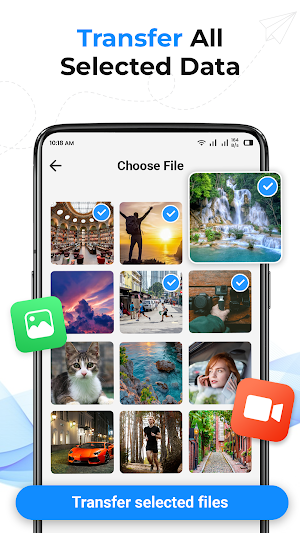


About Smart Switch: Copy My Data
Smart Switch: Fast & Easy Data Transfer
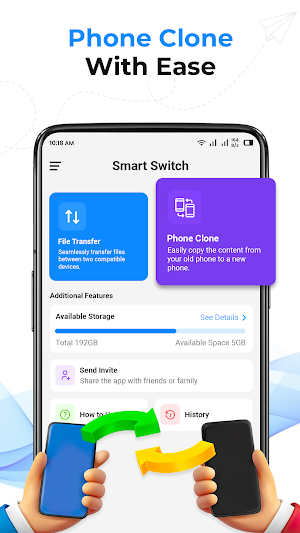
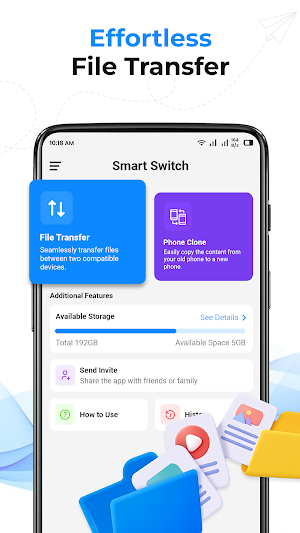
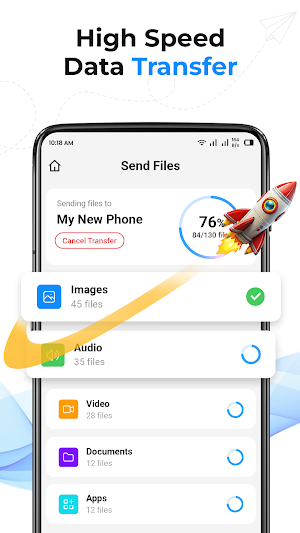
Smart Switch is the most efficient and reliable way to transfer data between your old and new devices. With its intuitive interface and lightning-fast speeds, you can effortlessly move your contacts, photos, videos, music, documents, and more without any hassle.
Key Features:
• Effortless Data Transfer: Seamlessly move data between devices using Wi-Fi, hotspot, or Bluetooth.
• Wide Range of Data Types: Transfer photos, videos, music, documents, contacts, and more.
• No Internet Required: Connect devices directly for seamless data transfer.
• Easy-to-Use Interface: Intuitive design for hassle-free operation.
• Safe and Secure: Protect your data with advanced security measures.
Why Choose Smart Switch Copy My Data:
• Streamlined Data Transfer: Easily move data between old and new devices.
• Versatile Compatibility: Works with various phone models and operating systems.
• Efficient Transfer Speeds: Experience lightning-fast data transfer.
• Reliable Performance: Count on Smart Switch for consistent results.
How Smart Switch: Transfer My Data Works:
1. Connect Devices: Connect your old and new devices using Wi-Fi, hotspot, or Bluetooth.
2. Scan QR Code: Scan the QR code displayed on your new device using your old device's camera.
3. Select Data: Choose the data you want to transfer.
4. Initiate Transfer: Start the transfer process and sit back while your data is moved.
Additional Features:
• Selective Transfer: Choose specific files or folders to transfer.
• Resume Transfer: If the transfer is interrupted, you can easily resume it later.
• Pause Transfer: Temporarily pause the transfer if needed.
• Backup and Restore: Create backups of your data and restore them to your new device.
Download Smart Switch: Data Transfer today and experience the easiest and most efficient data transfer solution available.
Smart Switch is the most efficient and reliable way to transfer data between your old and new devices. With its intuitive interface and lightning-fast speeds, you can effortlessly move your contacts, photos, videos, music, documents, and more without any hassle.
Key Features:
• Effortless Data Transfer: Seamlessly move data between devices using Wi-Fi, hotspot, or Bluetooth.
• Wide Range of Data Types: Transfer photos, videos, music, documents, contacts, and more.
• No Internet Required: Connect devices directly for seamless data transfer.
• Easy-to-Use Interface: Intuitive design for hassle-free operation.
• Safe and Secure: Protect your data with advanced security measures.
Why Choose Smart Switch Copy My Data:
• Streamlined Data Transfer: Easily move data between old and new devices.
• Versatile Compatibility: Works with various phone models and operating systems.
• Efficient Transfer Speeds: Experience lightning-fast data transfer.
• Reliable Performance: Count on Smart Switch for consistent results.
How Smart Switch: Transfer My Data Works:
1. Connect Devices: Connect your old and new devices using Wi-Fi, hotspot, or Bluetooth.
2. Scan QR Code: Scan the QR code displayed on your new device using your old device's camera.
3. Select Data: Choose the data you want to transfer.
4. Initiate Transfer: Start the transfer process and sit back while your data is moved.
Additional Features:
• Selective Transfer: Choose specific files or folders to transfer.
• Resume Transfer: If the transfer is interrupted, you can easily resume it later.
• Pause Transfer: Temporarily pause the transfer if needed.
• Backup and Restore: Create backups of your data and restore them to your new device.
Download Smart Switch: Data Transfer today and experience the easiest and most efficient data transfer solution available.
What’s new
Updated December 5, 2024
Planning to switch to the new iPhone 16? Try Smart Switch phone clone data in seconds with zero loss!
Alternatives to Smart Switch: Copy My Data
Looking for apps like Smart Switch: Copy My Data? Here are 6 similar Android apps on Google Play. The highest rated is WiFi Password Show: Key Master (4.3/5), and all 6 are free to download.
-
WiFi Password Show: Key Master 4.3
-
Time Warp Scan : Face Scanner 2.4
-
Battery Charging Animation App
-
Edge Lighting: LED BorderLight
-
True Mirror App: Beauty Mirror
-
TV Remote Control for All TV
| App | Rating | Price | Installs | Last updated | Compare |
|---|---|---|---|---|---|
| Smart Switch: Copy My Data | – | Free | 1,000,000+ | Dec 5, 2024 | |
| WiFi Password Show: Key Master | 4.3 / 5 | Free | 100,000+ | Jun 26, 2024 | Compare |
| Time Warp Scan : Face Scanner | 2.4 / 5 | Free | 100,000+ | Jul 4, 2024 | Compare |
| Battery Charging Animation App | – | Free | 50,000+ | Jul 9, 2024 | Compare |
| Edge Lighting: LED BorderLight | – | Free | 100,000+ | Jul 21, 2024 | Compare |
| True Mirror App: Beauty Mirror | – | Free | 5,000+ | Jan 30, 2025 | Compare |
| TV Remote Control for All TV | – | Free | 10,000+ | Jan 23, 2025 | Compare |