
SmartLab35
Photography
The App for your innovative photo Lab.
- Downloads
- 72+
- on Google Play
- Price
- Free
- No in-app purchases
- Updated
- May 11
- 2026 · v1.5.1
Screenshots
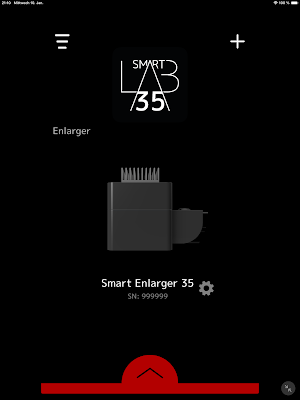

About SmartLab35
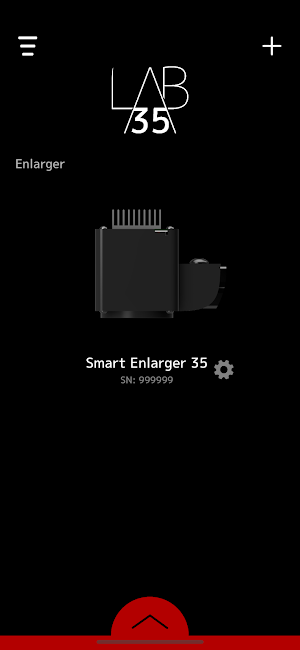
With the innovative photo enlarger, you can create prints from your film negatives in a completely new way. This is possible for colour and black and white photos.
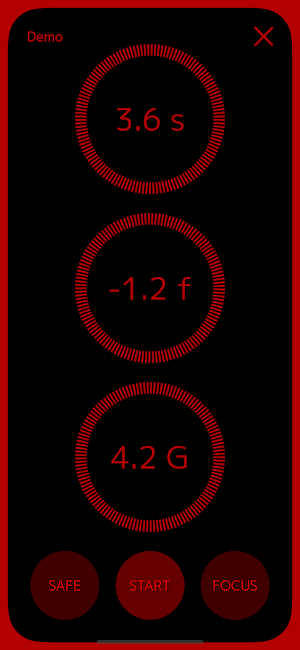
In black and white mode, you can set an exposure time of up to 999 seconds.
You can set the intensity of the enlarger to up to -2.0 f-stops.
For multi-grade paper, you can select the gradation from 00.0 to 5.0.
Use the function buttons to control the enlarger. Use the FOCUS light to adjust the sharpness of your image. Use the SAFE light to insert the paper. Start and pause the exposure with the centre button.
In colour mode, you can set an exposure time of up to 999 seconds.
You can control the colour gradation of your image by setting the intensity of the individual colour channels. In the options menu, you can choose between CMY and RGB colour systems.
Control the enlarger with the function buttons. You can use the FOCUS light to adjust the sharpness of your image. Start and pause the exposure with the centre button.
In black and white mode, you can set an exposure time of up to 999 seconds.
You can set the intensity of the enlarger to up to -2.0 f-stops.
For multi-grade paper, you can select the gradation from 00.0 to 5.0.
Use the function buttons to control the enlarger. Use the FOCUS light to adjust the sharpness of your image. Use the SAFE light to insert the paper. Start and pause the exposure with the centre button.
In colour mode, you can set an exposure time of up to 999 seconds.
You can control the colour gradation of your image by setting the intensity of the individual colour channels. In the options menu, you can choose between CMY and RGB colour systems.
Control the enlarger with the function buttons. You can use the FOCUS light to adjust the sharpness of your image. Start and pause the exposure with the centre button.
What’s new
Version 1.5.1 · Updated May 11, 2026
Minor Bug Fixes
Alternatives to SmartLab35
Looking for apps like SmartLab35? Here are 6 similar Android apps on Google Play. All of them are free to download.
-
Memaura
-
Lion Studio AI: Product Photos
-
Background Remover Simple
-
AI BG Eraser: Photo Editor
-
Gallery - Photo Album Vault
-
Oink Creators
| App | Rating | Price | Installs | Last updated | Compare |
|---|---|---|---|---|---|
| SmartLab35 | – | Free | 50+ | May 11, 2026 | |
| Memaura | – | Free | 10+ | Oct 17, 2025 | Compare |
| Lion Studio AI: Product Photos | – | Free | 50+ | – | Compare |
| Background Remover Simple | – | Free | 10,000+ | Aug 14, 2026 | Compare |
| AI BG Eraser: Photo Editor | – | Free | 10,000+ | – | Compare |
| Gallery - Photo Album Vault | – | Free | 500+ | Oct 12, 2026 | Compare |
| Oink Creators | – | Free | 100+ | Oct 19, 2026 | Compare |
Compare SmartLab35 with the top alternatives: ratings, updates, ASO score and keyword gaps →
Similar apps on Google Play
- Memaura
- Lion Studio AI: Product Photos
- Background Remover Simple
- AI BG Eraser: Photo Editor
- Gallery - Photo Album Vault
- Oink Creators
- Generytic: AI Photo Generator
- CurveTool
- Reveal: Appareil photo jetable
- MyElbum
- Meme Maker - Funny Memes
- AspireAi Art & Video Generator
- UhuruPhotos
- CoCoCamera- Filter & Sticker
- Marwo: Real Photo, Protected
- AI Photo Video Editor - Genva
- Gallery Pro - Photo Album
- Portio
- Kaleidoscope Photo: Mirror
- Moviq – AI Image Animator
- Tam GPS Camera
- Kōlab
- SnapProof: Evidence Camera
- HanCutE - Photo Collage
- JYXI