

DSCalendar: Schedule Todo-list
Productivity Contains ads
Simple AI calendar, with notes, tasks, notifications & daily planner!
- Downloads
- 1K+
- on Google Play
- Price
- Free
- No in-app purchases
- Updated
- Sep 19
- 2023 · v1.2.20230915
Screenshots


About DSCalendar: Schedule Todo-list
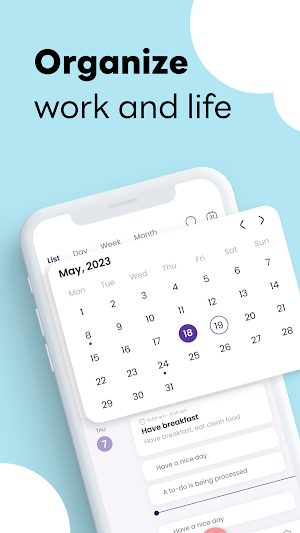
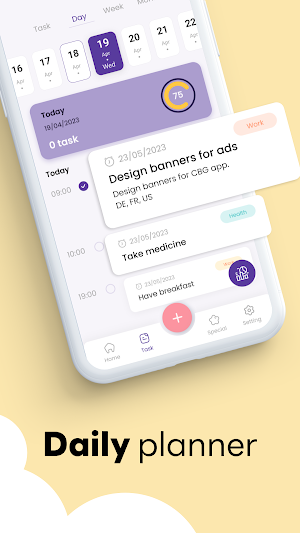
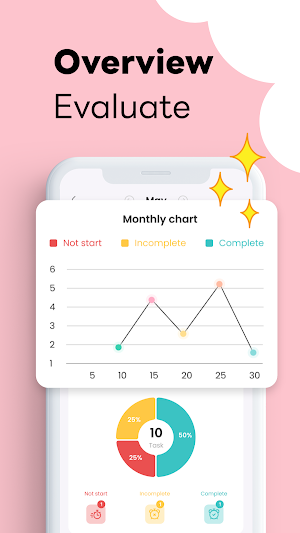
An easy-to-use daily calendar and planner that will make sure you are always on top of your social and work life. Calendar is a simple calendar to schedule your tasks, meetings and plans. It includes an events, to do lists, check lists, calendar widget, after call calendar overview and a calendar planner
Calendar App lets you sync events, create and edit events, share calendar, invite people, set reminders, customize calendar to your specific needs.
Have your calendar ready at hand during calls and access all your schedules and plans without leaving the dial screen. It has never been easier to stay in contact with friends and family and live your life with all your plans and notes in place.
What makes Easy Calendar great:
- Daily To Do List – Create a to do list and tick off the check list when tasks are completed.
- Simple Calendar – See your schedule planner as a 3-day view, week view, month view, and year view’
- Stay on top of your daily schedule with the after call reminder
- Add appointments and schedules from the call widget directly from the dial screen.
- Week agenda view – See your weekly planner clearly in calendly.
- Holiday Today Calendar – Select which countries you would like to add national holidays from in national calendar app.
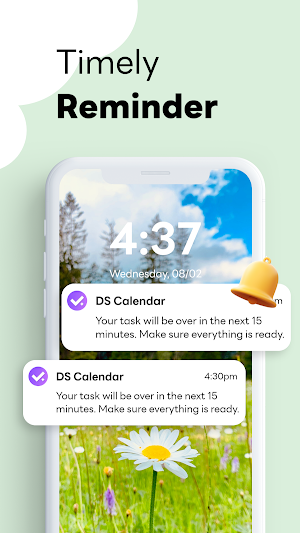
- Notification Reminders – Set a reminder to your free calender and receive a notification. You decide when the notification is sent.
- category Hashtag Expert – Include a category to
- Simple Note taking – Write additional details on your calendar notes.
- Team Meeting – Sync with your Google calendar to get organized to schedule meetings with other people in Teamup calendar.
- Appointment Reminder – Schedule one-time or regular reminders. You can choose how regularly they recur.
- Easy Call - Phone Calling App – See your latest calendar planner entries alongside call information after every call.
Calendar App lets you sync events, create and edit events, share calendar, invite people, set reminders, customize calendar to your specific needs.
Have your calendar ready at hand during calls and access all your schedules and plans without leaving the dial screen. It has never been easier to stay in contact with friends and family and live your life with all your plans and notes in place.
What makes Easy Calendar great:
- Daily To Do List – Create a to do list and tick off the check list when tasks are completed.
- Simple Calendar – See your schedule planner as a 3-day view, week view, month view, and year view’
- Stay on top of your daily schedule with the after call reminder
- Add appointments and schedules from the call widget directly from the dial screen.
- Week agenda view – See your weekly planner clearly in calendly.
- Holiday Today Calendar – Select which countries you would like to add national holidays from in national calendar app.
- Notification Reminders – Set a reminder to your free calender and receive a notification. You decide when the notification is sent.
- category Hashtag Expert – Include a category to
- Simple Note taking – Write additional details on your calendar notes.
- Team Meeting – Sync with your Google calendar to get organized to schedule meetings with other people in Teamup calendar.
- Appointment Reminder – Schedule one-time or regular reminders. You can choose how regularly they recur.
- Easy Call - Phone Calling App – See your latest calendar planner entries alongside call information after every call.
Frequently asked questions
What is DSCalendar?
DSCalendar is an easy-to-use daily calendar and planner that helps you schedule your tasks, meetings, and plans.
What are the features of DSCalendar?
The features of DSCalendar include creating and editing events, syncing events, sharing calendars, inviting people, setting reminders, customizing calendars, having a daily to-do list, viewing schedules in different formats, receiving after call reminders, adding appointments from the dial screen, viewing weekly agendas, adding national holidays, setting notification reminders, using hashtags for categorization, taking notes on the calendar, syncing with Google calendar, and accessing calendar entries alongside call information.
Alternatives to DSCalendar: Schedule Todo-list
Looking for apps like DSCalendar: Schedule Todo-list? Here are 6 similar Android apps on Google Play. The highest rated is Photo Editor - Face Makeup (4.7/5), and all 6 are free to download.
-
Calendar: Schedule Planner 4.4
-
Voice Recorder - Voice Memos 4.4
-
Email for Hotmail & Outlook 3.8
-
Photo Editor - Face Makeup 4.7
-
Weather forecast: Live Radar 4.3
-
DS Alarm Clock 4.4
| App | Rating | Price | Installs | Last updated | Compare |
|---|---|---|---|---|---|
| DSCalendar: Schedule Todo-list | – | Free | 1,000+ | Sep 19, 2023 | |
| Calendar: Schedule Planner | 4.4 / 5 | Free | 100+ | May 19, 2022 | Compare |
| Voice Recorder - Voice Memos | 4.4 / 5 | Free | 10,000+ | Nov 1, 2022 | Compare |
| Email for Hotmail & Outlook | 3.8 / 5 | Free | 500+ | Dec 16, 2021 | Compare |
| Photo Editor - Face Makeup | 4.7 / 5 | Free | 10,000+ | Feb 16, 2023 | Compare |
| Weather forecast: Live Radar | 4.3 / 5 | Free | 100,000+ | Apr 5, 2020 | Compare |
| DS Alarm Clock | 4.4 / 5 | Free | 10,000+ | Sep 9, 2023 | Compare |
Similar apps on Google Play
- Calendar: Schedule Planner
- Voice Recorder - Voice Memos
- Email for Hotmail & Outlook
- Photo Editor - Face Makeup
- Weather forecast: Live Radar
- DS Alarm Clock
- AI Mail - Smart Write Email
- Quick Notes, Notepad, Notebook
- Pedo - Step & Water tracker
- Messages - SMS & MMS
- PDF Reader - Image To PDF
- Calendar: Planner & To-Do List
- Weather - Weather Forecast
- Screen Recorder Pro
- Video Maker Video Editor Music
- Daily water - Drink diet log