
Collage Maker
Skyraan Technologies Photography Contains ads
Craft stunning collages effortlessly—bring your photos to life with style.
- Downloads
- 100+
- on Google Play
- Price
- Free
- No in-app purchases
- Updated
- Feb 17
- 2025 · v1.0.11
Screenshots




About Collage Maker
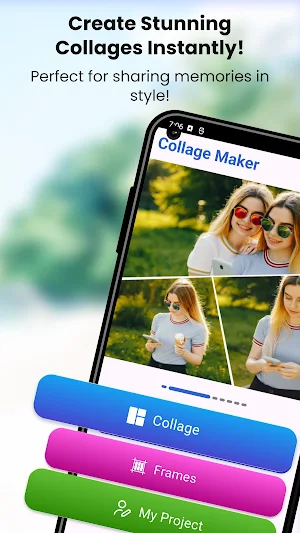
In Collage Maker, the Collage option automatically arranges selected photos into a layout. With Frames, you can choose frames for 2-8 photos and add pictures accordingly. All your downloaded collages are saved in My Projects, keeping them organized in one place.
Key Features:
Canvas: The Canvas option allows you to select from various ratios like 1:1, 16:9, 9:16, 4:3, 3:4, 3:2, and 2:3, giving you the flexibility to create collages in different aspect ratios for any purpose or platform.
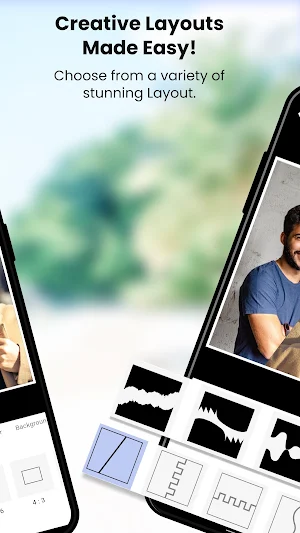
Layouts: In Collage Maker, the Layouts option provides a variety of pre-designed templates, allowing you to easily arrange your photos in different
styles. Choose from grid, freeform, or artistic layouts to create a unique and personalized collage.
Spacing: In Collage Maker, the Spacing option lets you adjust the Margin and Padding after selecting a layout. Customize the space between your photos and the edges of the collage to achieve the perfect balance and design.
Border: In Collage Maker, the Borders option allows you to customize the border by selecting its color, adjusting the width, changing the opacity, and modifying the radius to create the perfect frame for your collage.
Background Color:In Collage Maker, the Background Color option lets you add a solid color background to your collage and adjust its opacity to create the desired effect and blend with your design.
Background Image:In Collage Maker, the Background Image option allows you to choose an image from the app’s collection or your device’s gallery. You can also adjust the Opacity and apply a Blur effect to the background image for a more customized and artistic look.
Add Image: In Collage Maker, you can add images from your gallery, and by swiping up, you can delete them. The layout will automatically adjust based on the remaining photos, ensuring your collage stays organized and visually appealing.
In Collage Maker, you can click on a single image to zoom, Replace, adjust the perspective, rotate, drag it to align with other elements, and use the reset option to return the image to its original state. This allows you to fine-tune your collage for a seamless look.
In Collage Maker, you can Shuffle the collage to rearrange the layout and Reset your changes to return to the original design, giving you flexibility and control over your creation.
Create, edit, and share beautiful photo collages instantly with Collage Maker! Perfect for photo enthusiasts, content creators, and anyone looking to make their memories even more special.
Key Features:
Canvas: The Canvas option allows you to select from various ratios like 1:1, 16:9, 9:16, 4:3, 3:4, 3:2, and 2:3, giving you the flexibility to create collages in different aspect ratios for any purpose or platform.
Layouts: In Collage Maker, the Layouts option provides a variety of pre-designed templates, allowing you to easily arrange your photos in different
styles. Choose from grid, freeform, or artistic layouts to create a unique and personalized collage.
Spacing: In Collage Maker, the Spacing option lets you adjust the Margin and Padding after selecting a layout. Customize the space between your photos and the edges of the collage to achieve the perfect balance and design.
Border: In Collage Maker, the Borders option allows you to customize the border by selecting its color, adjusting the width, changing the opacity, and modifying the radius to create the perfect frame for your collage.
Background Color:In Collage Maker, the Background Color option lets you add a solid color background to your collage and adjust its opacity to create the desired effect and blend with your design.
Background Image:In Collage Maker, the Background Image option allows you to choose an image from the app’s collection or your device’s gallery. You can also adjust the Opacity and apply a Blur effect to the background image for a more customized and artistic look.
Add Image: In Collage Maker, you can add images from your gallery, and by swiping up, you can delete them. The layout will automatically adjust based on the remaining photos, ensuring your collage stays organized and visually appealing.
In Collage Maker, you can click on a single image to zoom, Replace, adjust the perspective, rotate, drag it to align with other elements, and use the reset option to return the image to its original state. This allows you to fine-tune your collage for a seamless look.
In Collage Maker, you can Shuffle the collage to rearrange the layout and Reset your changes to return to the original design, giving you flexibility and control over your creation.
Create, edit, and share beautiful photo collages instantly with Collage Maker! Perfect for photo enthusiasts, content creators, and anyone looking to make their memories even more special.
What’s new
Version 1.0.11 · Updated February 17, 2025
"New customizable collage Layouts for endless creativity!"
Alternatives to Collage Maker
Looking for apps like Collage Maker? Here are 6 similar Android apps on Google Play. All of them are free to download.
-
Hair Care Tips
-
Spanish Kids Stories
-
Stickers
-
C# Interview Questions
-
Math Learner
-
Aptitude Question & Answers
| App | Rating | Price | Installs | Last updated | Compare |
|---|---|---|---|---|---|
| Collage Maker | – | Free | 100+ | Feb 17, 2025 | |
| Hair Care Tips | – | Free | 10+ | May 3, 2024 | Compare |
| Spanish Kids Stories | – | Free | 1,000+ | Jul 30, 2024 | Compare |
| Stickers | – | Free | 1,000+ | Oct 22, 2024 | Compare |
| C# Interview Questions | – | Free | 0+ | May 13, 2024 | Compare |
| Math Learner | – | Free | 1,000+ | Mar 14, 2025 | Compare |
| Aptitude Question & Answers | – | Free | 1,000+ | Jan 6, 2025 | Compare |
Compare Collage Maker with the top alternatives: ratings, updates, ASO score and keyword gaps →
Similar apps on Google Play
- Hair Care Tips
- Spanish Kids Stories
- Stickers
- C# Interview Questions
- Math Learner
- Aptitude Question & Answers
- Eduraan
- Learn English Through Hindi
- Marathi Calendar
- Gujarati Calendar
- Kannada Calendar
- Malayalam Calendar
- Telugu Calendar
- Hindi Calendar
- Photo Editor
- Doc Scanner
- Learn English through Tamil
- Sliding Puzzle
- குழந்தைகளுக்கான பாடல்கள்
- Kotlin Programming
- C# Programming
- Kannada Kids Stories
- Gujarati Kids Stories
- தமிழ் பழமொழிகள்
- தமிழில் பொது அறிவு
- Devaram (தேவாரம்)
- ஜென் ஒழுக்கக் கதைகள்
- Short Stories in Malayalam
- 1001 Nights Stories in Tamil
- ஆத்திச்சூடி
- பொன்னியின் செல்வன்
- கல்கி சிறுகதைகள்
- சாணக்கிய நீதி
- பாரதியார் கவிதைகள் & கதைகள்
- Magraan Publisher
- JavaScript Programs
- C Programming
- Word Connect
- Akbar-Birbal Stories
- java Interview Questions
- Animal Stories
- Panchatantra Stories
- Inspirational Stories
- Motivational Stories
- C++ Interview Questions
- C Programming IQ
- Programs (c, c++, Java) etc.
- Leader's Quotes
- Bedtime Stories
- Moral Stories
- Short Stories in Telugu
- Swift Interview Questions
- Sudoku Puzzle
- தமிழ் சிறுகதைகள்
- CS IT Interview Questions
- Hindi Stories
- Skyra Baby Names
- Minbuk
- Skyra Tamil Calendar
- Bible Quote Maker
- Beauty Tips
- Health Tips
- Resume Builder | CV Maker
- Yoga : Fitness | Meditation
- Magraan - Magazines
- Mugaam - Recruiter
- Mugaam - Job Search
- Pregnancy Tracker -Preggy Zone
- Bible Quiz
- Short stories in English
- Workout Zone
- Ovulation | Periods Tracker