

Total Converter: Video & Photo
Tools In-app purchases Contains ads
Convert video, audio, photos & GIFs to any format easily with Total Converter!
- Downloads
- 361+
- on Google Play
- Price
- Free
- In-app purchases
- Updated
- Oct 23
- 2026 · v1.013
Screenshots


About Total Converter: Video & Photo
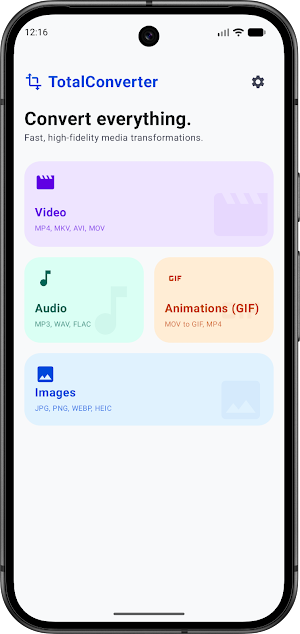
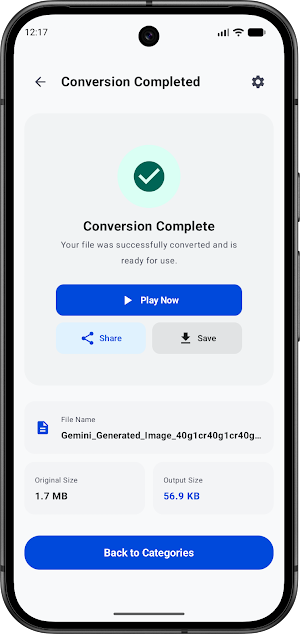
Total Converter: Video & Photo is your ultimate all-in-one media conversion tool for Android. Easily convert videos, audio files, images, and GIFs between popular formats in just a few taps. Whether you need to compress a large video, change an audio format, or turn a video into an animated GIF, Total Converter has you covered!
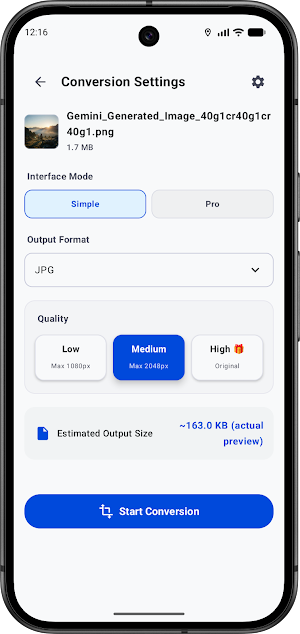
With a clean, user-friendly interface and fast processing speeds, you can manage all your media files without any hassle. Choose your preferred output quality (Low, Medium, or High) to perfectly balance file size and clarity.
🌟 Key Features:
💎 Go Premium or Watch to Unlock:
Enjoy our basic features completely for free! For advanced users, high-quality (High) processing can be unlocked dynamically. You can either watch a quick rewarded video to access premium quality for a single conversion or upgrade to the Premium Version for an ad-free experience, unlimited high-quality exports, and maximum speed.
Fast, reliable, and simple. Download Total Converter: Video & Photo today and take full control of your media files!
With a clean, user-friendly interface and fast processing speeds, you can manage all your media files without any hassle. Choose your preferred output quality (Low, Medium, or High) to perfectly balance file size and clarity.
🌟 Key Features:
- Video Converter: Convert MP4, MKV, AVI, MOV, FLV, and more. Compress videos to save storage space or optimize them for social media.
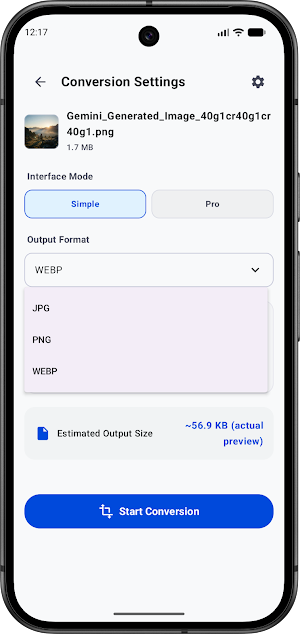
- Photo & Image Converter: Convert JPEG, PNG, WEBP, BMP, and other image formats instantly.
- Audio Converter: Extract audio from video or convert between MP3, WAV, AAC, FLAC, and M4A.
- GIF Maker & Converter: Turn your videos or images into high-quality GIFs, or convert GIFs back to video files.
- Flexible Quality Control: Select from Low, Medium, or High output quality depending on your storage and resolution needs.
💎 Go Premium or Watch to Unlock:
Enjoy our basic features completely for free! For advanced users, high-quality (High) processing can be unlocked dynamically. You can either watch a quick rewarded video to access premium quality for a single conversion or upgrade to the Premium Version for an ad-free experience, unlimited high-quality exports, and maximum speed.
Fast, reliable, and simple. Download Total Converter: Video & Photo today and take full control of your media files!
What’s new
Version 1.013 · Updated October 23, 2026
- Fixed WebM export settings for audio, resolution, frame rate and metadata. - Unavailable file-size presets are now disabled for WebM. - Fixed audio fade-out timing after trimming when silence removal is off.
Alternatives to Total Converter: Video & Photo
Looking for apps like Total Converter: Video & Photo? Here are 6 similar Android apps on Google Play. All of them are free to download.
-
EASA FTL Assistant
-
GNSS Hub Pro - GPS Test
-
RateWay — Currency Converter
-
Pilot Night Time Calculator
-
Aviatool (METAR, TAF)
-
Aviatool.OLD
| App | Rating | Price | Installs | Last updated | Compare |
|---|---|---|---|---|---|
| Total Converter: Video & Photo | – | Free | 100+ | Oct 23, 2026 | |
| EASA FTL Assistant | – | Free | 100+ | – | Compare |
| GNSS Hub Pro - GPS Test | – | Free | 100+ | – | Compare |
| RateWay — Currency Converter | – | Free | 500+ | – | Compare |
| Pilot Night Time Calculator | – | Free | 100+ | – | Compare |
| Aviatool (METAR, TAF) | – | Free | 500+ | – | Compare |
| Aviatool.OLD | – | Free | 50+ | May 2, 2025 | Compare |