

Tickdrop | Notification to-do
Productivity In-app purchases
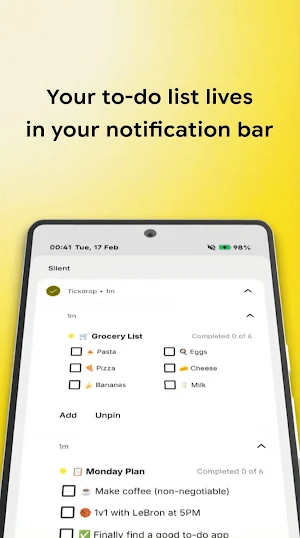
Pin your to-do list to notifications. Check tasks without opening the app.
- Rating
- 4.8
- 62 ratings
- Downloads
- 1K+
- on Google Play
- Price
- Free
- In-app purchases
- Updated
- Sep 22
- 2026 · v1.9.2
Screenshots


About Tickdrop | Notification to-do
Tickdrop pins your tasks directly to your notification shade. No app to open, no distractions: just swipe down, check off, and move on with your day.
How it works
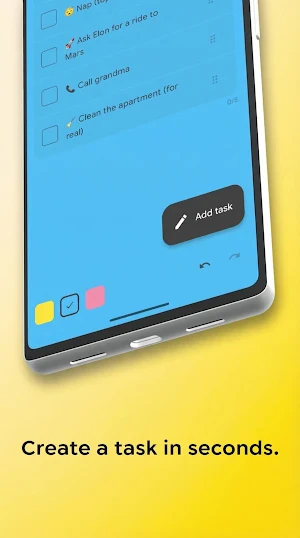
1. Create a list
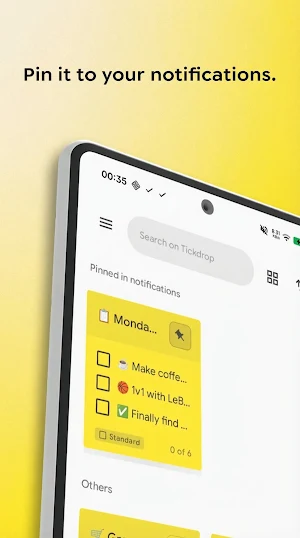
2. Tap the pin icon
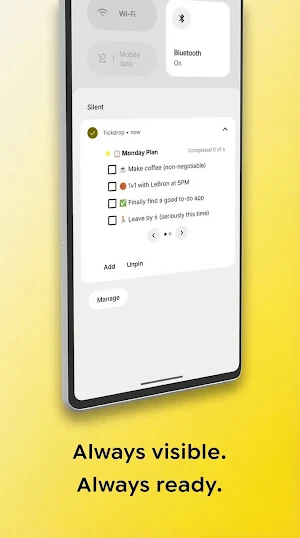
3. Your tasks appear as a persistent notification.
4. Check items off right from the notification bar.
It's that simple.
Features
• Check off tasks directly from notifications
• Standard lists for detailed tasks (up to 80 characters)
• Quick lists with 2-column layout for short items
• Dot pagination to browse longer lists
• Completed tasks move to the bottom automatically
• Light and dark theme support
Privacy first
No ads. No tracking. No account required. Your data stays on your device, always.
Free vs Tickdrop+
• Free: 1 pinned list, 7 tasks, classic yellow
• Tickdrop+ (one-time purchase): 4 pinned lists, up to 21 tasks, extra colors
Stop juggling apps. Start getting things done right from your notification shade.
What’s new
Version 1.9.2 · Updated September 22, 2026
Clearing or deleting all completed tasks now feels tactile: a gentle tap for each one as it goes, and again when you bring them back with Undo • Deleting completed tasks no longer makes the note jump. The list glides back into place in one smooth motion, and the counter slides along with it • Undo now rebuilds your completed tasks one by one, with the counter ticking up as each returns • Small polish and stability fixes
User reviews

just good to track daily activity and a good planner

I use your every app n they all r great

needed this for so long,,thanks

fatta bene. fa il suo dovere!
Alternatives to Tickdrop | Notification to-do
Looking for apps like Tickdrop | Notification to-do? Here are 2 similar Android apps on Google Play. The highest rated is blockit | stop phone addiction (4.5/5), and all 2 are free to download.


| App | Rating | Price | Installs | Last updated | Compare |
|---|---|---|---|---|---|
| Tickdrop | Notification to-do | 4.8 / 5 | Free | 1,000+ | Sep 22, 2026 | |
| blockit | stop phone addiction | 4.5 / 5 | Free | 500,000+ | Oct 20, 2026 | Compare |
| LV.29 | Push-Ups Quest | – | Free | 1,000+ | Sep 22, 2026 | Compare |