
JavaScript Coding
Septudio LLC Tools In-app purchases
Learn JavaScript with tutorials, challenges, code editor & interactive console.
- Rating
- 3.8
- 226 ratings
- Downloads
- 19.7K+
- on Google Play
- Price
- Free
- In-app purchases
- Updated
- Mar 28
- 2026 · v1.0
Screenshots


About JavaScript Coding
JavaScript Coding — Learn, Practice & Run JavaScript
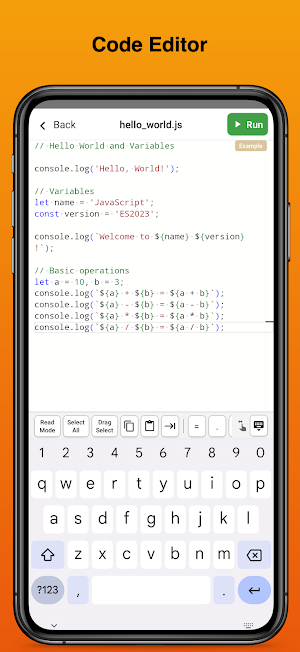
A complete JavaScript learning environment right on your device. Write and run code instantly with a professional editor, interactive console, step-by-step tutorials, hands-on coding challenges, and built-in Chart.js for data visualization.
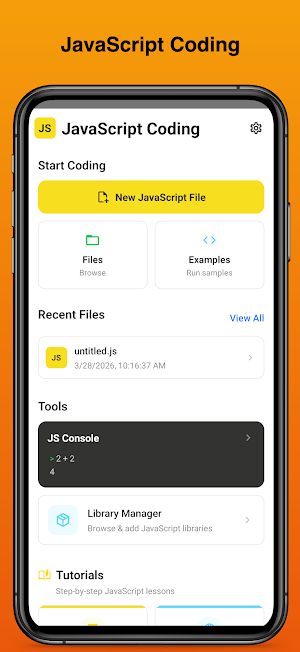
Code Editor & Console
• Full-featured editor with syntax highlighting
• Interactive JS Console (REPL) for instant experimentation
• Run code directly on your device — no server needed
• Customizable themes, font size, and editor settings
60+ Step-by-Step Tutorials
• JavaScript Basics — variables, loops, functions, arrays, objects
• DOM & Browser — selectors, events, forms, fetch API
• Async & Promises — callbacks, async/await, error handling
• ES6+ Features — destructuring, generators, proxies, symbols
• Algorithms — sorting, searching, stacks, linked lists, hash tables
• Chart.js — bar charts, line charts, pie/doughnut, styling, dynamic updates
30+ Coding Challenges
• Practice with real coding exercises at Easy, Medium, and Hard levels
• Categories: JavaScript, Arrays & Objects, Strings, Functions, Algorithms
• Automated test verification — get instant feedback on your solutions
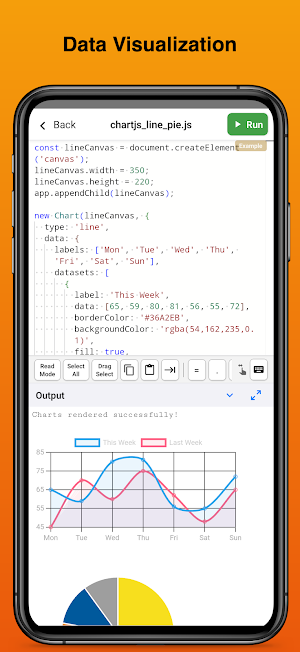
Chart & Visual Output
• Built-in Chart.js — create bar, line, pie, and doughnut charts instantly
• Render Canvas graphics and DOM elements directly in the output panel
• No setup needed — Chart.js is bundled and always available
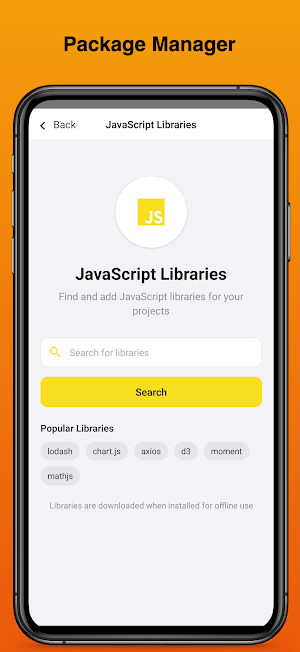
Library Manager
• 25+ popular JavaScript libraries: lodash, axios, D3, p5.js, mathjs, and more
• Chart.js built-in — no download required
• Libraries are downloaded for offline use
• Use them directly in your code with global variables
File Manager & Examples
• Create, organize, and manage your JavaScript files
• Import files from your device
• Ready-to-run code examples to get started quickly
Built for Learning
• Progress tracking across tutorials and challenges
• Dark mode support throughout the app
• Works offline — write and run code anywhere
• Keep screen awake while coding
Whether you're a beginner learning JavaScript for the first time, visualizing data with Chart.js, or an experienced developer practicing algorithms — JavaScript Coding gives you everything you need to code on the go.
A complete JavaScript learning environment right on your device. Write and run code instantly with a professional editor, interactive console, step-by-step tutorials, hands-on coding challenges, and built-in Chart.js for data visualization.
Code Editor & Console
• Full-featured editor with syntax highlighting
• Interactive JS Console (REPL) for instant experimentation
• Run code directly on your device — no server needed
• Customizable themes, font size, and editor settings
60+ Step-by-Step Tutorials
• JavaScript Basics — variables, loops, functions, arrays, objects
• DOM & Browser — selectors, events, forms, fetch API
• Async & Promises — callbacks, async/await, error handling
• ES6+ Features — destructuring, generators, proxies, symbols
• Algorithms — sorting, searching, stacks, linked lists, hash tables
• Chart.js — bar charts, line charts, pie/doughnut, styling, dynamic updates
30+ Coding Challenges
• Practice with real coding exercises at Easy, Medium, and Hard levels
• Categories: JavaScript, Arrays & Objects, Strings, Functions, Algorithms
• Automated test verification — get instant feedback on your solutions
Chart & Visual Output
• Built-in Chart.js — create bar, line, pie, and doughnut charts instantly
• Render Canvas graphics and DOM elements directly in the output panel
• No setup needed — Chart.js is bundled and always available
Library Manager
• 25+ popular JavaScript libraries: lodash, axios, D3, p5.js, mathjs, and more
• Chart.js built-in — no download required
• Libraries are downloaded for offline use
• Use them directly in your code with global variables
File Manager & Examples
• Create, organize, and manage your JavaScript files
• Import files from your device
• Ready-to-run code examples to get started quickly
Built for Learning
• Progress tracking across tutorials and challenges
• Dark mode support throughout the app
• Works offline — write and run code anywhere
• Keep screen awake while coding
Whether you're a beginner learning JavaScript for the first time, visualizing data with Chart.js, or an experienced developer practicing algorithms — JavaScript Coding gives you everything you need to code on the go.
What’s new
Version 1.0 · Updated March 28, 2026
First release.
User reviews

I love it so much I think you for making it

It's a legit app to use...
Alternatives to JavaScript Coding
Looking for apps like JavaScript Coding? Here are 6 similar Android apps on Google Play. The highest rated is Python+ (4.6/5), and all 6 are free to download.
-
Python Coding 4.5
-
Python+ 4.6
-
Vibe SSH – AI Terminal
-
Javascript Guide
-
AI Email Writer: Reply & Edit
-
ColorKit – Palette & Picker
| App | Rating | Price | Installs | Last updated | Compare |
|---|---|---|---|---|---|
| JavaScript Coding | 3.8 / 5 | Free | 10,000+ | Mar 28, 2026 | |
| Python Coding | 4.5 / 5 | Free | 500,000+ | Jul 24, 2026 | Compare |
| Python+ | 4.6 / 5 | Free | 100,000+ | Oct 7, 2026 | Compare |
| Vibe SSH – AI Terminal | – | Free | 1,000+ | Apr 7, 2026 | Compare |
| Javascript Guide | – | Free | 1,000+ | Dec 27, 2025 | Compare |
| AI Email Writer: Reply & Edit | – | Free | 500+ | Feb 11, 2026 | Compare |
| ColorKit – Palette & Picker | – | Free | 500+ | Jan 5, 2026 | Compare |
Compare JavaScript Coding with the top alternatives: ratings, updates, ASO score and keyword gaps →