

AI Video Screen Recorder
US Indian Corp LLC Video Players & Editors Contains ads
Record your screen while using apps & games with 1080p screen recorder capturer.
- Rating
- 4.8
- 11 ratings
- Downloads
- 1K+
- on Google Play
- Price
- Free
- No in-app purchases
- Updated
- Aug 16
- 2024 · v6.0
Screenshots



About AI Video Screen Recorder
FILM YOUR SCREEN WITH SCREEN RECORDER NO WATERMARK
Are you looking for an easy-to-use screen recorder?
Want it to also record in the highest quality possible with sound?
Meet the HD Screen Recorder with Sound app that makes screen recording simple and effective. Our record screen audio and video app is optimized for capturing and recording your device's screen with ease and precision. Whether you need to create tutorial videos, record gameplay, capture important moments, or simply show your screen with friends and colleagues, HD Screen Recorder with Sound has got you covered.
RECORD SCREEN WITH SOUND IN HIGH QUALITY
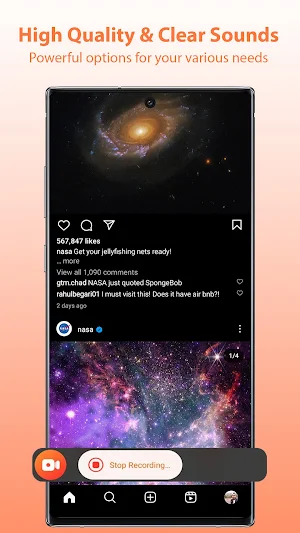
🔴 This mobile capture recorder allows you to record your screen in high-definition, ensuring that every detail is captured with crystal clarity. Whether it's a video call, app demonstration, or any other on-screen activity, the app guarantees exceptional video quality.
📱RECORD YOUR SCREEN. YOUR WAY.
Choose from various recording modes to suit your needs. Capture the entire screen, select a specific area, or record a particular app window effortlessly. HD Screen Recorder offers flexibility and customization to make your recordings precise and focused.
🆓 NO WATERMARK
No watermarks or time limits. No constraints. Record your screen as long as you have storage space.
📤EASY SHARING
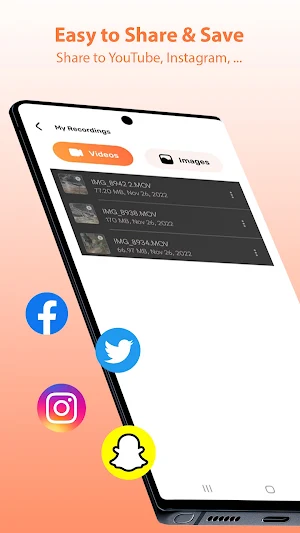
Easily share your screen recordings with others directly from the 1080p screen recorder app. Whether you want to upload your videos to social media platforms, send them via messaging apps, or save them to your device for further editing, HD Screen Recorder streamlines the sharing process.
🔒 100% PRIVATE
HD Screen Recorder prioritizes your privacy and data security. The screenshot video recorder app does not collect any personal information or require unnecessary permissions, ensuring your recordings remain confidential and protected.
HD SCREEN RECORDER APP FEATURES:
• full HD screen recorder that records audio
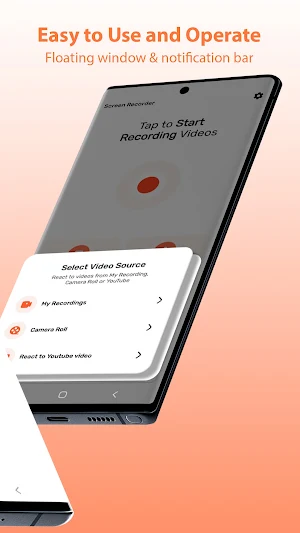
• simple control with a floating button
• pause recording
• instant saving when you stop the recording
• no time limits
• no watermark
• pick the quality of the recording
• view and share screen recordings
Now it’s time to try my screen recorder that records audio for your next project. Don't settle for subpar free screen recording apps when you can have the best. Having a good quality screen recorder will save a lot time and allow you to quickly record what you need.
✅ Download and try HD Screen Recorder with Sound for FREE
What’s new
Version 6.0 · Updated August 16, 2024
Fixed a crash issue on some models and fixed compatibility with older models.
Alternatives to AI Video Screen Recorder
Looking for apps like AI Video Screen Recorder? Here are 6 similar Android apps on Google Play. The highest rated is Photo Video Maker with Music (4.7/5), and all 6 are free to download.
-
TwitSave
-
Cyberpunk Video Editor 3.7
-
Photo Video Maker with Music 4.7
-
Cast X Player
-
Asaloun : Quran video editing
-
Photo Video Maker With Music
| App | Rating | Price | Installs | Last updated | Compare |
|---|---|---|---|---|---|
| AI Video Screen Recorder | 4.8 / 5 | Free | 1,000+ | Aug 16, 2024 | |
| TwitSave | – | Free | 1,000+ | Jul 10, 2024 | Compare |
| Cyberpunk Video Editor | 3.7 / 5 | Free | 1,000+ | Aug 7, 2024 | Compare |
| Photo Video Maker with Music | 4.7 / 5 | Free | 1,000+ | Aug 3, 2024 | Compare |
| Cast X Player | – | Free | 1,000+ | Jul 10, 2024 | Compare |
| Asaloun : Quran video editing | – | Free | 100,000+ | Nov 3, 2024 | Compare |
| Photo Video Maker With Music | – | Free | 50,000+ | Nov 14, 2024 | Compare |
Similar apps on Google Play
- TwitSave
- Cyberpunk Video Editor
- Photo Video Maker with Music
- Cast X Player
- Asaloun : Quran video editing
- Photo Video Maker With Music
- Image Extractor from Video
- Raksha bandhan video maker
- VideoTrim : Video Editor
- HN IPTV DIRECT
- LIVE PLUS
- 15 August Video Makers
- WATCH LIVE | Video Player
- Video downloader for likee
- Christmas Video Maker
- Video Player - All in One
- Exo Stream Player
- Video Status Maker Reels Maker
- All Video Downloader HD
- VideoFast - Text to Video AI
- SPL - Smarter Player Pro
- Adivasi Status Maker
- Boom Video Player
- AI Video Screen Recorder
- PlayX2 / Double-speed playback