

SM Home
SchoolMessenger Education
SchoolMessenger is a powerful way to stay connected to your school.
- Rating
- 3.1
- 114 ratings
- Downloads
- 50K+
- on Google Play
- Price
- Free
- No in-app purchases
- Updated
- Sep 12
- 2026 · v2.3.4
Screenshots


About SM Home
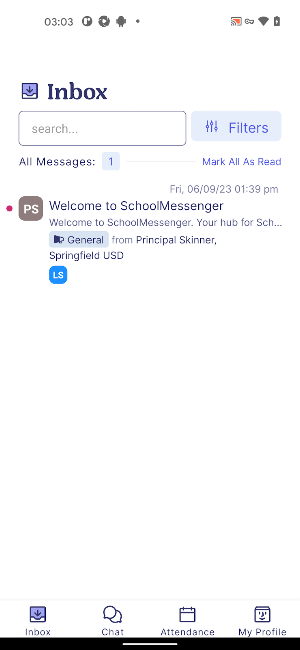
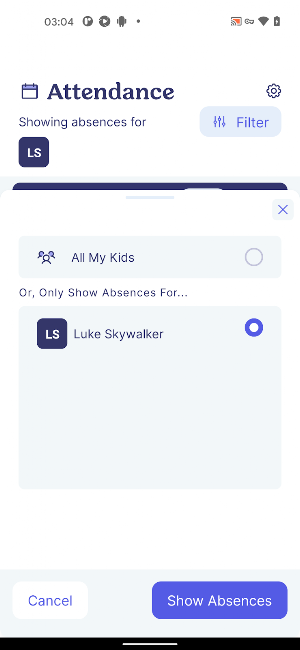
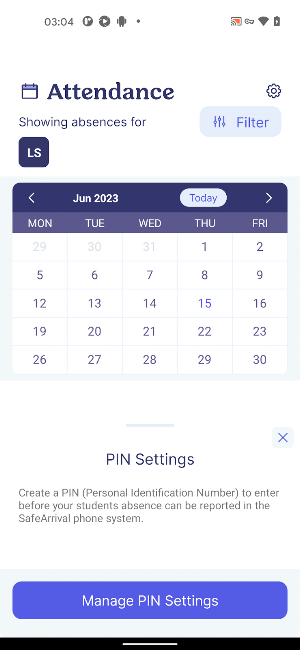
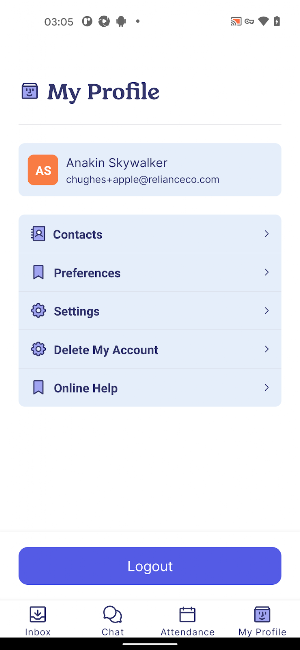
For parents/guardians and students, the easy-to-use app allows users to quickly review any broadcast sent from the SchoolMessenger service (Phone/Email/SMS) in one place, manage your communication preferences and, optionally, Chat with teachers** or report absences.** Requires WIFI or data plan for internet access. Requires SchoolMessenger Communicate service subscription by the school or district.
Note:
SchoolMessenger Home is used for receiving SchoolMessenger Communicate messages sent by district or school personnel.
If you are a school administrator or staff member looking to send messages, please download the SM Sender App.
** Chat and Attendance options may not be available depending on your School/District
Note:
SchoolMessenger Home is used for receiving SchoolMessenger Communicate messages sent by district or school personnel.
If you are a school administrator or staff member looking to send messages, please download the SM Sender App.
** Chat and Attendance options may not be available depending on your School/District
What’s new
Version 2.3.4 · Updated September 12, 2026
Thank you for using the SchoolMessenger Home App! This update includes some bug fixes.
Frequently asked questions
What can I do with the SM Home app?
With the SM Home app, you can quickly review any broadcast sent from the SchoolMessenger service, manage your communication preferences, and optionally chat with teachers or report absences.
How can I access the SM Home app?
You can access the SM Home app by having WIFI or a data plan for internet access. Additionally, you need a SchoolMessenger Communicate service subscription by your school or district.
Who can use the SM Home app?
The app is designed for parents/guardians and students who receive SchoolMessenger Communicate messages sent by district or school personnel.
Are there any additional features in the SM Home app?
The app may offer features like chat with teachers and reporting absences. However, please note that these options may not be available depending on your School/District.
What should I do if I want to send messages as a school administrator or staff member?
If you are a school administrator or staff member, you should download the SM Sender App to send messages.
Alternatives to SM Home
Looking for apps like SM Home? Here are 3 similar Android apps on Google Play. The highest rated is SchoolMessenger (4.3/5), and all 3 are free to download.



| App | Rating | Price | Installs | Last updated | Compare |
|---|---|---|---|---|---|
| SM Home | 3.1 / 5 | Free | 50,000+ | Sep 12, 2026 | |
| SchoolMessenger | 4.3 / 5 | Free | 1,000,000+ | Dec 9, 2025 | Compare |
| SM Sender App | – | Free | 1,000+ | Sep 22, 2025 | Compare |
| SchoolMessenger Admin | 2.8 / 5 | Free | 10,000+ | Jun 21, 2018 | Compare |
Compare SM Home with the top alternatives: ratings, updates, ASO score and keyword gaps →