Click to Chat
Direct Message - Chat on WhatsApp or WhatsApp Business without saving number
About Click to Chat
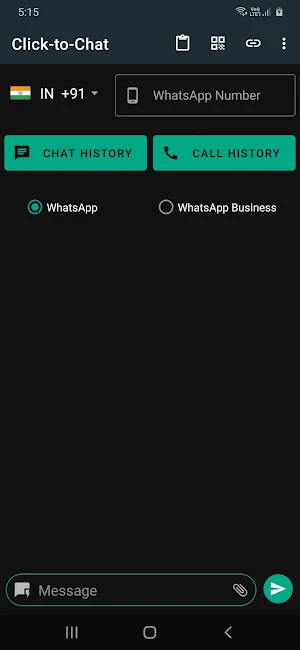
Click-to-Chat (Direct chat) lets you chat on WhatsApp without saving the mobile number.
Scenario: You get a call from a new number & you need to send some WhatsApp message to that number. Without saving the number to your contacts just perform following procedure -
Start the “Click to Chat” app
Open your recent “Call Log”
Get the number from there
Then click “Send Button”
You will be directed to the WhatsApp chat for that person.
Features:
- Direct chat on WhatsApp, without saving phone number to contacts
- Get number directly from call log
- Create & use quick notes for quickly sending messages
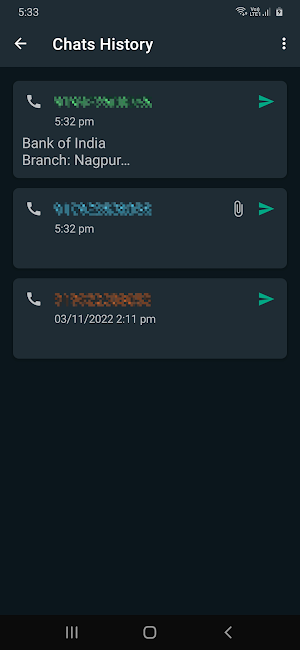
- All chat history is logged, from where you can resend the messages
- Supports both WhatsApp as well as WhatsApp Business
- Attach supported documents from the app itself (experimental)
- Create & share web link and QR code for your message
- Open recent call history from the app (from where you can copy-paste phone numbers)
- Send messages to yourself (can be used save important messages/notes)
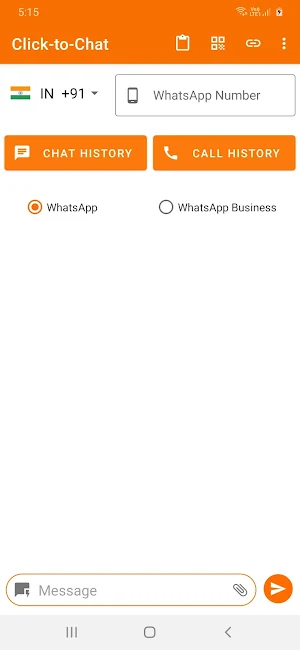
- Supports dark and light themes
How to use:
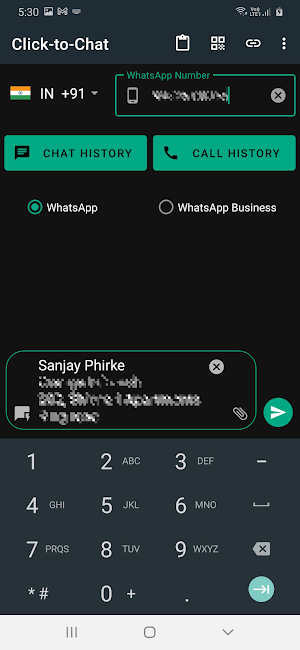
1. Select country code if it different than you need
2. Enter phone number without country code (from call log / copy-paste / manual entry)
3. Select WhatsApp version if required
4. Enter message (optional)
5. Attach document (optional)
6. Send
- Now the selected WhatsApp will be opened for the selected phone number with your message prefilled.
Privacy:
We respect your privacy we don't collect your personal or private data.
⚠ Disclaimer:
- Click-to-Chat app is not affiliated with nor endorsed by WhatsApp Inc. WhatsApp is a registered trademark of WhatsApp Inc. You should follow WhatsApp's terms & condition while sending messages through Click-to-Chat App. Any unauthorized downloading or re-uploading of contents and/or violations of Intellectual property rights is the sole responsibility of the user.
Disclosure (for using Call Log permission):
Call log permission is needed to get phone number easily from your recent call log. The app only accesses your call log to get the phone number. The app does not share your call log data to anywhere else.
Click to Chat details
Click to Chat is a free Productivity app for Android with 100+ installs on Google Play and a 5.0/5 average rating from 1 rating. It was released on November 25, 2022 and last updated on January 22, 2023. It requires Android 6.0 or later. The app contains ads.
- Category
- Productivity
- Rating
- 5.0 / 5 (1 rating)
- Installs
- 100+
- Price
- Free
- In-app purchases
- No
- Ads
- Contains ads
- Current version
- 2.1
- Requires Android
- 6.0
- Content rating
- Everyone
- Released
- November 25, 2022
- Last updated
- January 22, 2023
What’s new in Click to Chat
Fixed minor bugs.
Version 2.1 · Updated January 22, 2023
Similar Apps

Status Saver Plus
Status Downloader app to download video status and images from WhatsApp status....

Click to Chat
Click-to-Chat (Direct chat) lets you chat on WhatsApp without saving the mobile...

Office Bell
Office Bell is a very simple, innovative solution to call peon or...