
Learn Ms-Word
Education Contains ads
Master Microsoft Word! Step-by-step lessons, quizzes, and tasks for all levels.
- Downloads
- 1.7K+
- on Google Play
- Price
- Free
- No in-app purchases
- Updated
- Sep 21
- 2025 · v1.0.0
Screenshots
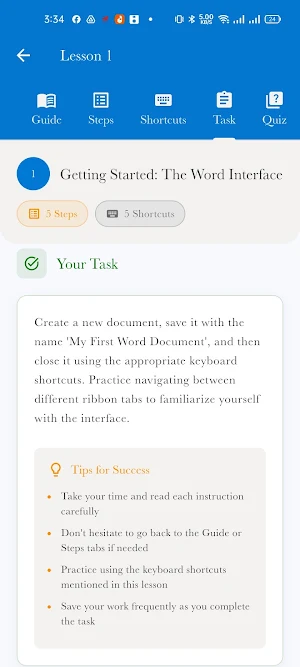

About Learn Ms-Word
Want to master Microsoft Word and create professional documents with confidence? Unlock the full power of MS Word with Learn Ms-Word, your complete offline guide from basic fundamentals to advanced techniques!
Whether you are a student, a working professional, or a job seeker, this app is designed to make you a Word expert. Our step-by-step lessons are easy to understand, and each one includes a practical task and a quiz to ensure you master every skill.
WHAT YOU WILL LEARN:
Word Basics: Get started with the Word interface, basic editing, and navigation.
Professional Formatting: Master text and paragraph formatting, fonts, colors, and styles.
Organizing Content: Create dynamic bulleted, numbered, and multi-level lists.
Working with Visuals: Insert, format, and wrap text around images and shapes.
Tables & Data: Design and format tables to present data clearly and effectively.
Document Design: Control page layout, margins, orientation, headers, and footers.
Efficiency Tools: Use Styles and Themes to ensure consistent formatting with a single click.
Advanced Features: Automate letters with Mail Merge, create a Table of Contents, and manage references.
Collaboration: Track changes and use comments to work with others on a document.
Automation: Get an introduction to Macros to automate your repetitive tasks and save time.
KEY FEATURES:
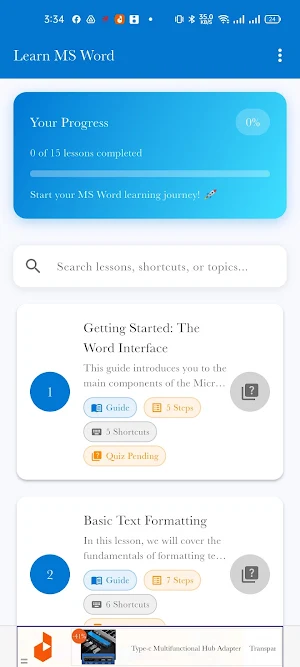
Comprehensive Curriculum: 15+ detailed lessons covering everything from Beginner to Advanced levels.
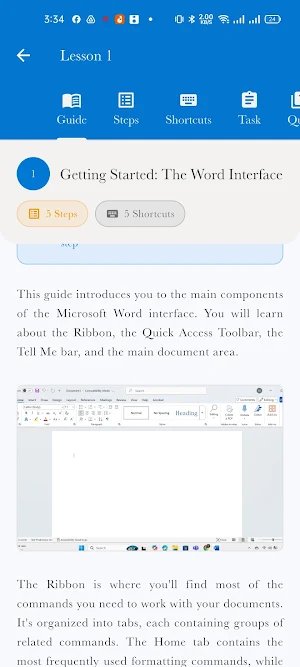
Step-by-Step Guides: Each lesson is broken down into simple, easy-to-follow instructions.
Hands-On Tasks: Apply what you learn immediately with a practical task at the end of every lesson.
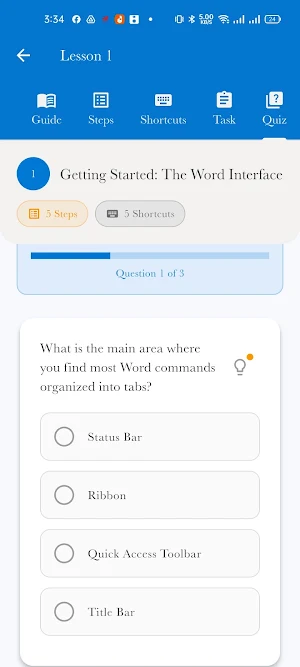
Test Your Knowledge: Reinforce your learning with interactive quizzes for each topic.
Essential Shortcuts: Boost your productivity with a dedicated list of keyboard shortcuts.
Completely Offline: No internet connection needed! Access all lessons, tasks, and quizzes anytime, anywhere.
User-Friendly Interface: A clean and simple design for a focused learning experience.
WHO IS THIS APP FOR?
Students: To create perfectly formatted assignments, reports, and theses.
Professionals: To enhance productivity and produce high-quality business documents, letters, and reports.
Job Seekers: To add a critical and in-demand skill to your resume.
Anyone: Who wants to stop struggling with formatting and start creating beautiful, professional documents with ease.
Stop searching for answers online. Everything you need to become a Microsoft Word power user is right here.
Download Learn Ms-Word today and take the first step towards mastering your document skills!
Whether you are a student, a working professional, or a job seeker, this app is designed to make you a Word expert. Our step-by-step lessons are easy to understand, and each one includes a practical task and a quiz to ensure you master every skill.
WHAT YOU WILL LEARN:
Word Basics: Get started with the Word interface, basic editing, and navigation.
Professional Formatting: Master text and paragraph formatting, fonts, colors, and styles.
Organizing Content: Create dynamic bulleted, numbered, and multi-level lists.
Working with Visuals: Insert, format, and wrap text around images and shapes.
Tables & Data: Design and format tables to present data clearly and effectively.
Document Design: Control page layout, margins, orientation, headers, and footers.
Efficiency Tools: Use Styles and Themes to ensure consistent formatting with a single click.
Advanced Features: Automate letters with Mail Merge, create a Table of Contents, and manage references.
Collaboration: Track changes and use comments to work with others on a document.
Automation: Get an introduction to Macros to automate your repetitive tasks and save time.
KEY FEATURES:
Comprehensive Curriculum: 15+ detailed lessons covering everything from Beginner to Advanced levels.
Step-by-Step Guides: Each lesson is broken down into simple, easy-to-follow instructions.
Hands-On Tasks: Apply what you learn immediately with a practical task at the end of every lesson.
Test Your Knowledge: Reinforce your learning with interactive quizzes for each topic.
Essential Shortcuts: Boost your productivity with a dedicated list of keyboard shortcuts.
Completely Offline: No internet connection needed! Access all lessons, tasks, and quizzes anytime, anywhere.
User-Friendly Interface: A clean and simple design for a focused learning experience.
WHO IS THIS APP FOR?
Students: To create perfectly formatted assignments, reports, and theses.
Professionals: To enhance productivity and produce high-quality business documents, letters, and reports.
Job Seekers: To add a critical and in-demand skill to your resume.
Anyone: Who wants to stop struggling with formatting and start creating beautiful, professional documents with ease.
Stop searching for answers online. Everything you need to become a Microsoft Word power user is right here.
Download Learn Ms-Word today and take the first step towards mastering your document skills!
What’s new
Version 1.0.0 · Updated September 21, 2025
First version of Learn Ms-Word.
Alternatives to Learn Ms-Word
Looking for apps like Learn Ms-Word? Here is 1 similar Android app on Google Play.

| App | Rating | Price | Installs | Last updated | Compare |
|---|---|---|---|---|---|
| Learn Ms-Word | – | Free | 1,000+ | Sep 21, 2025 | |
| BR Dental Hopsital, Dang | – | Free | 10+ | Apr 24, 2026 | Compare |
Compare Learn Ms-Word with the top alternatives: ratings, updates, ASO score and keyword gaps →