
Robcast Gamepad for Roblox
Entertainment Contains ads
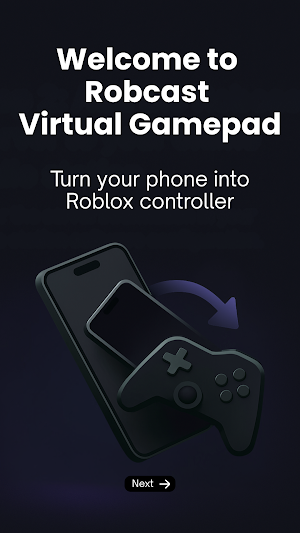
Turn your phone into a virtual Xbox-style gamepad controller for Roblox
- Rating
- 3.1
- 538 ratings
- Downloads
- 100K+
- on Google Play
- Price
- Free
- No in-app purchases
- Updated
- Nov 11
- 2025 · v1.5
Screenshots


About Robcast Gamepad for Roblox
🎮 Robcast Mobile Gamepad for Roblox
Play Roblox on your big screen. Use your phone like a game controller. No console needed!
⚠️ You’ll need to install Robcast Server on your Windows PC where Roblox is installed. Visit https://robcast.tv/ to get it free.
🚀 What is Robcast?
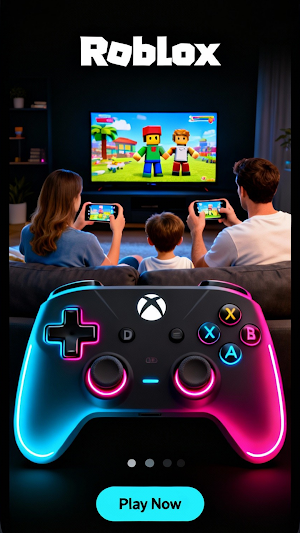
Robcast turns your phone into a cool game controller—just like an Xbox! You can play Roblox on your TV and control the game with your phone. It’s perfect for playing alone or with friends and family.
🌟 Awesome Features:
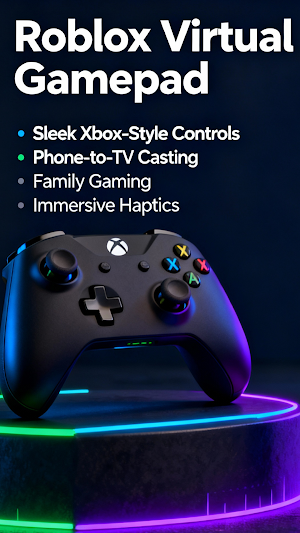
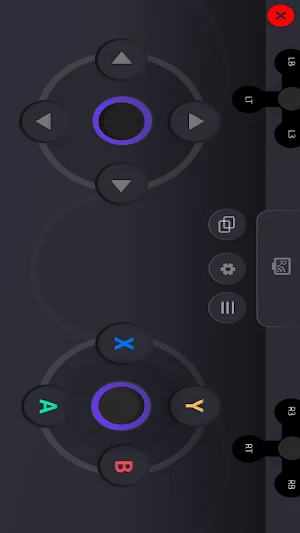
- Gamepad for Roblox – Easy-to-use buttons, just like a real controller.
- Play on TV – Cast your Roblox game to the TV and control it from your phone.
- Vibration Feedback – Feel the action with fun vibrations!
- No Extra Stuff Needed – Just your phone, your PC, and your imagination.
- Fun for Everyone – Great for kids, parents, and friends!
🛠️ How to Set It Up:
1. Download Robcast Server
Go to https://robcast.tv/ and download the Robcast Server on your Windows PC (the one with Roblox).
2. Install It
Follow the steps to finish setup on your PC.
3. Connect to Wi-Fi
Make sure your phone and PC are on the same Wi-Fi / LAN.
4. Open Robcast on Your Phone
Start the Robcast app and it will find your PC automatically.
Now you’re ready to play Roblox like a pro—on the big screen, with your phone as your gamepad. Let the fun begin!
Play Roblox on your big screen. Use your phone like a game controller. No console needed!
⚠️ You’ll need to install Robcast Server on your Windows PC where Roblox is installed. Visit https://robcast.tv/ to get it free.
🚀 What is Robcast?
Robcast turns your phone into a cool game controller—just like an Xbox! You can play Roblox on your TV and control the game with your phone. It’s perfect for playing alone or with friends and family.
🌟 Awesome Features:
- Gamepad for Roblox – Easy-to-use buttons, just like a real controller.
- Play on TV – Cast your Roblox game to the TV and control it from your phone.
- Vibration Feedback – Feel the action with fun vibrations!
- No Extra Stuff Needed – Just your phone, your PC, and your imagination.
- Fun for Everyone – Great for kids, parents, and friends!
🛠️ How to Set It Up:
1. Download Robcast Server
Go to https://robcast.tv/ and download the Robcast Server on your Windows PC (the one with Roblox).
2. Install It
Follow the steps to finish setup on your PC.
3. Connect to Wi-Fi
Make sure your phone and PC are on the same Wi-Fi / LAN.
4. Open Robcast on Your Phone
Start the Robcast app and it will find your PC automatically.
Now you’re ready to play Roblox like a pro—on the big screen, with your phone as your gamepad. Let the fun begin!
What’s new
Version 1.5 · Updated November 11, 2025
Robcast Gamepad for Roblox V1.5
User reviews

The Robcast gamepad completely transforms the mobile gaming experience. Its seamless integration with Android TV and Roblox PC gaming platforms makes gameplay incredibly smooth and immersive. The customized controls feel intuitive and responsive - perfect for ROBLOX
Alternatives to Robcast Gamepad for Roblox
Looking for apps like Robcast Gamepad for Roblox? Here is 1 similar Android app on Google Play.
| App | Rating | Price | Installs | Last updated | Compare |
|---|---|---|---|---|---|
| Robcast Gamepad for Roblox | 3.1 / 5 | Free | 100,000+ | Nov 11, 2025 | |
| Robcast - Play Roblox on TV | 2.3 / 5 | Free | 500,000+ | Jan 30, 2026 | Compare |