

SEEMOPEN
SEEMOPEN Tools
Manage your SEEMOPEN dash cam, view live footage, and download recordings.
- Downloads
- 6+
- on Google Play
- Price
- Free
- No in-app purchases
- Updated
- Jul 29
- 2026 · vv1.0.9.260721
Screenshots


About SEEMOPEN
The official companion app for Wi-Fi dash cameras.
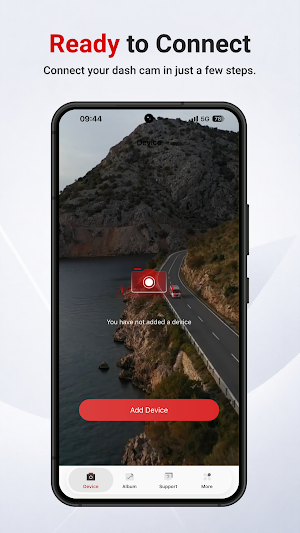
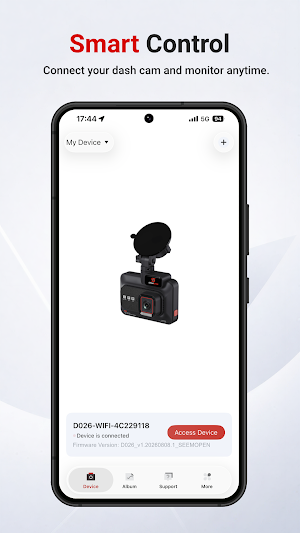
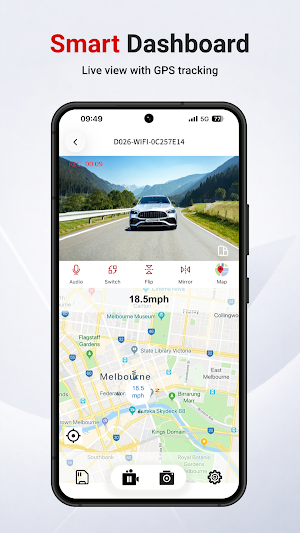
Connect your dash camera to your smartphone via Wi-Fi to view live footage, play back recordings, download videos and photos, and manage camera settings—all from one convenient app.
Whether you're capturing everyday drives, road trips, or important moments on the road, this app makes it easy to access and manage your recordings anytime.
Key Features
Live View
Preview your dash camera in real time to adjust the camera position and ensure the best viewing angle.
Video Playback
Play back videos stored on your dash camera directly from your smartphone—no need to remove the memory card.
Download & Share
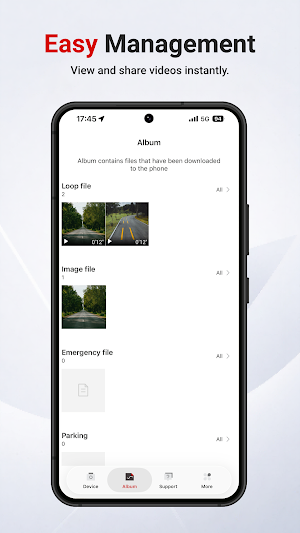
Download videos and photos to your mobile device for easy backup and sharing with family, friends, or your insurance provider.
Camera Settings
Customize your dash camera with an intuitive interface. Easily adjust settings such as:
Video Resolution
Loop Recording
Wi-Fi
HDR
Parking Mode
G-Sensor Sensitivity
GPS Settings
Date & Time
Additional Camera Settings
Emergency File Management
View and manage event videos automatically locked by the G-Sensor to help prevent important footage from being overwritten.
Photo Management
Browse, download, and organize photos captured by your dash camera.
Firmware Updates
Keep your dash camera up to date with the latest firmware to enjoy performance improvements, bug fixes, and new features (supported models only).
Getting Started
Turn on Wi-Fi on your dash camera.
Connect your smartphone to the dash camera's Wi-Fi network.
Open the app to access live view, playback, downloads, and camera settings.
Compatibility
This app is compatible with Wi-Fi dash cameras. Available features may vary depending on your dash camera model and firmware version.
For the best experience, keep both the app and your dash camera firmware updated to the latest version.
Connect your dash camera to your smartphone via Wi-Fi to view live footage, play back recordings, download videos and photos, and manage camera settings—all from one convenient app.
Whether you're capturing everyday drives, road trips, or important moments on the road, this app makes it easy to access and manage your recordings anytime.
Key Features
Live View
Preview your dash camera in real time to adjust the camera position and ensure the best viewing angle.
Video Playback
Play back videos stored on your dash camera directly from your smartphone—no need to remove the memory card.
Download & Share
Download videos and photos to your mobile device for easy backup and sharing with family, friends, or your insurance provider.
Camera Settings
Customize your dash camera with an intuitive interface. Easily adjust settings such as:
Video Resolution
Loop Recording
Wi-Fi
HDR
Parking Mode
G-Sensor Sensitivity
GPS Settings
Date & Time
Additional Camera Settings
Emergency File Management
View and manage event videos automatically locked by the G-Sensor to help prevent important footage from being overwritten.
Photo Management
Browse, download, and organize photos captured by your dash camera.
Firmware Updates
Keep your dash camera up to date with the latest firmware to enjoy performance improvements, bug fixes, and new features (supported models only).
Getting Started
Turn on Wi-Fi on your dash camera.
Connect your smartphone to the dash camera's Wi-Fi network.
Open the app to access live view, playback, downloads, and camera settings.
Compatibility
This app is compatible with Wi-Fi dash cameras. Available features may vary depending on your dash camera model and firmware version.
For the best experience, keep both the app and your dash camera firmware updated to the latest version.
What’s new
Version v1.0.9.260721 · Updated July 29, 2026
Fix bugs
Alternatives to SEEMOPEN
Looking for apps like SEEMOPEN? Here are 6 similar Android apps on Google Play. The highest rated is ieGeek Cam (4.4/5), and all 6 are free to download.





| App | Rating | Price | Installs | Last updated | Compare |
|---|---|---|---|---|---|
| SEEMOPEN | – | Free | 5+ | Jul 29, 2026 | |
| Klarstein | 3.2 / 5 | Free | 100,000+ | – | Compare |
| Lorex Classic | 3.3 / 5 | Free | 1,000,000+ | Jun 16, 2026 | Compare |
| Print Master | 3.1 / 5 | Free | 5,000+ | – | Compare |
| ecobee | 4.4 / 5 | Free | 1,000,000+ | Oct 26, 2026 | Compare |
| ieGeek Cam | 4.4 / 5 | Free | 1,000,000+ | Oct 26, 2026 | Compare |
| Cinmoore | 3.1 / 5 | Free | 100,000+ | Oct 20, 2026 | Compare |
Compare SEEMOPEN with the top alternatives: ratings, updates, ASO score and keyword gaps →
Similar apps on Google Play
- Klarstein
- Lorex Classic
- Print Master
- ecobee
- ieGeek Cam
- Cinmoore
- RepairSolutionsPRO
- eBike Flow
- Cannondale
- GHome - GHome Smart
- Aqara Home
- eufy
- CloudEdge
- Unique Health
- Pioneer Smart Sync
- Miele app – Smart Home
- InstaVision: Smart & Safe Home
- Litchi for DJI Drones
- DREO
- Arenti
- Moultrie
- Aeromatic: AeroPress Recipes
- SPYPOINT
- StarLine 2
- Dzees Home
- NIIMBOT
- Froling Connect
- tado°
- Viidure-Dashcam Viewer
- VicoHome: Smart Home Camera
- OBDeleven – OBD2 car scanner