

ReadingScreen
Education
Reading skills assessment tool
- Downloads
- 100+
- on Google Play
- Price
- Free
- No in-app purchases
- Updated
- Aug 26
- 2024 · v1.2.6
Screenshots


About ReadingScreen
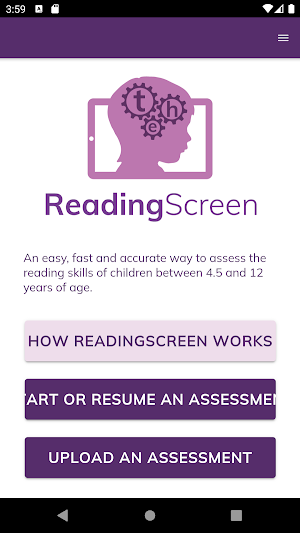
Accurately identify reading difficulties in Primary school children using our fast, fun and intuitive app for teachers and teaching assistants.
Based on extensive University of Oxford research into reading development.
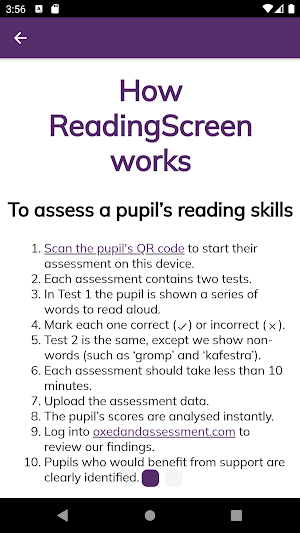
In order to use ReadingScreen a school must register for a free trial on oxedandassessment.com and create a record and QR code for each pupil it plans to assess. The 'How ReadingScreen works' guide gives a handy overview of the process.
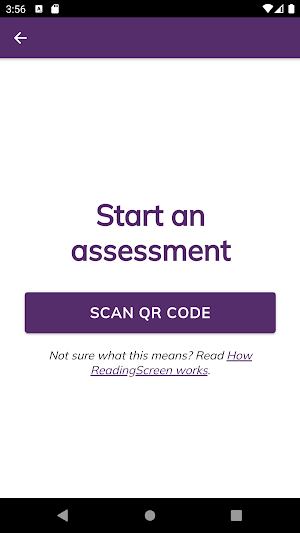
To launch an assessment, the adult conducting the assessment should scan the QR code for the pupil they want to assess. No personally identifiable information is stored on the device.
ReadingScreen assessments consist of two short tests. The first presents pupils with up to 60 individual words of increasing complexity. The second is similar, but presents them with up to 34 made-up non-words. The pupil is asked to read each word out loud and their responses are marked either Correct or Incorrect by the adult. If they get 8 answers in a row incorrect, the test ends. Each assessment should take 10 minutes or less to complete. Assessments can be interrupted if necessary and will resume from the beginning of the most recent test.
At the end of an assessment, the data can be uploaded for analysis. If no internet connection is available, the data can be stored on the device and uploaded at a later date.
Based on extensive University of Oxford research into reading development.
In order to use ReadingScreen a school must register for a free trial on oxedandassessment.com and create a record and QR code for each pupil it plans to assess. The 'How ReadingScreen works' guide gives a handy overview of the process.
To launch an assessment, the adult conducting the assessment should scan the QR code for the pupil they want to assess. No personally identifiable information is stored on the device.
ReadingScreen assessments consist of two short tests. The first presents pupils with up to 60 individual words of increasing complexity. The second is similar, but presents them with up to 34 made-up non-words. The pupil is asked to read each word out loud and their responses are marked either Correct or Incorrect by the adult. If they get 8 answers in a row incorrect, the test ends. Each assessment should take 10 minutes or less to complete. Assessments can be interrupted if necessary and will resume from the beginning of the most recent test.
At the end of an assessment, the data can be uploaded for analysis. If no internet connection is available, the data can be stored on the device and uploaded at a later date.
What’s new
Version 1.2.6 · Updated August 26, 2024
AU/NZ mode - Upload an Assessment screen - fixes a bug which prevented some assessments from being uploaded.
Alternatives to ReadingScreen
Looking for apps like ReadingScreen? Here is 1 similar Android app on Google Play.

| App | Rating | Price | Installs | Last updated | Compare |
|---|---|---|---|---|---|
| ReadingScreen | – | Free | 100+ | Aug 26, 2024 | |
| MathsScreen | – | Free | 50+ | Nov 25, 2025 | Compare |
Compare ReadingScreen with the top alternatives: ratings, updates, ASO score and keyword gaps →