
AI Photo Enhancer: Auto Edit
Zentavo Softworks Photography In-app purchases Contains ads
AI photo analysis & smart enhance — brightness, filters, sharpness, no signup.
- Downloads
- 33+
- on Google Play
- Price
- Free
- In-app purchases
- Updated
- Jun 26
- 2026 · v1.2
Screenshots
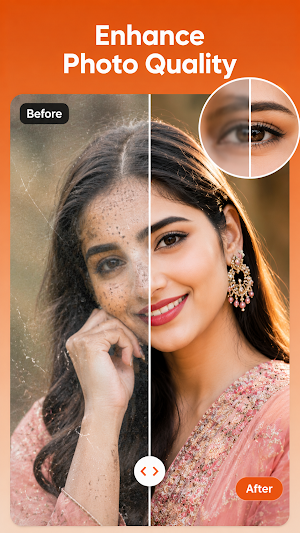
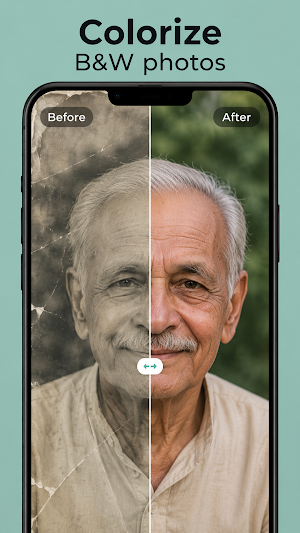
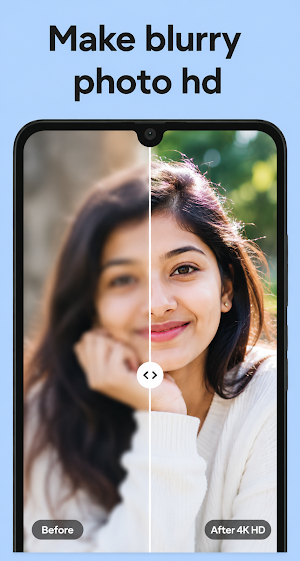
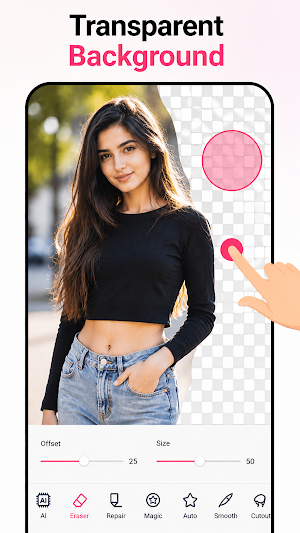


About AI Photo Enhancer: Auto Edit
Make every photo look its best — with AI guidance, not guesswork.
AI Photo Enhancer analyses your photo on-device and tells you exactly
what to adjust and why — then gives you simple tools to do it yourself.
WHAT YOU GET
- 6 enhancement styles: Auto Enhance, Vivid & Punchy, Soft & Warm,
Black & White, Cinematic, Portrait Glow
- Manual controls for brightness, contrast, saturation & sharpness
- AI photo analysis with 2–3 specific editing tips per photo
- Instant live preview as you adjust
- No account or sign-up required
HOW IT WORKS
1. Upload a photo from your gallery
2. Pick a style or tap Analyse for AI suggestions
3. Fine-tune with sliders
4. Save your enhanced photo
HONEST BY DESIGN
This app does not auto-retouch faces, remove objects, or guarantee
"professional" results. It gives you clear AI analysis and manual
control so you stay in charge of every edit.
PRIVACY FIRST
Photos are processed on your device. Nothing is uploaded, stored, or
shared with us. No images, location, or personal data collected.
WHO IT'S FOR
Casual photographers, social media creators, and anyone who wants to
understand — not just apply — a better edit.
Free to use. Contains ads.
AI Photo Enhancer analyses your photo on-device and tells you exactly
what to adjust and why — then gives you simple tools to do it yourself.
WHAT YOU GET
- 6 enhancement styles: Auto Enhance, Vivid & Punchy, Soft & Warm,
Black & White, Cinematic, Portrait Glow
- Manual controls for brightness, contrast, saturation & sharpness
- AI photo analysis with 2–3 specific editing tips per photo
- Instant live preview as you adjust
- No account or sign-up required
HOW IT WORKS
1. Upload a photo from your gallery
2. Pick a style or tap Analyse for AI suggestions
3. Fine-tune with sliders
4. Save your enhanced photo
HONEST BY DESIGN
This app does not auto-retouch faces, remove objects, or guarantee
"professional" results. It gives you clear AI analysis and manual
control so you stay in charge of every edit.
PRIVACY FIRST
Photos are processed on your device. Nothing is uploaded, stored, or
shared with us. No images, location, or personal data collected.
WHO IT'S FOR
Casual photographers, social media creators, and anyone who wants to
understand — not just apply — a better edit.
Free to use. Contains ads.
What’s new
Version 1.2 · Updated June 26, 2026
bug fixed.
Alternatives to AI Photo Enhancer: Auto Edit
Looking for apps like AI Photo Enhancer: Auto Edit? Here are 6 similar Android apps on Google Play. All of them are free to download.
-
My Diary: Journal ,Mood & Lock
-
BlurCut: Face Blur & Eraser
-
Invoice Maker
-
AI Music Generator
-
Face Expression Editor: AI Fx
-
AI Object Remover: Photo Edit
| App | Rating | Price | Installs | Last updated | Compare |
|---|---|---|---|---|---|
| AI Photo Enhancer: Auto Edit | – | Free | 10+ | Jun 26, 2026 | |
| My Diary: Journal ,Mood & Lock | – | Free | 10+ | – | Compare |
| BlurCut: Face Blur & Eraser | – | Free | 100+ | Aug 18, 2026 | Compare |
| Invoice Maker | – | Free | 10+ | Jul 22, 2026 | Compare |
| AI Music Generator | – | Free | 50+ | Jul 24, 2026 | Compare |
| Face Expression Editor: AI Fx | – | Free | 100+ | Jul 16, 2026 | Compare |
| AI Object Remover: Photo Edit | – | Free | 100+ | Jul 27, 2026 | Compare |
Similar apps on Google Play
- My Diary: Journal ,Mood & Lock
- BlurCut: Face Blur & Eraser
- Invoice Maker
- AI Music Generator
- Face Expression Editor: AI Fx
- AI Object Remover: Photo Edit
- Background Eraser: AI Editor
- AI Video Enhancer
- Video To Audio & Mp3 Cutter
- Battery Health & Life Checker
- Video Collage: Reels & Stories
- Collage Maker: No Watermark
- Screentime & unlocks times
- WhatsDeleted - Recover Message
- NoteAlarm–Smart Reminder,Notes
- Block unknown Callers – Spam
- Bhoomi Help Desk
- Puzzle Mania
- QuickNote Pro: Simple, Smart
- Sketch Master: Draw Like a Pro