
Restrict: Stay Locked In
Productivity In-app purchases
Beat phone addiction, block distracting apps and build better focus.
- Downloads
- 212+
- on Google Play
- Price
- Free
- In-app purchases
- Updated
- Jul 1
- 2026 · v1.0.0
Screenshots
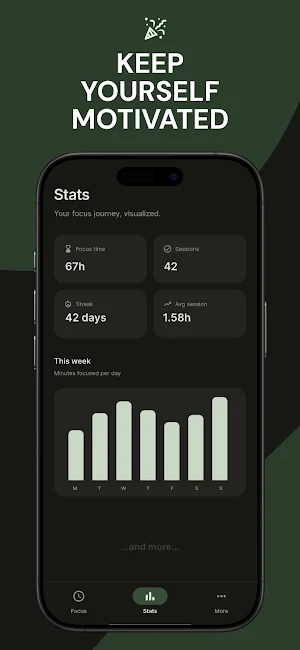
About Restrict: Stay Locked In
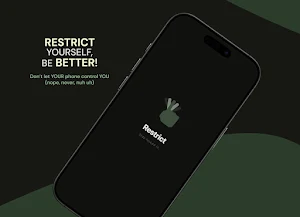
Restrict helps you stay locked in when focus matters most.
Whether you're studying, working, reading, preparing for exams or simply trying to reduce screen time, Restrict turns focus into a commitment instead of a choice.
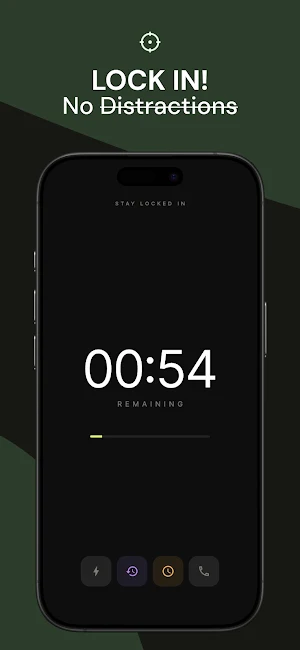
Start a focus session and Restrict blocks distracting apps, keeps you inside your session and helps prevent quick escapes until your timer is complete. Unlike traditional app blockers, Restrict is designed to help you stay committed, not just block apps.
Perfect for students, professionals, creators and anyone trying to beat phone addiction, reduce screen time and build stronger digital habits.
Features:
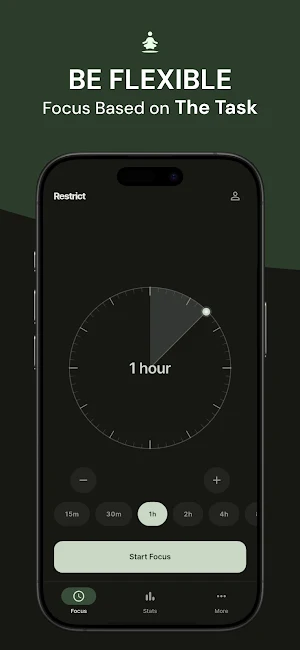
• Lock yourself into distraction-free focus sessions
• Block distracting apps during active sessions
• Essential Apps for important tasks
• Scheduled Focus Sessions
• Ultra Focus Sessions
• Emergency Minutes
• Recovery Tokens
• Session history and focus statistics
• Clean, minimal and distraction-free interface
Restrict only uses Accessibility Services to enforce user-created focus sessions. The service is never used to collect personal information, read messages, passwords or any private data.
Whether you're studying, working, reading, preparing for exams or simply trying to reduce screen time, Restrict turns focus into a commitment instead of a choice.
Start a focus session and Restrict blocks distracting apps, keeps you inside your session and helps prevent quick escapes until your timer is complete. Unlike traditional app blockers, Restrict is designed to help you stay committed, not just block apps.
Perfect for students, professionals, creators and anyone trying to beat phone addiction, reduce screen time and build stronger digital habits.
Features:
• Lock yourself into distraction-free focus sessions
• Block distracting apps during active sessions
• Essential Apps for important tasks
• Scheduled Focus Sessions
• Ultra Focus Sessions
• Emergency Minutes
• Recovery Tokens
• Session history and focus statistics
• Clean, minimal and distraction-free interface
Restrict only uses Accessibility Services to enforce user-created focus sessions. The service is never used to collect personal information, read messages, passwords or any private data.
User reviews
Everything is fine but the feature of essential apps isn't working and that feature is the most important of all. It will be very, very, very great if you fix that problem .

This app is great for staying focused on work, even letting you use essential apps like calls. You can't escape the blocked time until it runs out, and you can't even delete the app. It's a really good app.
Alternatives to Restrict: Stay Locked In
Looking for apps like Restrict: Stay Locked In? Here are 6 similar Android apps on Google Play. The highest rated is Smart Action Notch (4.4/5), and all 6 are free to download.
-
Glyf : Draw to Launch 4.1
-
Gridio – Pro Grid Camera
-
TriggerDeck - PC Control Deck
-
Shutter - Black Screen Camera 4.3
-
Smart Action Notch 4.4
-
Nook: Lock Screen ToDo & Notes
| App | Rating | Price | Installs | Last updated | Compare |
|---|---|---|---|---|---|
| Restrict: Stay Locked In | – | Free | 100+ | Jul 1, 2026 | |
| Glyf : Draw to Launch | 4.1 / 5 | Free | 10,000+ | Sep 6, 2026 | Compare |
| Gridio – Pro Grid Camera | – | Free | 100+ | Sep 10, 2026 | Compare |
| TriggerDeck - PC Control Deck | – | Free | 100+ | – | Compare |
| Shutter - Black Screen Camera | 4.3 / 5 | Free | 10,000+ | Sep 15, 2026 | Compare |
| Smart Action Notch | 4.4 / 5 | Free | 10,000+ | – | Compare |
| Nook: Lock Screen ToDo & Notes | – | Free | 1,000+ | – | Compare |