
File Manager
Productivity Contains ads
Efficiently manage, browse, and share files with ease and speed.
- Downloads
- 1K+
- on Google Play
- Price
- Free
- No in-app purchases
- Updated
- Nov 5
- 2024 · v1.2-production
Screenshots


About File Manager
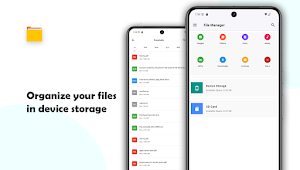
File Manager is expertly crafted for seamless file organization and effortless access, making it an ideal solution for both suitable for personal and professional use. With a sleek and intuitive user interface, you can easily browse, manage, and share your device's storage. File Manager app provides powerful tools for efficient file management, including storage quick search, navigate directory, file/directory move, delete, open, share/send, rename, zip archive, extract archive, and copy/paste functionalities. It supports multiple file formats, including music, videos, images, documents, APKs, and archive files, ensuring you can handle all your files with ease.
🛠️Key Features :
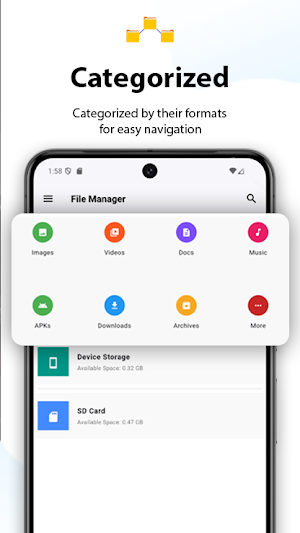
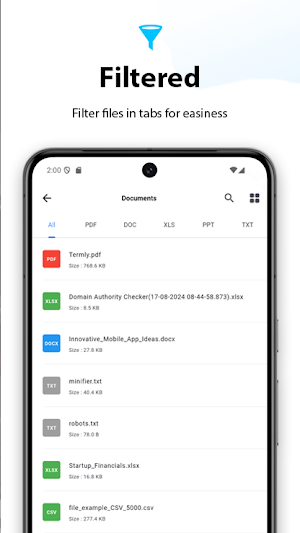
🗂️ Storage Organization: Automatically categorize storage files and directories by format for easy navigation and quick access. Files are efficiently organized based on their formats, allowing rapid access to frequently used storage data.
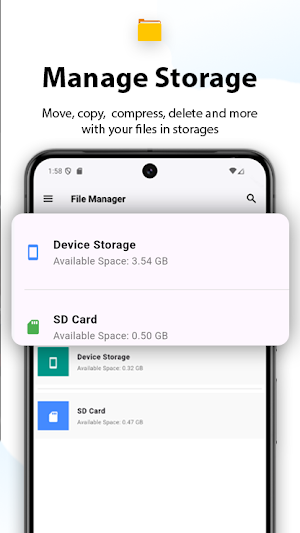
🗃️ File/Directory Operations: Easily perform essential tasks such as, archiving, renaming, and deleting.
✅ Batch Operations: Manage multiple files and directories simultaneously to save time.
📤 Fast File Sharing: Share data effortlessly with simple sharing options.
🔎 Quick Search: Instantly locate files with an efficient search function.
📝 File Explorer: Instantly locate files from file details option by clicking file path.
🔀 File/Directories Sorting: Quickly sort by name, date, or type.
🗜️ Archive management: Easily compress and decompress files(extract), optimizing storage and sharing. Supports zip, gzip, xz, and tar encoding/decoding formats.
🏞️ Images/Videos Thumbnails: Fast-loading previews for all media.
🔄 List/Grid Layouts: Instantly toggle between list and grid layouts for seamless file browsing.
Effortlessly manage your documents, images, and multimedia with our advanced file manager. Featuring robust tools for efficient file handling, it boosts productivity and optimizes workflows, all while using less than 12 MB of storage on your device.
Enjoy smart organization, categorized files, and batch operations—perfect for streamlining your file management.
Whether archiving, sharing, or organizing, file manager delivers seamless access and effective data control. Revolutionize your file management with an intuitive, user-friendly interface tailored to meet modern storage organizational needs.
What’s new
Version 1.2-production · Updated November 5, 2024
1. Enhanced thumbnails for images/videos in both Grid and List views 2. Added compression (zip, tar, gzip, xz) and decompression support 3. New sorting options by Name, Date, and Type in device storages 4. Resolved duplicate file issues for videos and images 5. Faster thumbnail loading with caching for smoother browsing 6. Improved file/directory deletion reliability Update now for a streamlined, faster experience!
User reviews

Safe poss
Alternatives to File Manager
Looking for apps like File Manager? Here are 3 similar Android apps on Google Play. The highest rated is Droid Commander - File Manager (4.2/5), and all 3 are free to download.
-
ASTRO File Manager & Cleaner 4.0
-
Total Commander - file manager 4.0
-
Droid Commander - File Manager 4.2
| App | Rating | Price | Installs | Last updated | Compare |
|---|---|---|---|---|---|
| File Manager | – | Free | 1,000+ | Nov 5, 2024 | |
| ASTRO File Manager & Cleaner | 4.0 / 5 | Free | 50,000,000+ | Sep 24, 2026 | Compare |
| Total Commander - file manager | 4.0 / 5 | Free | 10,000,000+ | Feb 13, 2026 | Compare |
| Droid Commander - File Manager | 4.2 / 5 | Free | 100,000+ | Aug 28, 2026 | Compare |
Compare File Manager with the top alternatives: ratings, updates, ASO score and keyword gaps →