
Privy Swipe - Privacy Screen
Uvsolutions.nl Tools
Swipe-based privacy screen overlay curtain to hide sensitive content in public.
- Downloads
- 203+
- on Google Play
- Price
- Free
- No in-app purchases
- Updated
- Feb 24
- 2026 · v1.0.3
Screenshots


About Privy Swipe - Privacy Screen
Using your phone in public places like trains, cafés, flights, or coworking spaces makes it easy for others to see sensitive information on your screen.
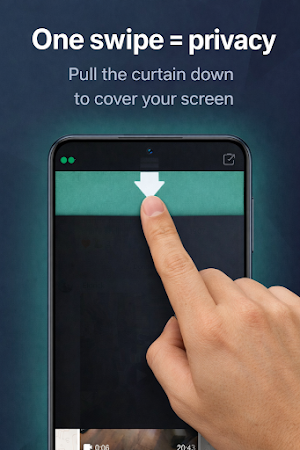
PrivySwipe helps protect your screen privacy with a simple, swipe-controlled privacy curtain.
With one smooth gesture, you decide what stays visible — and what stays private.
🔒 Key features
• Swipe up or down to move the privacy curtain
• One-finger swipe to quickly cover content
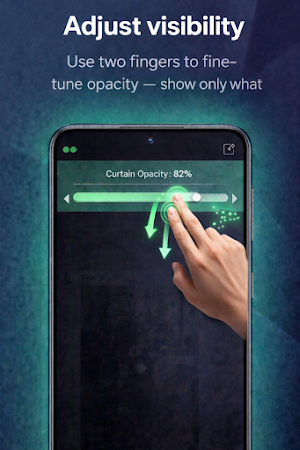
• Two-finger swipe to adjust curtain opacity
• Lock mode to keep the curtain in place while using apps
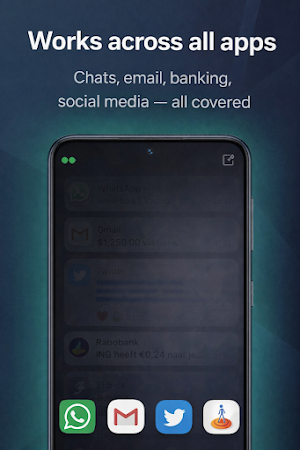
• Works across all apps: chat, email, browser, and social media
• Smooth performance with low battery usage
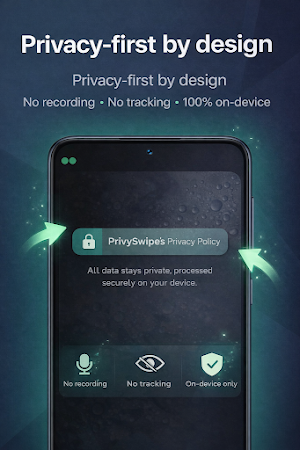
🔐 Privacy-first by design
• Works fully on-device
• No screen recording or capturing
• No screenshots taken
• No personal data collected
• No accounts, tracking, or analytics
Your privacy stays on your device.
⭐ Premium features
• Multiple curtain styles
• Advanced visual privacy effects
• Typing-friendly preset
• Extended customization options
👤 Ideal for
• Public transport and travel
• Cafés, flights, and shared spaces
• Offices and co-working environments
• Anyone who values screen privacy
Your screen. Your privacy.
What’s new
Version 1.0.3 · Updated February 24, 2026
PrivySwipe protects your screen from prying eyes in public with a simple swipe-controlled privacy overlay. Key features: Swipe-based on-screen privacy overlay Adjustable overlay height and opacity Lightweight and battery-friendly Works fully on-device Privacy first No screen content or personal data is collected No accounts or tracking New: Add widget Customize your screen cover/curtain Accessibility Service is used only to control overlay behavior
Alternatives to Privy Swipe - Privacy Screen
Looking for apps like Privy Swipe - Privacy Screen? Here are 6 similar Android apps on Google Play. The highest rated is LockTrip (4.5/5), and 4 of the 6 are free to download.
-
LockTrip 4.5
-
Secure Pass - Password Manager
-
seca myAnalytics 3.9
-
Focus Launcher
-
Control+ 3.6
-
SenyAlert: Senior Safety & SOS
| App | Rating | Price | Installs | Last updated | Compare |
|---|---|---|---|---|---|
| Privy Swipe - Privacy Screen | – | Free | 100+ | Feb 24, 2026 | |
| LockTrip | 4.5 / 5 | Free | 50,000+ | Aug 12, 2026 | Compare |
| Secure Pass - Password Manager | – | – | 1,000+ | Aug 15, 2026 | Compare |
| seca myAnalytics | 3.9 / 5 | Free | 50,000+ | – | Compare |
| Focus Launcher | – | – | 5,000+ | Jul 6, 2026 | Compare |
| Control+ | 3.6 / 5 | Free | 10,000+ | Sep 7, 2026 | Compare |
| SenyAlert: Senior Safety & SOS | – | Free | 500+ | Aug 29, 2026 | Compare |