
Transfer My Data, File Sharing
Tools In-app purchases Contains ads
Phone Clone, Clean up Storage, send/receive files, optimization storage.
- Rating
- 2.6
- 16 ratings
- Downloads
- 5K+
- on Google Play
- Price
- Free
- In-app purchases
- Updated
- Feb 27
- 2024 · v3.8
Screenshots


About Transfer My Data, File Sharing
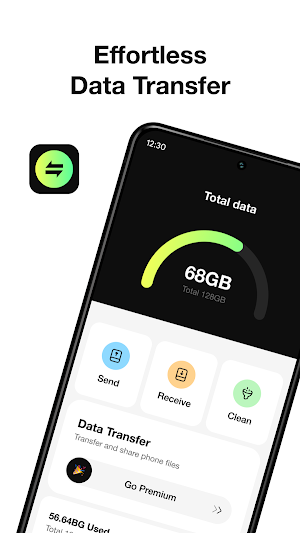
Data Transfer - Phone Cleaner is the easiest way to send/receive files between devices, optimizing storage. In addition, it helps you transfer all data from your old device to the new device.
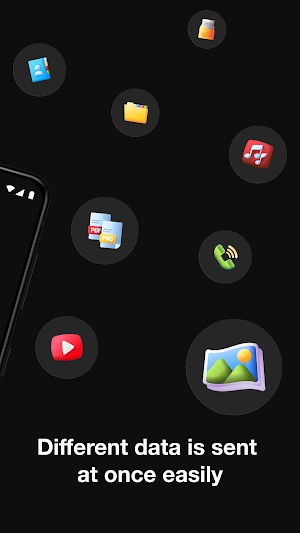
Data Transfer supports multiple files including video, photo, contact, song, document…
Features:
File transfer: you can transfer any file between devices such as photos, videos, or contacts.
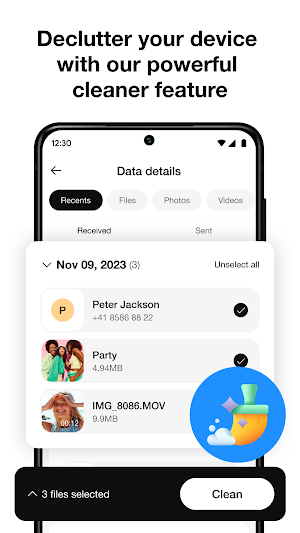
Storage cleanup: If large data transfers take a long time, users can clean them up before transferring data. The application supports finding duplicate or similar images, videos, and contacts.
Switch to a new phone: you can transfer all data from the old phone to the new phone.
File sharing: you can share files anywhere. With up to 9 members in a group.
How the phone transfer feature works:
Step 1: Install the app on all devices need send or receive
Step 2: Pick data, files, .. which you need to transfer
Step 3: Scan the device and connect up to 9 members
Step 4: Send and Receive Data, up to 100MB/s
You can upgrade to Premium with One-time payment or buy subscription options:
A weekly subscription.
A monthly subscription (which comes with a 3-day free trial).
Privacy Policy: https://datatransfer.app/privacy-policy
Terms of Services: https://datatransfer.app/terms-of-service
Data Transfer supports multiple files including video, photo, contact, song, document…
Features:
File transfer: you can transfer any file between devices such as photos, videos, or contacts.
Storage cleanup: If large data transfers take a long time, users can clean them up before transferring data. The application supports finding duplicate or similar images, videos, and contacts.
Switch to a new phone: you can transfer all data from the old phone to the new phone.
File sharing: you can share files anywhere. With up to 9 members in a group.
How the phone transfer feature works:
Step 1: Install the app on all devices need send or receive
Step 2: Pick data, files, .. which you need to transfer
Step 3: Scan the device and connect up to 9 members
Step 4: Send and Receive Data, up to 100MB/s
You can upgrade to Premium with One-time payment or buy subscription options:
A weekly subscription.
A monthly subscription (which comes with a 3-day free trial).
Privacy Policy: https://datatransfer.app/privacy-policy
Terms of Services: https://datatransfer.app/terms-of-service
What’s new
Version 3.8 · Updated February 27, 2024
Fix connect devices
User reviews

ok
Alternatives to Transfer My Data, File Sharing
Looking for apps like Transfer My Data, File Sharing? Here are 4 similar Android apps on Google Play. The highest rated is iCarKey: Smart Car Play Remote (4.0/5), and all 4 are free to download.
-
Remote for Roku TV - TV Remote 4.0
-
iCarKey: Smart Car Play Remote 4.0
-
OBD2 Car Scanner - Torque FixD
-
Deco AI - Remodel AI Interior
| App | Rating | Price | Installs | Last updated | Compare |
|---|---|---|---|---|---|
| Transfer My Data, File Sharing | 2.6 / 5 | Free | 5,000+ | Feb 27, 2024 | |
| Remote for Roku TV - TV Remote | 4.0 / 5 | Free | 50,000+ | Jul 25, 2025 | Compare |
| iCarKey: Smart Car Play Remote | 4.0 / 5 | Free | 1,000+ | Jul 10, 2023 | Compare |
| OBD2 Car Scanner - Torque FixD | – | Free | 1,000,000+ | Dec 23, 2025 | Compare |
| Deco AI - Remodel AI Interior | – | Free | 100+ | Dec 4, 2023 | Compare |