
Neon Edge Lighting - Glow
Personalization In-app purchases Contains ads
Cyberpunk edge lighting for calls, notifications, apps, plus live wallpapers
- Downloads
- 7.4K+
- on Google Play
- Price
- Free
- In-app purchases
- Updated
- Jul 3
- 2026 · v1.3.4
Screenshots


About Neon Edge Lighting - Glow
Make your phone edges glow with stunning Edge Lighting 🌈
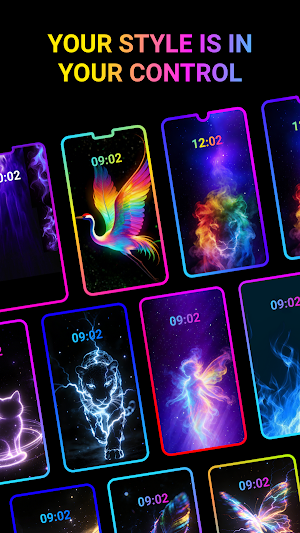
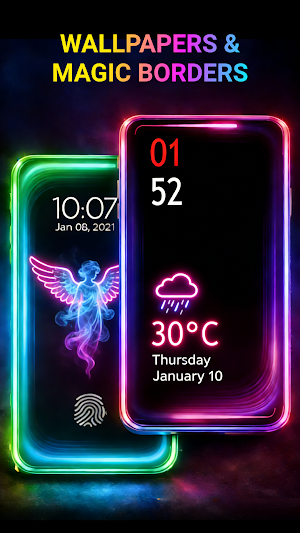
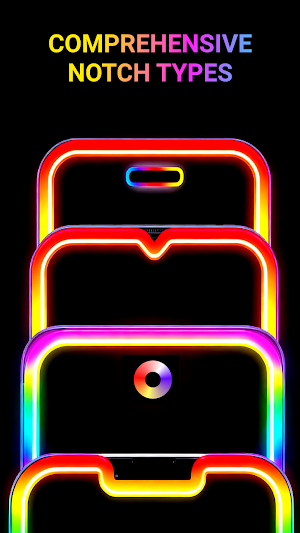
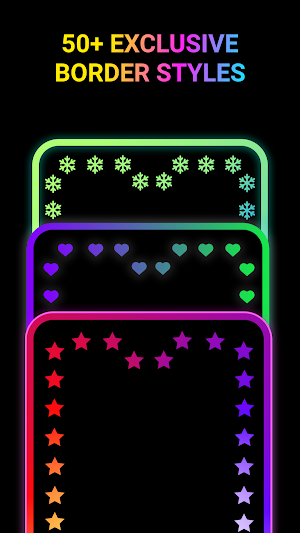
Neon Edge Lighting: Screen Glow adds a stylish screen edge glow / LED border light for incoming calls 📞, notifications 🔔, and advanced per-app rules 🎛️.
It also includes cyberpunk skins (themes) 🎨⚡ plus static & live wallpapers 🖼️🎞️ to create a consistent neon look across your experience.
⭐ Main Features (Edge Lighting / Edge Glow) ✅
• Master Switch ⚡ Turn all edge lighting effects on/off instantly
• Default for All Apps ✨ Show edge glow across apps
• Incoming Calls 📞 Dedicated edge lighting style for call alerts
• Notifications 🔔 Edge lighting for notification alerts
• Per-app Customization 🧩 Different colors/styles per app (overrides take priority)
• Notification Customization by App 📩💡 Assign unique notification glow to important apps
🎨 Skins & Themes (Cyberpunk UI) ✨
• Skins (Themes) 🎛️ Apply a unified cyberpunk style to the app experience
• Static & Dynamic Skins ⚡ Switch between clean HUD style and subtle motion effects
• Per-app Skin Rules 🧩 Automatically switch skin presets based on the current app context
🖼️ Wallpapers ✨
• Static Wallpapers 🖼️ Neon, dark, grid styles — set in one tap
• Live Wallpapers 🎞️ Flowing light, scanlines, particles
🛡️ Advanced & Battery-Friendly Controls
• Low Battery Protection 🔋 Automatically reduce intensity or pause
• Do Not Disturb Support 🌙 Stay quiet when DND is enabled
• Schedule / Time Windows ⏰ Enable effects only when you want
• Pocket Mode 👖 Pause effects when covered to avoid accidental triggers
🙌 Designed for Beginners & Power Users
• Beginners 🙂 Works great with default settings
• Power Users 🧠✨ Deep control with per-app lighting + per-app skins and notification rules
🔐 Permissions
To provide edge lighting, skins, and alert features, the app may request:
• Draw over other apps – to render the edge glow / visual overlay on top of your screen
• Notification access – to trigger lighting for notifications you choose
• AccessibilityService (optional) – only to detect the current foreground app / window changes so per-app lighting rules and per-app skins/themes rules work
• No auto-clicks, no typing, no UI control
• No reading or collecting sensitive on-screen content (e.g., passwords, messages)
You can disable any permission at any time. Some features may not work without the related permission.
♿ Accessibility API Disclosure (Required)
This app optionally uses an AccessibilityService only to detect the current foreground app / window changes, so we can apply:
1. your per-app Edge Lighting rules; and
2. your per-app skins/themes rules (switching this app’s theme configuration or display style based on the current app context).
• We do not perform automatic clicks, typing, or control your device
• We do not change system settings, prevent disabling/uninstalling, or bypass Android privacy controls
• We do not read or collect sensitive on-screen content (e.g., passwords, messages)
You can disable the AccessibilityService anytime in system settings. When disabled, per-app detection, per-app lighting rules, and per-app skin rules will not work.
Skins/themes affect only this app’s UI or visual overlay and do not modify other apps’ content or functionality.
Quick FAQ
Q: Why do I need Notification access?
A: To detect incoming notifications and trigger your selected lighting rules.
Q: Why do I need “Draw over other apps”?
A: To display the edge glow / overlay on top of the screen.
Q: Do you record my screen or read my messages?
A: No.
Neon Edge Lighting: Screen Glow adds a stylish screen edge glow / LED border light for incoming calls 📞, notifications 🔔, and advanced per-app rules 🎛️.
It also includes cyberpunk skins (themes) 🎨⚡ plus static & live wallpapers 🖼️🎞️ to create a consistent neon look across your experience.
⭐ Main Features (Edge Lighting / Edge Glow) ✅
• Master Switch ⚡ Turn all edge lighting effects on/off instantly
• Default for All Apps ✨ Show edge glow across apps
• Incoming Calls 📞 Dedicated edge lighting style for call alerts
• Notifications 🔔 Edge lighting for notification alerts
• Per-app Customization 🧩 Different colors/styles per app (overrides take priority)
• Notification Customization by App 📩💡 Assign unique notification glow to important apps
🎨 Skins & Themes (Cyberpunk UI) ✨
• Skins (Themes) 🎛️ Apply a unified cyberpunk style to the app experience
• Static & Dynamic Skins ⚡ Switch between clean HUD style and subtle motion effects
• Per-app Skin Rules 🧩 Automatically switch skin presets based on the current app context
🖼️ Wallpapers ✨
• Static Wallpapers 🖼️ Neon, dark, grid styles — set in one tap
• Live Wallpapers 🎞️ Flowing light, scanlines, particles
🛡️ Advanced & Battery-Friendly Controls
• Low Battery Protection 🔋 Automatically reduce intensity or pause
• Do Not Disturb Support 🌙 Stay quiet when DND is enabled
• Schedule / Time Windows ⏰ Enable effects only when you want
• Pocket Mode 👖 Pause effects when covered to avoid accidental triggers
🙌 Designed for Beginners & Power Users
• Beginners 🙂 Works great with default settings
• Power Users 🧠✨ Deep control with per-app lighting + per-app skins and notification rules
🔐 Permissions
To provide edge lighting, skins, and alert features, the app may request:
• Draw over other apps – to render the edge glow / visual overlay on top of your screen
• Notification access – to trigger lighting for notifications you choose
• AccessibilityService (optional) – only to detect the current foreground app / window changes so per-app lighting rules and per-app skins/themes rules work
• No auto-clicks, no typing, no UI control
• No reading or collecting sensitive on-screen content (e.g., passwords, messages)
You can disable any permission at any time. Some features may not work without the related permission.
♿ Accessibility API Disclosure (Required)
This app optionally uses an AccessibilityService only to detect the current foreground app / window changes, so we can apply:
1. your per-app Edge Lighting rules; and
2. your per-app skins/themes rules (switching this app’s theme configuration or display style based on the current app context).
• We do not perform automatic clicks, typing, or control your device
• We do not change system settings, prevent disabling/uninstalling, or bypass Android privacy controls
• We do not read or collect sensitive on-screen content (e.g., passwords, messages)
You can disable the AccessibilityService anytime in system settings. When disabled, per-app detection, per-app lighting rules, and per-app skin rules will not work.
Skins/themes affect only this app’s UI or visual overlay and do not modify other apps’ content or functionality.
Quick FAQ
Q: Why do I need Notification access?
A: To detect incoming notifications and trigger your selected lighting rules.
Q: Why do I need “Draw over other apps”?
A: To display the edge glow / overlay on top of the screen.
Q: Do you record my screen or read my messages?
A: No.
Alternatives to Neon Edge Lighting - Glow
Looking for apps like Neon Edge Lighting - Glow? Here are 6 similar Android apps on Google Play. All of them are free to download.
-
Video Downloader & Player
-
Dev Info - View phone info
-
Sound Level Meter –Noise Meter
-
Authenticator - 2FA & Password
-
Auto Clicker - Auto Tapper
-
All Document Reader
| App | Rating | Price | Installs | Last updated | Compare |
|---|---|---|---|---|---|
| Neon Edge Lighting - Glow | – | Free | 5,000+ | Jul 3, 2026 | |
| Video Downloader & Player | – | Free | 100,000+ | Nov 9, 2026 | Compare |
| Dev Info - View phone info | – | Free | 5,000+ | – | Compare |
| Sound Level Meter –Noise Meter | – | Free | 100+ | Dec 31, 2025 | Compare |
| Authenticator - 2FA & Password | – | Free | 500+ | Mar 20, 2026 | Compare |
| Auto Clicker - Auto Tapper | – | Free | 10,000+ | May 21, 2026 | Compare |
| All Document Reader | – | Free | 1,000+ | Jul 29, 2026 | Compare |