

Minesweeper
PIGSoft Puzzle Contains ads
Simple minesweeper game
- Downloads
- 100+
- on Google Play
- Price
- Free
- No in-app purchases
- Updated
- Nov 8
- 2024 · v1.1.1
Screenshots

About Minesweeper
Enjoy the same old Minesweeper feeling you enjoyed on Windows!
Minesweeper is a simple puzzle game where you win by placing flags in all the squares with mines. You solve the puzzle by combining the number hints that appear every time you open a square and place flags in places where mines are likely to be. If you place all the flags in places with mines, you win, and if you open a square with mines, you lose.
* This app requires an Internet connection.
※ How to play
1. Select a cell
- Select the cell you want to reveal and check what's in that cell.
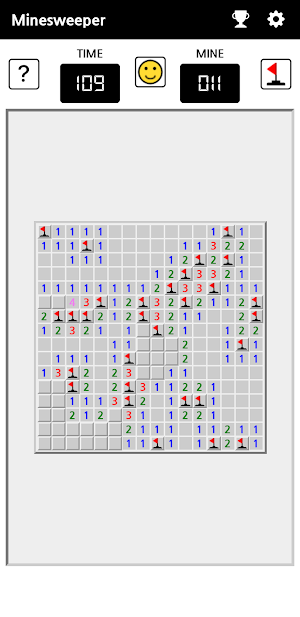
- If a number is displayed, there are as many mines as the number around that cell.
- You can guess which cell has a mine by combining the surrounding numbers.
2. Marking
- ? : If you are not sure what's in that cell, select the [?] button on the top left, then select that cell and mark it with a ?. Selecting the [?] button again will return to normal mode.
- Flag : If you are sure that there is a mine in that cell, select the flag button on the top right, then select that cell and place a flag. Similarly, selecting the flag button again will return to normal mode. You can also place a flag in that cell by holding down the cell without pressing the flag button.
3. Confirmation of victory or defeat
- If you reveal all cells and place flags on all the cells with mines, you win. If you select a cell with mines, you lose and the results screen will appear.
- If you want to start a new game in the middle, select the face button in the top center.
※ Supported features
1. 4 levels of difficulty
- Beginner : 9 x 9 grid, 10 mines
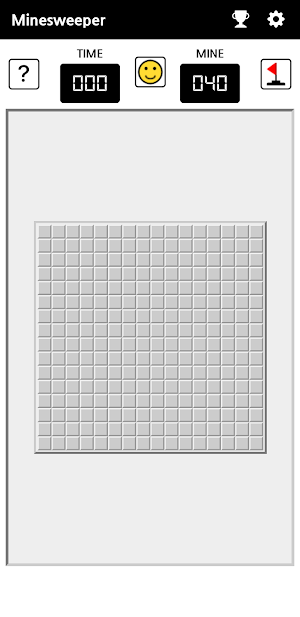
- Intermediate : 16 x 16 grid, 40 mines
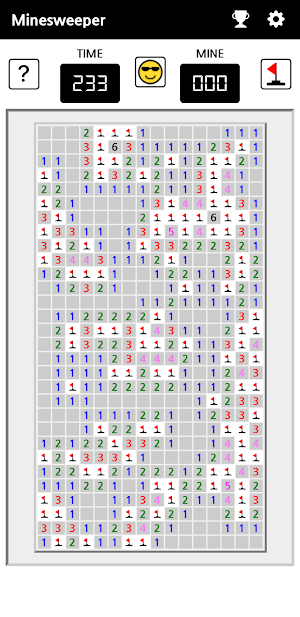
- Advanced : 16 x 30 grid, 99 mines
- Custom : Can freely set the grid size and number of mines. Maximum grid and mines are limited by the device size.
2. Statistics / Leaderboard
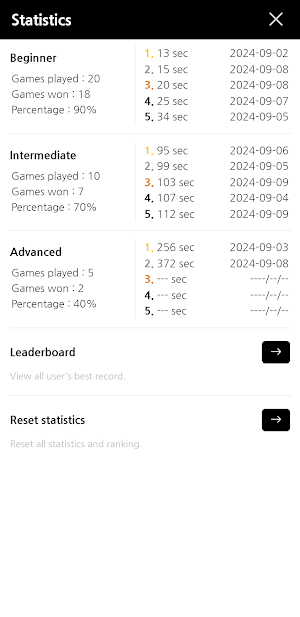
- You can view your statistics and best records for each difficulty level.
- You can register your best records on the leaderboard and compare them with users all of the world.
- Custom difficulty levels are not added in statistics.
3. Customization support
- You can change sound and vibration option and theme color in the settings menu.
- Supports korean and english language.
4. First cell select protection
- You can protect from mine when you select the first cell. when this function is turned on, if a mine appears in the first square you select, that square will be displayed in red.
- You can turn the function on and off on the settings screen.
Minesweeper is a simple puzzle game where you win by placing flags in all the squares with mines. You solve the puzzle by combining the number hints that appear every time you open a square and place flags in places where mines are likely to be. If you place all the flags in places with mines, you win, and if you open a square with mines, you lose.
* This app requires an Internet connection.
※ How to play
1. Select a cell
- Select the cell you want to reveal and check what's in that cell.
- If a number is displayed, there are as many mines as the number around that cell.
- You can guess which cell has a mine by combining the surrounding numbers.
2. Marking
- ? : If you are not sure what's in that cell, select the [?] button on the top left, then select that cell and mark it with a ?. Selecting the [?] button again will return to normal mode.
- Flag : If you are sure that there is a mine in that cell, select the flag button on the top right, then select that cell and place a flag. Similarly, selecting the flag button again will return to normal mode. You can also place a flag in that cell by holding down the cell without pressing the flag button.
3. Confirmation of victory or defeat
- If you reveal all cells and place flags on all the cells with mines, you win. If you select a cell with mines, you lose and the results screen will appear.
- If you want to start a new game in the middle, select the face button in the top center.
※ Supported features
1. 4 levels of difficulty
- Beginner : 9 x 9 grid, 10 mines
- Intermediate : 16 x 16 grid, 40 mines
- Advanced : 16 x 30 grid, 99 mines
- Custom : Can freely set the grid size and number of mines. Maximum grid and mines are limited by the device size.
2. Statistics / Leaderboard
- You can view your statistics and best records for each difficulty level.
- You can register your best records on the leaderboard and compare them with users all of the world.
- Custom difficulty levels are not added in statistics.
3. Customization support
- You can change sound and vibration option and theme color in the settings menu.
- Supports korean and english language.
4. First cell select protection
- You can protect from mine when you select the first cell. when this function is turned on, if a mine appears in the first square you select, that square will be displayed in red.
- You can turn the function on and off on the settings screen.
What’s new
Version 1.1.1 · Updated November 8, 2024
[v1.1.1] - App stability is increased.
Alternatives to Minesweeper
Looking for apps like Minesweeper? Here are 6 similar Android apps on Google Play. All of them are free to download.




| App | Rating | Price | Installs | Last updated | Compare |
|---|---|---|---|---|---|
| Minesweeper | – | Free | 100+ | Nov 8, 2024 | |
| Sudoku | – | Free | 10+ | Dec 17, 2024 | Compare |
| Solitaire | – | Free | 10+ | – | Compare |
| 할 일(To Do List) | – | Free | 10+ | Nov 8, 2024 | Compare |
| 사다리게임 | – | Free | 10,000+ | – | Compare |
| EI Master | – | Free | 10+ | Feb 28, 2024 | Compare |
| 피그카운터 V2 포스(POS) | – | Free | 500+ | – | Compare |
Compare Minesweeper with the top alternatives: ratings, updates, ASO score and keyword gaps →