
Phone & Watch finder
Tools In-app purchases Contains ads
We know how to stop losing your devices forever! Our application will help you
- Rating
- 3.8
- 542 ratings
- Downloads
- 248K+
- on Google Play
- Price
- Free
- In-app purchases
- Updated
- Jul 31
- 2026 · v43.0
Screenshots


About Phone & Watch finder
This is a common problem for all owners of smartwatches - to lose them and look for a long time. Since this device is quite small, this happens much more often than we would like. Lost devices cause anxiety and annoyance, but we figured out how to find them much faster. We have created a special Find My Watch application, free and understandable to any user.
However, there is another huge plus - you can also find your phone using your smartwatch if you download the wear Android application! Next, we will tell you in detail how to use it.
Instructions on how to use the finder:
Your first step is to find and download our application. It is available free of charge to everyone.
Be sure to install the application on both devices - both on the smartphone and on the smart watch.
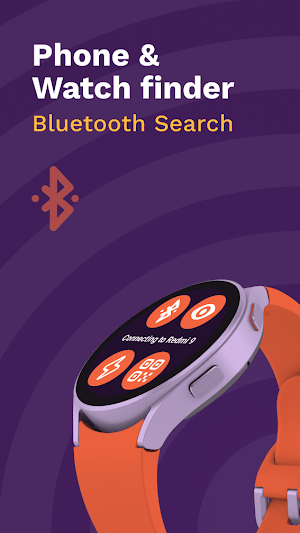
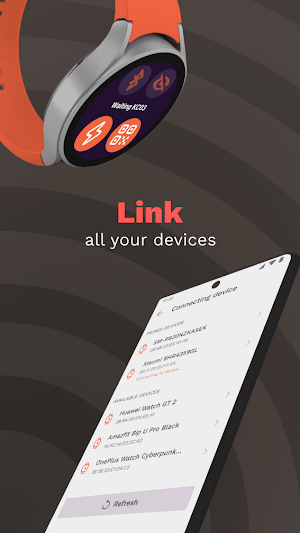
Next, enable Bluetooth on both devices. Find your watch in the list of available devices on the phone screen. Then connect gadgets!
Now using the "search my device" option you can find your lost gadget. If you have a smartwatch on your hand, you can find the phone and vice versa.
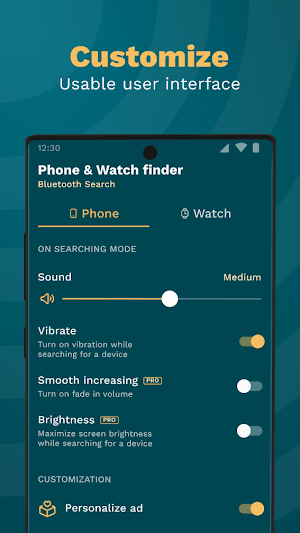
Our phonefinder will be helpful and useful for any user. If you have never used such an application before, then we are sure that everything here will be clear to you from the first few minutes. We intentionally made the program intuitive.
Download connect app and try! You will be surprised how easier will be your life and how easy it is to use our finder app.
However, there is another huge plus - you can also find your phone using your smartwatch if you download the wear Android application! Next, we will tell you in detail how to use it.
Instructions on how to use the finder:
Your first step is to find and download our application. It is available free of charge to everyone.
Be sure to install the application on both devices - both on the smartphone and on the smart watch.
Next, enable Bluetooth on both devices. Find your watch in the list of available devices on the phone screen. Then connect gadgets!
Now using the "search my device" option you can find your lost gadget. If you have a smartwatch on your hand, you can find the phone and vice versa.
Our phonefinder will be helpful and useful for any user. If you have never used such an application before, then we are sure that everything here will be clear to you from the first few minutes. We intentionally made the program intuitive.
Download connect app and try! You will be surprised how easier will be your life and how easy it is to use our finder app.
What’s new
Version 43.0 · Updated July 31, 2026
- Minor fix
User reviews

good
Frequently asked questions
What is the Find My Watch application?
The Find My Watch application is a free application that helps users locate their lost smartwatches quickly and easily. It is designed to be user-friendly and intuitive.
Can I also use the application to find my phone?
Yes, you can use the Find My Watch application to locate your phone as well. Simply download the wear Android application and follow the instructions provided.
How do I use the finder application?
To use the finder application, you need to first download and install it on both your smartphone and smartwatch. Make sure that Bluetooth is enabled on both devices. Then, you can find your watch or phone by using the "search my device" option within the application.
Is the finder application easy to use?
Yes, the finder application is designed to be easy to use and intuitive. Even if you have never used such an application before, you should be able to navigate and utilize its features within the first few minutes.
Where can I download the finder application?
The finder application is available for download free of charge for both Android and iOS devices. You can find it on the respective app stores of your device.
Alternatives to Phone & Watch finder
Looking for apps like Phone & Watch finder? Here are 2 similar Android apps on Google Play. The highest rated is Smart Watch app - BT notifier (4.3/5), and all 2 are free to download.

| App | Rating | Price | Installs | Last updated | Compare |
|---|---|---|---|---|---|
| Phone & Watch finder | 3.8 / 5 | Free | 100,000+ | Jul 31, 2026 | |
| Smart Watch app - BT notifier | 4.3 / 5 | Free | 10,000,000+ | Nov 10, 2026 | Compare |
| Qr code scanner and reader | 3.9 / 5 | Free | 5,000+ | – | Compare |