

StatusBar Notification History
Productivity
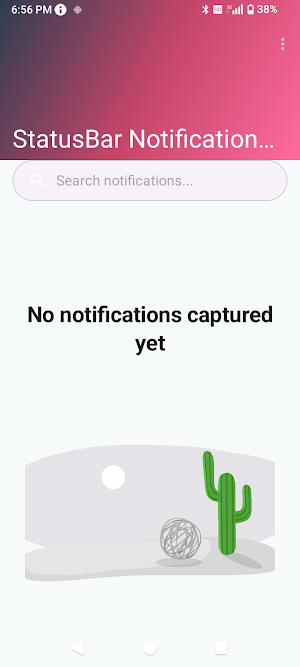
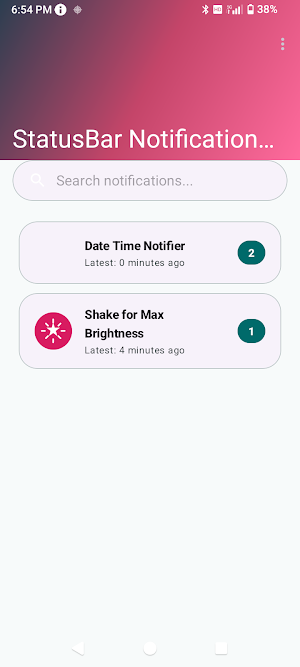
Capture all alerts. History neatly grouped by app folder name for easy access.
- Downloads
- 10+
- on Google Play
- Price
- $1.99
- No in-app purchases
- Updated
- Jul 6
- 2026 · v2.0.0
Screenshots


About StatusBar Notification History
StatusBar Notification History: Your Private Alert Archive
Never worry about accidentally clearing an important alert again. StatusBar Notification History creates a reliable, private log of every notification your device receives, helping you keep track of updates, messages, and alerts throughout your day.
How it helps you stay organized:
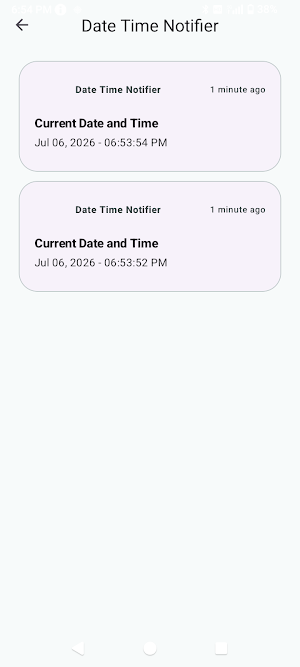
We know that notifications can become overwhelming. That is why our app automatically organizes your history into simple folders based on the source app. Whether you are looking for a specific text, a system alert, or a missed notification, you can find exactly what you need by simply tapping on the relevant app folder.
Key Features:
* Automatic Logging: Our app runs silently in the background, capturing notifications as they arrive so you don't have to manually save them.
* Grouped by App: Forget endless, messy logs. We automatically categorize your history by app, making it easier than ever to browse and find what you are looking for.
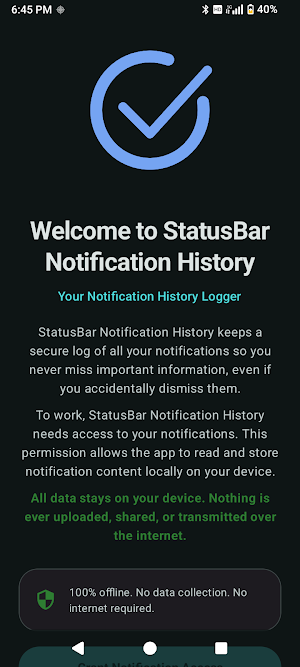
* Privacy-First: Your data is yours. All logs are stored strictly on your local device. We do not transmit or sell your notification history.
* Simple Search: Use our built-in search tool to quickly locate specific alerts by name or content.
Important Note:
To function correctly, this app requires "Notification Access" permission. This allows the app to read and log incoming notifications for your personal use. We are committed to your privacy and do not collect any personal data.
Never worry about accidentally clearing an important alert again. StatusBar Notification History creates a reliable, private log of every notification your device receives, helping you keep track of updates, messages, and alerts throughout your day.
How it helps you stay organized:
We know that notifications can become overwhelming. That is why our app automatically organizes your history into simple folders based on the source app. Whether you are looking for a specific text, a system alert, or a missed notification, you can find exactly what you need by simply tapping on the relevant app folder.
Key Features:
* Automatic Logging: Our app runs silently in the background, capturing notifications as they arrive so you don't have to manually save them.
* Grouped by App: Forget endless, messy logs. We automatically categorize your history by app, making it easier than ever to browse and find what you are looking for.
* Privacy-First: Your data is yours. All logs are stored strictly on your local device. We do not transmit or sell your notification history.
* Simple Search: Use our built-in search tool to quickly locate specific alerts by name or content.
Important Note:
To function correctly, this app requires "Notification Access" permission. This allows the app to read and log incoming notifications for your personal use. We are committed to your privacy and do not collect any personal data.
What’s new
Version 2.0.0 · Updated July 6, 2026
Renamed the application from SwipeBack to StatusBar Notification History to more accurately reflect its core functionality.
User reviews

Great app for keeping notifications long term. The folders keep everything organized and searching for specific notifications is super easy
Alternatives to StatusBar Notification History
Looking for apps like StatusBar Notification History? Here are 2 similar Android apps on Google Play. All of them are free to download.


| App | Rating | Price | Installs | Compare |
|---|---|---|---|---|
| StatusBar Notification History | – | $1.99 | 10+ | |
| AutoPhrase Text Expander | – | Free | 10+ | Compare |
| Digital Panhandling | – | Free | 50+ | Compare |