
Jump Desktop
PhaseFive Systems Business
Fast and secure remote access to your Mac or Windows computer.
- Downloads
- 5.2K+
- on Google Play
- Price
- Free
- No in-app purchases
- Updated
- Sep 14
- 2026
Screenshots
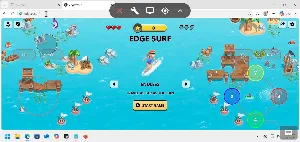


About Jump Desktop
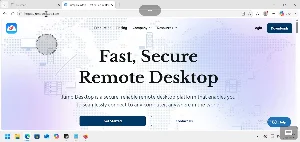
Jump Desktop is a high-performance remote desktop app that lets you securely connect to your Mac or Windows computer from your Android phone or tablet.
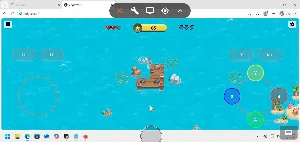
Powered by Fluid Remote Desktop, Jump's next-generation remote desktop protocol, you get an incredibly responsive experience: up to 480fps screen updates, low latency and hardware-accelerated video that makes your remote computer feel local.
EASY SETUP
1. Install the free Jump Desktop Connect app on your computer: https://jumpdesktop.com/connect
2. Sign in with the same account on your Android device
3. Tap your computer to connect — that's it!
No router setup, no firewall configuration, no IP addresses. Your computers appear automatically and stay reachable from anywhere.
FEATURES
✓ Fluid Remote Desktop: up to 480fps performance with very low latency
✓ Hardware-accelerated video decoding for long battery life
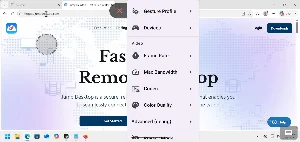
✓ Desktop-class keyboard and mouse support: external keyboards, mice and touchpads work the way you expect — right-click, scrolling, modifier keys and keyboard shortcuts included
✓ Multi-monitor support: view any of your computer's displays and switch between them instantly
✓ Game controller support: connect a gamepad to your Android device and use it on your remote computer
✓ Audio streaming: hear your computer's sound on your device
✓ Privacy mode: blank your computer's physical screen while you work remotely
✓ Multitouch gestures: pinch to zoom, two-finger scroll and precise pointer control
✓ Optimized for phones and tablets
✓ Secure by default: all connections are encrypted end-to-end
WORK FROM ANYWHERE
Whether you're on Wi-Fi or mobile data, at home or on the road, Jump Desktop keeps your computer a tap away. Perfect for accessing files, running desktop apps, helping family members or managing machines remotely.
TEAMS
Share computers with co-workers and manage access from one place with Jump Desktop Teams. Learn more at https://jumpdesktop.com
REQUIREMENTS
This app connects to computers running the free Jump Desktop Connect app (available for Mac and Windows at https://jumpdesktop.com/connect).
Need help? Visit https://support.jumpdesktop.com or email us at [email protected] — we'd love to hear from you.
Powered by Fluid Remote Desktop, Jump's next-generation remote desktop protocol, you get an incredibly responsive experience: up to 480fps screen updates, low latency and hardware-accelerated video that makes your remote computer feel local.
EASY SETUP
1. Install the free Jump Desktop Connect app on your computer: https://jumpdesktop.com/connect
2. Sign in with the same account on your Android device
3. Tap your computer to connect — that's it!
No router setup, no firewall configuration, no IP addresses. Your computers appear automatically and stay reachable from anywhere.
FEATURES
✓ Fluid Remote Desktop: up to 480fps performance with very low latency
✓ Hardware-accelerated video decoding for long battery life
✓ Desktop-class keyboard and mouse support: external keyboards, mice and touchpads work the way you expect — right-click, scrolling, modifier keys and keyboard shortcuts included
✓ Multi-monitor support: view any of your computer's displays and switch between them instantly
✓ Game controller support: connect a gamepad to your Android device and use it on your remote computer
✓ Audio streaming: hear your computer's sound on your device
✓ Privacy mode: blank your computer's physical screen while you work remotely
✓ Multitouch gestures: pinch to zoom, two-finger scroll and precise pointer control
✓ Optimized for phones and tablets
✓ Secure by default: all connections are encrypted end-to-end
WORK FROM ANYWHERE
Whether you're on Wi-Fi or mobile data, at home or on the road, Jump Desktop keeps your computer a tap away. Perfect for accessing files, running desktop apps, helping family members or managing machines remotely.
TEAMS
Share computers with co-workers and manage access from one place with Jump Desktop Teams. Learn more at https://jumpdesktop.com
REQUIREMENTS
This app connects to computers running the free Jump Desktop Connect app (available for Mac and Windows at https://jumpdesktop.com/connect).
Need help? Visit https://support.jumpdesktop.com or email us at [email protected] — we'd love to hear from you.
What’s new
Updated September 14, 2026
Bug fixes and performance updates
Alternatives to Jump Desktop
Looking for apps like Jump Desktop? Here are 6 similar Android apps on Google Play. The highest rated is YSS HRIS (5.0/5), and all 6 are free to download.




| App | Rating | Price | Installs | Last updated | Compare |
|---|---|---|---|---|---|
| Jump Desktop | – | Free | 5,000+ | Sep 14, 2026 | |
| Zamdata App | – | Free | 10+ | Aug 12, 2026 | Compare |
| IT's No Matata | – | Free | 5+ | Sep 5, 2026 | Compare |
| Quisat | – | Free | 100+ | Sep 29, 2026 | Compare |
| GINFO 360 Mercosur | – | Free | 1,000+ | Sep 11, 2026 | Compare |
| Workli | – | Free | 100+ | Sep 19, 2026 | Compare |
| YSS HRIS | 5.0 / 5 | Free | 1,000+ | Sep 28, 2026 | Compare |
Compare Jump Desktop with the top alternatives: ratings, updates, ASO score and keyword gaps →
Similar apps on Google Play
- Zamdata App
- IT's No Matata
- Quisat
- GINFO 360 Mercosur
- Workli
- YSS HRIS
- ROCCS App
- FTR Conference Event App
- kodFLowApp
- FinancieraRD
- AuctionHub
- Effezient Pro
- Alnair Continental
- HajiriPro
- PVMS
- SwiftGo Restaurant App
- Meter Rider: Taxi Booking
- Dr BELLEM
- KaypiDriver
- SKey POS
- Gemm App
- Pro Chamado
- Jump Desktop
- Netmera
- Humavisor