Photos Recovery - File Restore
Find lost photos and files, preview results and restore available items.
About Photos Recovery - File Restore
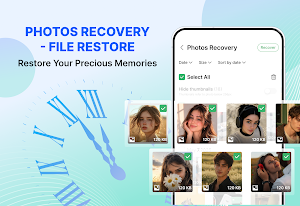
Missing an important photo, video, recording, or document? Photos Recovery - File Restore helps you scan accessible storage, review results, and restore available files to your device.
Files can become difficult to find after deletion, movement, or storage changes. The app gathers supported file types in one place so you can check what remains accessible and choose what to restore.
How It Works
◆ Scan accessible storage on your device
◆ Preview the files found
◆ Select the items you need
◆ Save available files back to your device
Supported File Types
◆ Photos: JPG, PNG, GIF, HEIC, RAW
◆ Videos: MP4, MOV, MKV
◆ Audio: MP3, M4A, WAV
◆ Documents: PDF, DOCX, XLSX, PPT, TXT
◆ Lost WhatsApp message text saved from notifications
Results depend on device permissions and the data that remains accessible.
Preview Before Restore
Check supported photos, videos, audio files, and documents before restoring them to make sure you select the correct items.
Restore Selected Files
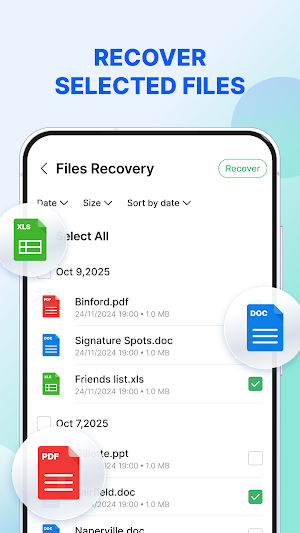
Restore a single file or select multiple available items at once. Restored copies are saved to a supported folder for convenient access.
Organize Your Results
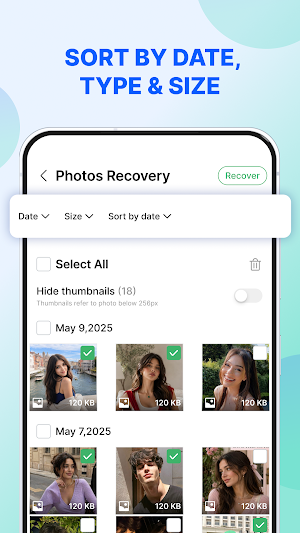
Filter and sort files by type, size, or date to locate relevant content more quickly.
See Lost Messages
After Notification Access is enabled, the app can save text displayed in new WhatsApp message notifications. If a message is later deleted or its notification is dismissed, the previously saved text may remain available for review.
The app does not directly access WhatsApp chats or private databases. It cannot retrieve previous chat history or messages received before Notification Access was enabled. Availability depends on whether WhatsApp displays the message text in a notification, as well as your notification settings, device configuration, and Android version.
Duplicate File Review
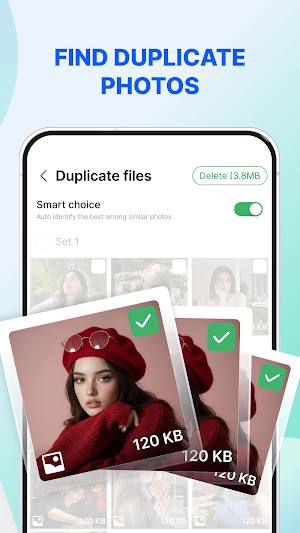
Identify possible duplicate files and review them before removal. No file is deleted without your confirmation.
Local Processing
File scanning and restoration are performed locally on your device. Files are not uploaded for recovery, and scanning is read-only and does not overwrite original file data.
Please Note
Recovery is not guaranteed. Files may be unavailable if they have been overwritten, permanently deleted, stored only in the cloud, restricted by Android, or protected by another app.
Scan results may include files that still exist in accessible storage. Availability varies depending on the device, storage type, Android version, permissions, file condition, and time since deletion.
Similar Apps

Norton Cleaner – Junk removal
Clean up your photo library. Delete junk and clutter. Optimize your device.

UltData: Photo & Data Recovery
Android data recovery tool for photos, videos, and WhatsApp files, without root.

ASTRO File Manager & Cleaner
Organize your files and manage your cloud storage with ASTRO File Manager

Total Drive - Cloud Storage
Secure Cloud Storage with Neverlost™ Technology

MyNewEarth
Elevate your life with world class holistic healing, on MyNewEarth! 🌟🌿

Photo & Video Recovery
Recover deleted photos, videos & files. Fast offline deep scan & restore tool.
