
Swift Cam
Tools Contains ads
SwiftCam: Pro Screen Recorder
- Downloads
- 50+
- on Google Play
- Price
- Free
- No in-app purchases
- Updated
- Aug 15
- 2026 · v1.0.0
Screenshots
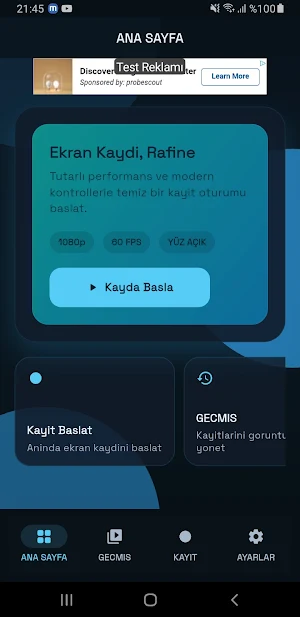
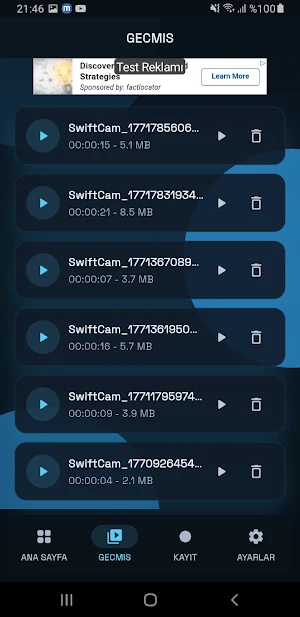
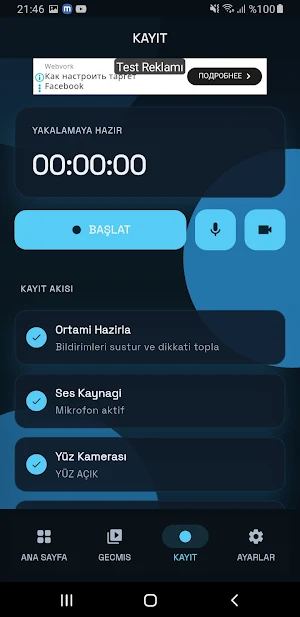
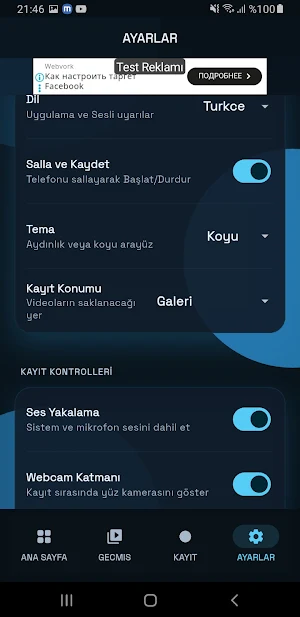
About Swift Cam
SwiftCam is a fast, reliable screen recording app built for creators, gamers, and educators. Capture clean videos, control your recording flow, and manage everything in one place.
What you can do with SwiftCam:
Start and stop recording instantly
Enable or disable microphone audio before recording
Enable or disable facecam before recording
Use a draggable facecam overlay while recording
Start or stop recording with a shake gesture (optional)
Stop recording from a red outlined floating stop button (optional)
Automatically move the app to background after recording starts
Save recordings to Gallery or Internal Storage
Keep all recordings in History for easy access
Play, review, and delete recordings from the History screen
Clear all recording history from Settings
Choose theme mode: Light, Dark, or System
Use the app in multiple languages: English, Turkish, Russian, Arabic, and German
Adjust recording quality and frame-rate settings
SwiftCam focuses on a clean recording experience: quick setup, stable performance, and practical controls for everyday content creation.
Permissions used:
Screen capture permission for recording
Microphone permission for audio recording
Camera permission for facecam
Overlay permission for floating controls
Media/storage permission for Gallery saving
What you can do with SwiftCam:
Start and stop recording instantly
Enable or disable microphone audio before recording
Enable or disable facecam before recording
Use a draggable facecam overlay while recording
Start or stop recording with a shake gesture (optional)
Stop recording from a red outlined floating stop button (optional)
Automatically move the app to background after recording starts
Save recordings to Gallery or Internal Storage
Keep all recordings in History for easy access
Play, review, and delete recordings from the History screen
Clear all recording history from Settings
Choose theme mode: Light, Dark, or System
Use the app in multiple languages: English, Turkish, Russian, Arabic, and German
Adjust recording quality and frame-rate settings
SwiftCam focuses on a clean recording experience: quick setup, stable performance, and practical controls for everyday content creation.
Permissions used:
Screen capture permission for recording
Microphone permission for audio recording
Camera permission for facecam
Overlay permission for floating controls
Media/storage permission for Gallery saving
What’s new
Version 1.0.0 · Updated August 15, 2026
- Initial release of SwiftCam Pro. - HD Screen Recording with 60 FPS support. - Draggable Facecam (Webcam) overlay. - Built-in Video Editor and premium filters. - Shake phone to start/stop recording. - Multilingual UI support.
Alternatives to Swift Cam
Looking for apps like Swift Cam? Here are 6 similar Android apps on Google Play. All of them are free to download.
-
QR Kod Okuyucu ve Oluşturucu
-
Whoopii - AI Photo Studio
-
Digital Warranty Vault
-
Agro Tracker
-
Nature Rafting
-
Habit Tracker
| App | Rating | Price | Installs | Last updated | Compare |
|---|---|---|---|---|---|
| Swift Cam | – | Free | 50+ | Aug 15, 2026 | |
| QR Kod Okuyucu ve Oluşturucu | – | Free | 1,000+ | Aug 9, 2026 | Compare |
| Whoopii - AI Photo Studio | – | Free | 1,000+ | Jul 26, 2026 | Compare |
| Digital Warranty Vault | – | Free | 1,000+ | Oct 27, 2026 | Compare |
| Agro Tracker | – | Free | 1,000+ | Jul 6, 2026 | Compare |
| Nature Rafting | – | Free | 100+ | Aug 29, 2026 | Compare |
| Habit Tracker | – | Free | 1,000+ | Aug 1, 2026 | Compare |
Compare Swift Cam with the top alternatives: ratings, updates, ASO score and keyword gaps →