
SignMaker - Signature Creator
Odomhae Tools Contains ads
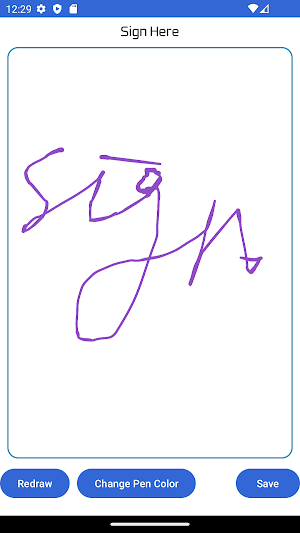
Create & save transparent signatures easily. Perfect for documents & email!
- Downloads
- 1.9K+
- on Google Play
- Price
- Free
- No in-app purchases
- Updated
- Oct 4
- 2026 · v1.7
Screenshots
About SignMaker - Signature Creator
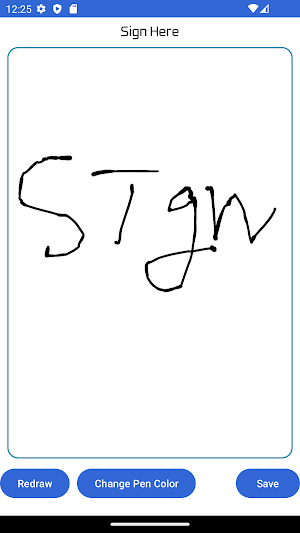
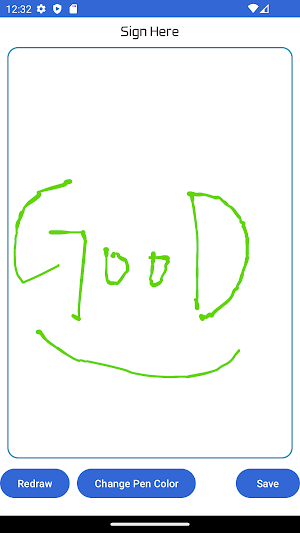
You can change the pen color, background color is transparent.
The signature is stored in the SignMaker folder in the gallery.
♣♣♣ If you sign with a black pen, you may not be able to see it well in dark mode ♣♣♣
✍️ KEY FEATURES
• Draw your own handwritten signature
• Transparent background (PNG) – perfect for documents
• Change pen color freely
• Save signature directly to your gallery
• No account or login required
• 100% free to use
📄 PERFECT FOR
• Signing PDF documents
• Email signatures
• Digital contracts
• Business documents
• Personal use
Whether you need a quick e-signature, a digital signature for work, or just want to create a clean handwritten signature — SignMaker makes it simple.
No complicated settings. Just open, draw, and save.
🔍 Also known as: signature generator, sign maker, e-signature app, digital signature creator, transparent signature PNG
The signature is stored in the SignMaker folder in the gallery.
♣♣♣ If you sign with a black pen, you may not be able to see it well in dark mode ♣♣♣
✍️ KEY FEATURES
• Draw your own handwritten signature
• Transparent background (PNG) – perfect for documents
• Change pen color freely
• Save signature directly to your gallery
• No account or login required
• 100% free to use
📄 PERFECT FOR
• Signing PDF documents
• Email signatures
• Digital contracts
• Business documents
• Personal use
Whether you need a quick e-signature, a digital signature for work, or just want to create a clean handwritten signature — SignMaker makes it simple.
No complicated settings. Just open, draw, and save.
🔍 Also known as: signature generator, sign maker, e-signature app, digital signature creator, transparent signature PNG
What’s new
Version 1.7 · Updated October 4, 2026
Fix Minor Error
Alternatives to SignMaker - Signature Creator
Looking for apps like SignMaker - Signature Creator? Here are 6 similar Android apps on Google Play. All of them are free to download.
-
ShutApp - App Time Limit
-
MoodLight- Baby, Nursing light
-
Color Pop QR – Scan & Make
-
Please Sleep_Baby Lullaby
-
Burger Kiosk - Order Simulator
-
LED BOARD-Blink & Scroller
| App | Rating | Price | Installs | Last updated | Compare |
|---|---|---|---|---|---|
| SignMaker - Signature Creator | – | Free | 1,000+ | Oct 4, 2026 | |
| ShutApp - App Time Limit | – | Free | 50+ | – | Compare |
| MoodLight- Baby, Nursing light | – | Free | 10+ | – | Compare |
| Color Pop QR – Scan & Make | – | Free | 5+ | Jun 17, 2026 | Compare |
| Please Sleep_Baby Lullaby | – | Free | 10+ | – | Compare |
| Burger Kiosk - Order Simulator | – | Free | 100+ | Jul 23, 2026 | Compare |
| LED BOARD-Blink & Scroller | – | Free | 100+ | Jul 22, 2026 | Compare |