
File Transfer PrismDrop
Tools Contains ads
Just point your phone at the other screen to share photos and files.
- Downloads
- 1+
- on Google Play
- Price
- Free
- No in-app purchases
- Updated
- Aug 2
- 2026 · v1.0.0
Screenshots
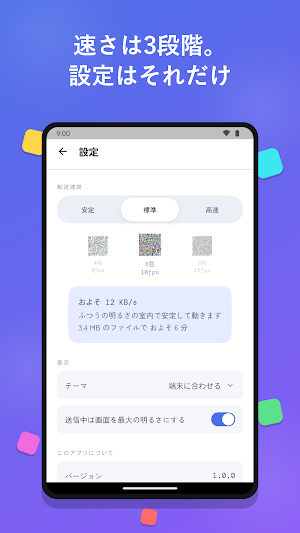
About File Transfer PrismDrop
■ Point your camera. That's it.
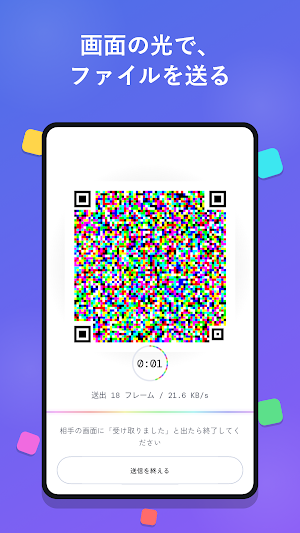
Send files without internet, Wi-Fi, or Bluetooth.
Here is how it works.
The sender's screen shows a bright, colorful code.
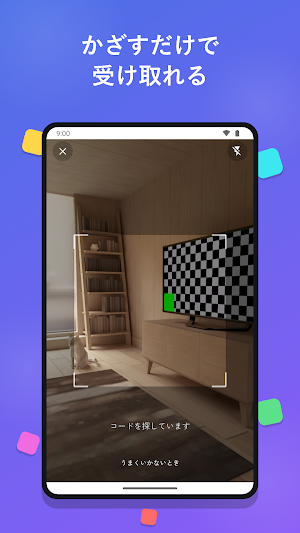
The receiver just points their camera at it.
The file arrives. That's all.
■ Great for moments like these
- Sharing photos where there is no signal
- Saving your mobile data
- Sending something right now, without exchanging contacts
■ Three easy steps
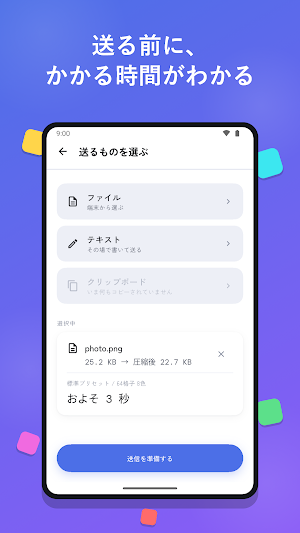
1. The sender taps "Send" and picks a file
2. The receiver taps "Receive" and points at the sender's screen
3. Wait a moment, and you are done
Received files go straight to your Downloads folder, ready to open.
■ Safe and simple
- Your data never touches the internet. It only reaches the person in front of you
- No account. No sign-up
- Nothing to set up
■ Good to know before you start
- Bigger files take longer (you will see a time estimate before sending)
- Perfect for photos, notes, and documents. Not suited for large files like videos
- Ads only appear occasionally after a transfer finishes. Never during one
Send files without internet, Wi-Fi, or Bluetooth.
Here is how it works.
The sender's screen shows a bright, colorful code.
The receiver just points their camera at it.
The file arrives. That's all.
■ Great for moments like these
- Sharing photos where there is no signal
- Saving your mobile data
- Sending something right now, without exchanging contacts
■ Three easy steps
1. The sender taps "Send" and picks a file
2. The receiver taps "Receive" and points at the sender's screen
3. Wait a moment, and you are done
Received files go straight to your Downloads folder, ready to open.
■ Safe and simple
- Your data never touches the internet. It only reaches the person in front of you
- No account. No sign-up
- Nothing to set up
■ Good to know before you start
- Bigger files take longer (you will see a time estimate before sending)
- Perfect for photos, notes, and documents. Not suited for large files like videos
- Ads only appear occasionally after a transfer finishes. Never during one
Alternatives to File Transfer PrismDrop
Looking for apps like File Transfer PrismDrop? Here are 6 similar Android apps on Google Play. All of them are free to download.






| App | Rating | Price | Installs | Last updated | Compare |
|---|---|---|---|---|---|
| File Transfer PrismDrop | – | Free | 1+ | Aug 2, 2026 | |
| 筋肉求道者 | – | Free | 0+ | Aug 5, 2026 | Compare |
| 漢気旅 | – | Free | 1+ | Apr 30, 2026 | Compare |
| AAメイカー | – | Free | 50+ | Apr 29, 2025 | Compare |
| 寿命診断 | – | Free | 1,000+ | Jul 27, 2026 | Compare |
| 毒親診断 | – | Free | 100+ | Jan 9, 2024 | Compare |
| 右脳左脳診断 | – | Free | 100+ | – | Compare |