
Gallery Remote - Photo Shows
Photography
Present ordered photo slideshows on paired devices over a local network or Wi-Fi
- Downloads
- 59+
- on Google Play
- Price
- Free
- No in-app purchases
- Updated
- Sep 4
- 2026 · v1.0.2
Screenshots


About Gallery Remote - Photo Shows
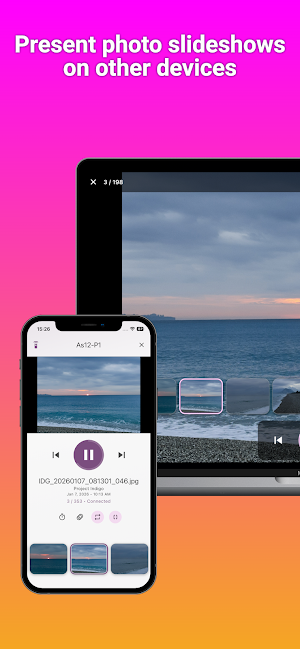
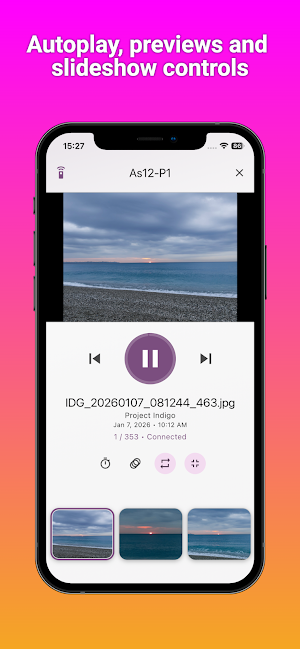
Gallery Remote turns your Android phone or tablet into a cross-platform photo presenter and slideshow controller. Create an ordered selection, then show it locally or on a paired Android, iPhone, iPad, Mac, or Windows device connected to the same Wi-Fi or LAN.
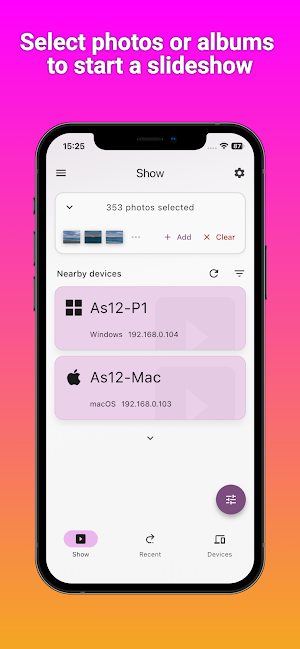
Build your presentation:
- Add complete local photo albums
- Choose individual pictures
- Reorder images in list or grid view
- Remove photos or clear the selection
- Select this device or a nearby paired screen
Control your slideshow:
- Previous and Next
- Jump to any thumbnail
- Play or pause autoplay
- Set the display interval
- Choose slide, fade, zoom, wipe, or no transition
- Turn looping on or off
- Use full screen on desktop receivers
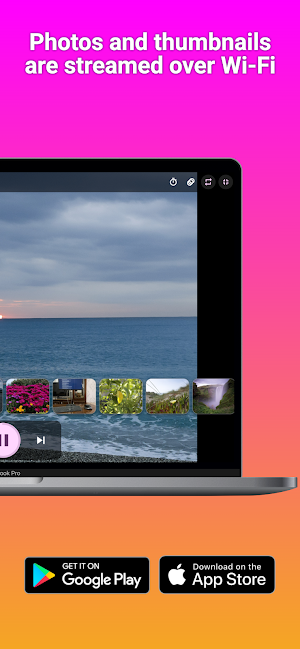
Gallery Remote sends image renditions directly between paired devices. It does not require an account or upload your slideshow to a Gallery Remote cloud service. Local requests are encrypted, session access is temporary, and each receiving device can allow or block Start shows and Remote control separately.
Successful outgoing shows can be kept as reusable albums in Recent. Rename, pin, combine, filter, delete, or restore them without recreating the photo sequence.
Use Gallery Remote for family pictures, travel recaps, photography portfolios, classroom displays, client reviews, event slideshows, and presentations on a larger nearby screen.
Build your presentation:
- Add complete local photo albums
- Choose individual pictures
- Reorder images in list or grid view
- Remove photos or clear the selection
- Select this device or a nearby paired screen
Control your slideshow:
- Previous and Next
- Jump to any thumbnail
- Play or pause autoplay
- Set the display interval
- Choose slide, fade, zoom, wipe, or no transition
- Turn looping on or off
- Use full screen on desktop receivers
Gallery Remote sends image renditions directly between paired devices. It does not require an account or upload your slideshow to a Gallery Remote cloud service. Local requests are encrypted, session access is temporary, and each receiving device can allow or block Start shows and Remote control separately.
Successful outgoing shows can be kept as reusable albums in Recent. Rename, pin, combine, filter, delete, or restore them without recreating the photo sequence.
Use Gallery Remote for family pictures, travel recaps, photography portfolios, classroom displays, client reviews, event slideshows, and presentations on a larger nearby screen.
What’s new
Version 1.0.2 · Updated September 4, 2026
Improved connectivity between devices
Alternatives to Gallery Remote - Photo Shows
Looking for apps like Gallery Remote - Photo Shows? Here are 6 similar Android apps on Google Play. The highest rated is Clipboard Remote - LAN Paste (4.0/5), and all 6 are free to download.
-
Screenshot Remote - PC Capture
-
Media Remote - Player Control
-
Power Remote - Sleep Wake Lock
-
PromptSense - Smart AI Library
-
Phollet - Photo Wallet + Notes
-
Clipboard Remote - LAN Paste 4.0
| App | Rating | Price | Installs | Last updated | Compare |
|---|---|---|---|---|---|
| Gallery Remote - Photo Shows | – | Free | 50+ | Sep 4, 2026 | |
| Screenshot Remote - PC Capture | – | Free | 1,000+ | – | Compare |
| Media Remote - Player Control | – | Free | 100+ | – | Compare |
| Power Remote - Sleep Wake Lock | – | Free | 100+ | – | Compare |
| PromptSense - Smart AI Library | – | Free | 100+ | Sep 8, 2026 | Compare |
| Phollet - Photo Wallet + Notes | – | Free | 500+ | Sep 18, 2026 | Compare |
| Clipboard Remote - LAN Paste | 4.0 / 5 | Free | 10,000+ | Sep 2, 2026 | Compare |