
NT Scan to PDF - PDF tools
Productivity Contains ads
Scan documents to PDF with OCR, editing, and powerful PDF tools.
- Downloads
- 2+
- on Google Play
- Price
- Free
- No in-app purchases
- Updated
- Aug 19
- 2026 · v1.1.1
Screenshots
About NT Scan to PDF - PDF tools
NT Scan to PDF is a fast and easy-to-use document scanner that lets you create high-quality PDF files from photos or your device's camera.
Key Features:
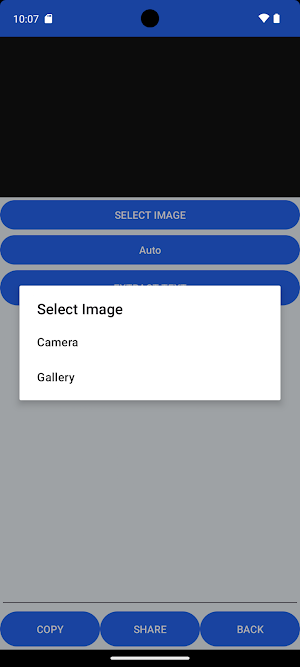
Scan documents with your camera or import images from your gallery.
Automatically detect document edges, crop, rotate, and enhance pages.
Extract text with OCR and create searchable PDF documents.
Export one or multiple pages as high-quality PDF files.
Sign PDF documents with your handwritten signature.
Add logos or stamps to PDF files.
Lock or unlock PDF files with passwords.
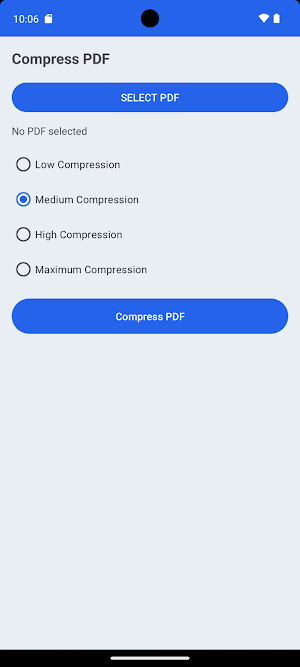
Compress PDF files to reduce file size.
Organize pages before exporting.
Save and share PDFs instantly.
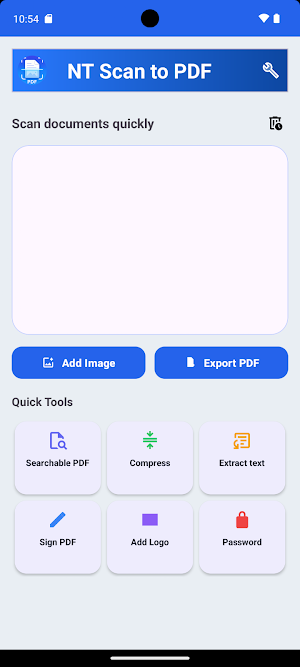
Built-in Quick Tools:
Searchable PDF
Compress PDF
Extract Text (OCR)
Sign PDF
Add Logo
Password Protect / Unlock PDF
NT Scan to PDF processes everything directly on your device to keep your documents private while delivering fast and reliable performance for work, study, and everyday document management.
Key Features:
Scan documents with your camera or import images from your gallery.
Automatically detect document edges, crop, rotate, and enhance pages.
Extract text with OCR and create searchable PDF documents.
Export one or multiple pages as high-quality PDF files.
Sign PDF documents with your handwritten signature.
Add logos or stamps to PDF files.
Lock or unlock PDF files with passwords.
Compress PDF files to reduce file size.
Organize pages before exporting.
Save and share PDFs instantly.
Built-in Quick Tools:
Searchable PDF
Compress PDF
Extract Text (OCR)
Sign PDF
Add Logo
Password Protect / Unlock PDF
NT Scan to PDF processes everything directly on your device to keep your documents private while delivering fast and reliable performance for work, study, and everyday document management.
What’s new
Version 1.1.1 · Updated August 19, 2026
Bug fixes and performance improvements.
Alternatives to NT Scan to PDF - PDF tools
Looking for apps like NT Scan to PDF - PDF tools? Here are 6 similar Android apps on Google Play. All of them are free to download.
-
Color Picker – Camera & Image
-
NT Audio Editor - MP3 Editor
-
NT Dash Cam - Drive Recorder
-
NT Car HUD Display
-
NT Image Enhance - AI Restore
-
NT VocalSplit - Music Split
| App | Rating | Price | Installs | Last updated | Compare |
|---|---|---|---|---|---|
| NT Scan to PDF - PDF tools | – | Free | 1+ | Aug 19, 2026 | |
| Color Picker – Camera & Image | – | Free | 100+ | Jul 25, 2026 | Compare |
| NT Audio Editor - MP3 Editor | – | Free | 50+ | Sep 17, 2026 | Compare |
| NT Dash Cam - Drive Recorder | – | Free | 50+ | Sep 25, 2026 | Compare |
| NT Car HUD Display | – | Free | 50+ | Jul 23, 2026 | Compare |
| NT Image Enhance - AI Restore | – | Free | 10+ | – | Compare |
| NT VocalSplit - Music Split | – | Free | 1,000+ | Sep 18, 2026 | Compare |