

AppBrake
Lifestyle In-app purchases Contains ads
Stop endless scrolling with app limits
- Downloads
- 8+
- on Google Play
- Price
- Free
- In-app purchases
- Updated
- Jul 16
- 2026 · v0.1.8
Screenshots
About AppBrake
You control the scroll now.
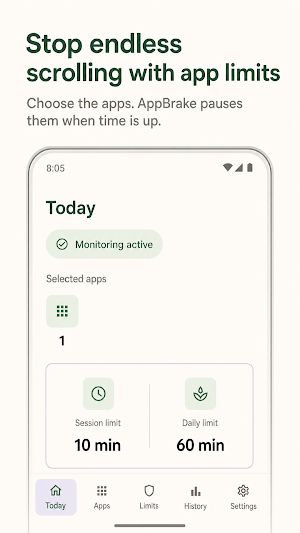
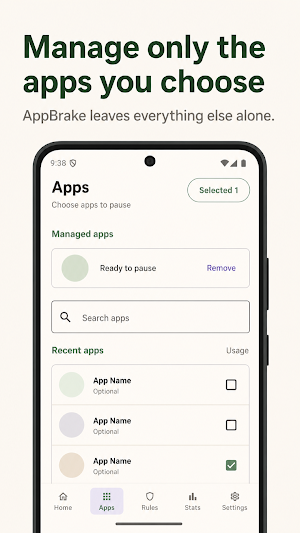
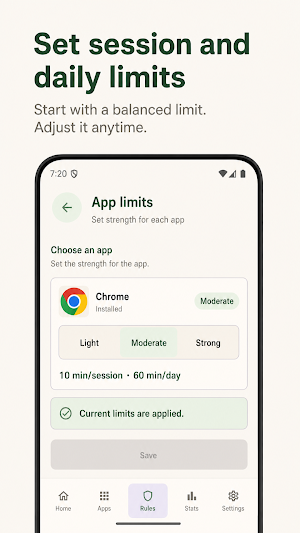
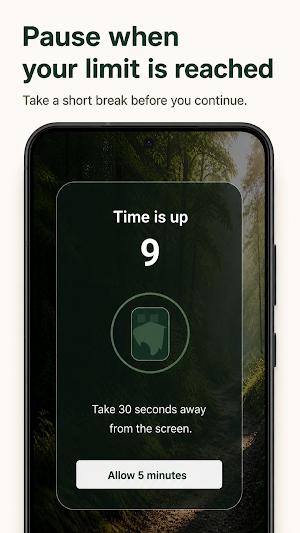
AppBrake helps you put real limits on the apps that keep pulling you back in. Choose the distracting apps you want to manage, set session and daily limits, and let AppBrake show a clear pause screen when a limit is reached.
Use it for social feeds, video apps, games, or any app that turns "just a minute" into another long session. AppBrake does not try to manage your whole phone. You choose the apps, set the limits, and keep control.
Key features
- Manage only the apps you choose
- Set session and daily limits by app
- Show an AppBrake pause screen when a limit is reached
- Review today's pauses
- Choose forest, rain, or ocean themes
- Use normal notifications when the overlay screen cannot appear
Privacy
AppBrake only checks usage time for apps you select. It does not read screen contents, messages, typed text, photos, contacts, or location.
Usage Access is used only to check whether selected apps are open and calculate their usage time. Display over other apps is used only to show the AppBrake screen. Notifications are used only for app status and required reminders.
AppBrake helps you put real limits on the apps that keep pulling you back in. Choose the distracting apps you want to manage, set session and daily limits, and let AppBrake show a clear pause screen when a limit is reached.
Use it for social feeds, video apps, games, or any app that turns "just a minute" into another long session. AppBrake does not try to manage your whole phone. You choose the apps, set the limits, and keep control.
Key features
- Manage only the apps you choose
- Set session and daily limits by app
- Show an AppBrake pause screen when a limit is reached
- Review today's pauses
- Choose forest, rain, or ocean themes
- Use normal notifications when the overlay screen cannot appear
Privacy
AppBrake only checks usage time for apps you select. It does not read screen contents, messages, typed text, photos, contacts, or location.
Usage Access is used only to check whether selected apps are open and calculate their usage time. Display over other apps is used only to show the AppBrake screen. Notifications are used only for app status and required reminders.
What’s new
Version 0.1.8 · Updated July 16, 2026
AppBrake 0.1.8: - Added install attribution for Meta ad creatives - Added Meta app event support - Improved campaign and onboarding measurement
Alternatives to AppBrake
Looking for apps like AppBrake? Here are 3 similar Android apps on Google Play. The highest rated is Obey Daily: Scripture Practice (4.8/5), and all 3 are free to download.


| App | Rating | Price | Installs | Last updated | Compare |
|---|---|---|---|---|---|
| AppBrake | – | Free | 5+ | Jul 16, 2026 | |
| Blinko: Eye Break Reminder | – | Free | 100+ | – | Compare |
| Obey Daily: Scripture Practice | 4.8 / 5 | Free | 5,000+ | Oct 22, 2026 | Compare |
| Water Reminder : Daily Tracker | – | Free | 100+ | Jul 29, 2024 | Compare |
Compare AppBrake with the top alternatives: ratings, updates, ASO score and keyword gaps →