
Tanda Tangan Digital
Books & Reference Contains ads
Create digital signatures, save as images or directly to PDF.
- Downloads
- 7+
- on Google Play
- Price
- Free
- No in-app purchases
- Updated
- Jul 15
- 2026 · v2.0.0
Screenshots
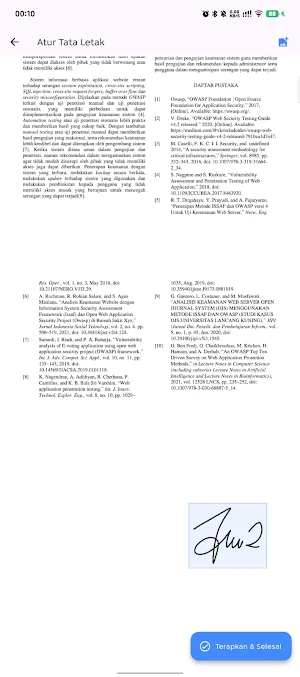


About Tanda Tangan Digital
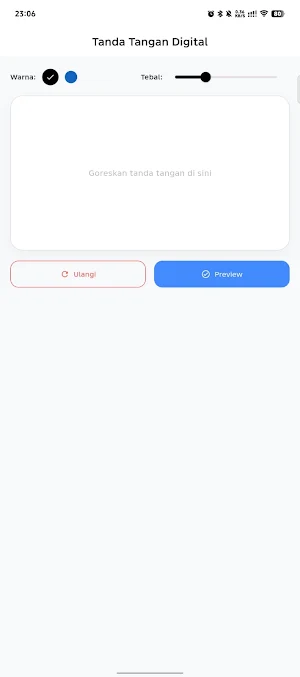
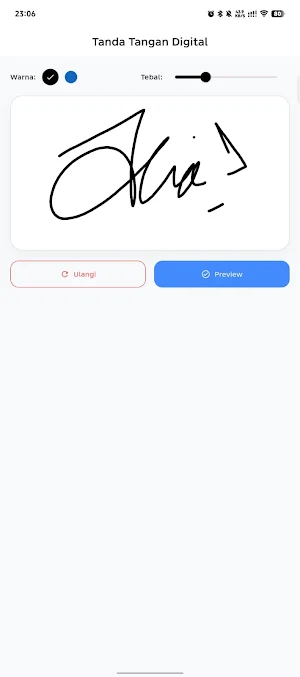
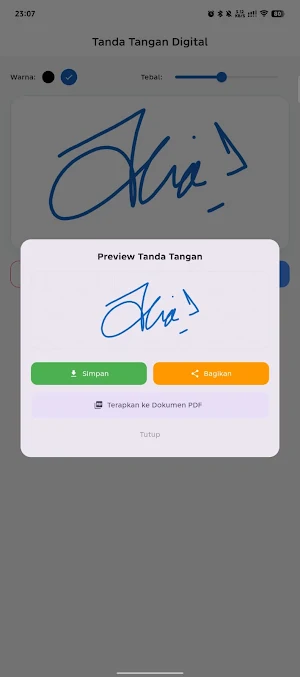
Digital Signature is a handy app for easily creating digital signatures directly from your Android device. You can draw your own signature, adjust the ink color, adjust the line thickness, then save it as an image or use it directly in PDF documents.
This app is perfect for quickly signing documents without printing or scanning.
Key Features
✍️ Create Digital Signature
Draw your signature directly on the screen for smooth, natural results.
🎨 Choose Signature Color
Adjust the ink color to your liking, such as black, blue, or any other color.
🖌️ Adjust Line Thickness
Change the pen thickness to create a signature that suits your needs.
🖼️ Save as Image
Download your signature as an image for use in various documents or applications.
📄 Apply Directly to PDF Files
Add your digital signature directly to PDF documents without the need for additional applications.
⚡ Fast and Easy to Use
A simple interface makes creating and inserting signatures easier.
📱 Lightweight and Responsive
Optimized to run smoothly on a variety of Android devices.
Application Benefits
Easily create digital signatures
Customizable signature color options
Line thickness settings
Save results as high-quality images
Add signatures directly to PDF documents
Simple and easy-to-use interface
Quick process without complicated steps
Digital Signature helps you create and use digital signatures easily for various document needs. With color customization, line thickness, saving as an image, and direct signing features in PDF files, this application is a simple solution for everyday digital signature needs.
This app is perfect for quickly signing documents without printing or scanning.
Key Features
✍️ Create Digital Signature
Draw your signature directly on the screen for smooth, natural results.
🎨 Choose Signature Color
Adjust the ink color to your liking, such as black, blue, or any other color.
🖌️ Adjust Line Thickness
Change the pen thickness to create a signature that suits your needs.
🖼️ Save as Image
Download your signature as an image for use in various documents or applications.
📄 Apply Directly to PDF Files
Add your digital signature directly to PDF documents without the need for additional applications.
⚡ Fast and Easy to Use
A simple interface makes creating and inserting signatures easier.
📱 Lightweight and Responsive
Optimized to run smoothly on a variety of Android devices.
Application Benefits
Easily create digital signatures
Customizable signature color options
Line thickness settings
Save results as high-quality images
Add signatures directly to PDF documents
Simple and easy-to-use interface
Quick process without complicated steps
Digital Signature helps you create and use digital signatures easily for various document needs. With color customization, line thickness, saving as an image, and direct signing features in PDF files, this application is a simple solution for everyday digital signature needs.
Alternatives to Tanda Tangan Digital
Looking for apps like Tanda Tangan Digital? Here are 6 similar Android apps on Google Play. All of them are free to download.
-
Mahjong Aurora
-
SketchArt Mission
-
JUMITA SMAN 3 LAMONGAN
-
e-Modul Praktikum Jarkom
-
PLD Learn
-
Media Pembelajaran Jarkom
| App | Rating | Price | Installs | Last updated | Compare |
|---|---|---|---|---|---|
| Tanda Tangan Digital | – | Free | 5+ | Jul 15, 2026 | |
| Mahjong Aurora | – | Free | 1+ | Sep 7, 2026 | Compare |
| SketchArt Mission | – | Free | 1+ | Sep 2, 2026 | Compare |
| JUMITA SMAN 3 LAMONGAN | – | Free | 10+ | Aug 31, 2026 | Compare |
| e-Modul Praktikum Jarkom | – | Free | 0+ | – | Compare |
| PLD Learn | – | Free | 10+ | Sep 11, 2026 | Compare |
| Media Pembelajaran Jarkom | – | Free | 5+ | – | Compare |