

SnapClean
Tools
Clean screenshots fast. Remove clutter, find QR codes & sensitive text.
- Downloads
- 27+
- on Google Play
- Price
- Free
- No in-app purchases
- Updated
- Sep 16
- 2026 · v2.3
Screenshots


About SnapClean
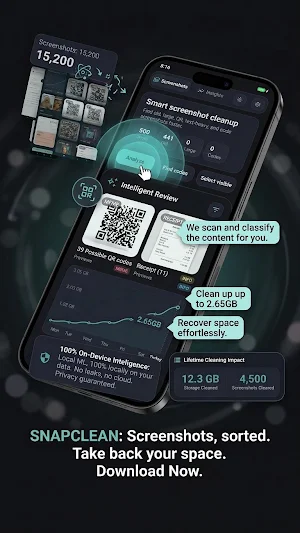
Over time, screenshots pile up: QR codes, one-time codes, receipts, chats, and random images. SnapClean analyzes your screenshots and helps you find and remove unnecessary ones with just a few taps.
Key features:
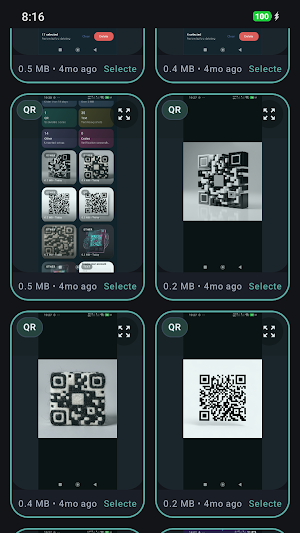
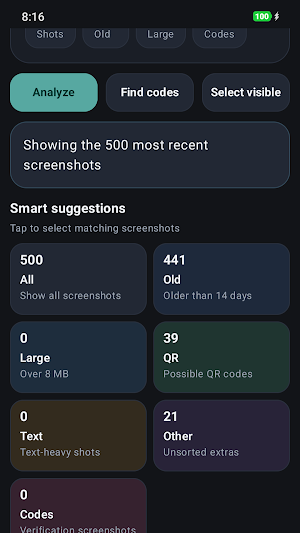
• Scan screenshots and detect QR codes and text-heavy images
• Find old and large screenshots that take up storage
• Identify sensitive screenshots like OTP or verification codes
• Select and delete screenshots in bulk
• Simple, fast, and privacy-focused design
Your privacy matters:
• All analysis happens on your device
• No cloud uploads
• No ads
• No tracking
SnapClean is designed for adults who want a clean gallery and better control over their screenshots.
Upgrade to SnapClean Pro to unlock advanced cleanup features.
What’s new
Version 2.3 · Updated September 16, 2026
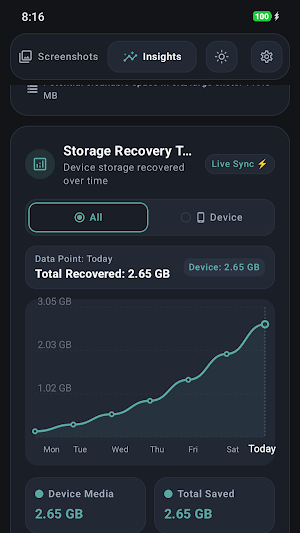
SnapClean 2.2 NOW COMPLETELY FREE • No ads, no Pro, nothing to buy. • Verification-code cleanup is unlocked for everyone. NEW • Bulk delete now shows previews and the exact space it frees. • Cleanup history can be reset in Settings. BUG FIXES • Android 10: of a selection, only the first screenshot was deleted. • Storage chart: round axis steps (500 MB, 1 GB) instead of 1.02 GB. • Folder picker, plural forms and labels in 17 languages.
Alternatives to SnapClean
Looking for apps like SnapClean? Here are 2 similar Android apps on Google Play. All of them are free to download.

| App | Rating | Price | Installs | Last updated | Compare |
|---|---|---|---|---|---|
| SnapClean | – | Free | 10+ | Sep 16, 2026 | |
| Desert Golf Dune | – | Free | 50+ | Aug 30, 2026 | Compare |
| BlurCam – Background Blur | – | Free | 500+ | Aug 6, 2026 | Compare |
Compare SnapClean with the top alternatives: ratings, updates, ASO score and keyword gaps →