
Text to Speech: Audio Convert
Education Contains ads
Convert text to clear, natural audio & share easily! Fast free & user-friendly
- Downloads
- 10+
- on Google Play
- Price
- Free
- No in-app purchases
- Updated
- Mar 23
- 2024 · v1.0
Screenshots
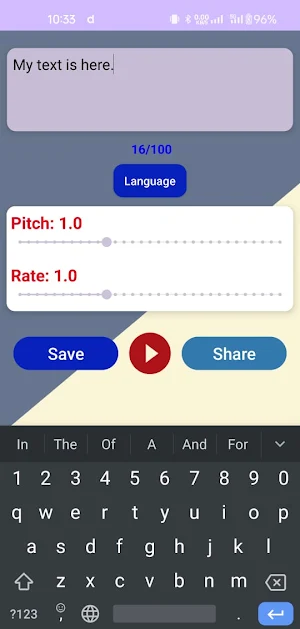


About Text to Speech: Audio Convert
Transform your written text into high-quality, natural-sounding audio with Text to Speech - Convert Text to Audio. Whether you're reading long documents, preparing presentations, or simply want to listen to text, this app makes it simple, fast, and convenient. Save time by converting text into speech with just a few taps, and share your audio files with friends, family, or colleagues directly from the app.
Key Features:
Fast Text to Audio Conversion: Quickly convert any text into speech in seconds.
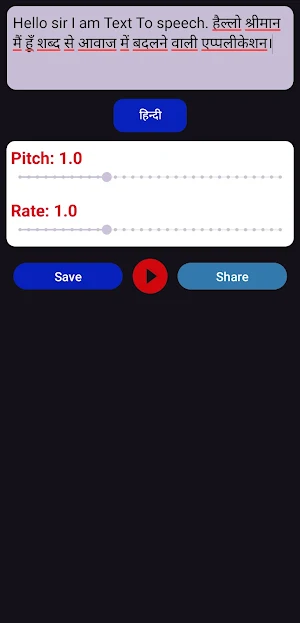
Clear, Natural Voices: Choose from a variety of voices and languages for the best listening experience.
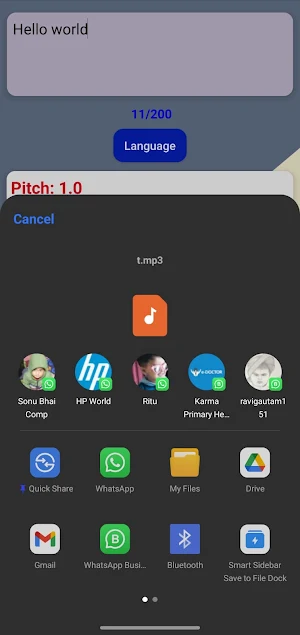
Audio File Sharing: Save and share your generated audio files with others via social media, email, or messaging apps.
Multiple Languages Supported: Enjoy support for many languages and accents to suit your needs.
Simple and User-Friendly: Intuitive interface designed for everyone to use with ease.
Save Audio: Save audio files for offline use, so you can listen to them anytime, anywhere.
Who Can Use This App?
Students & Professionals: Convert text notes or documents into speech for better understanding and listening on the go.
Content Creators: Convert your scripts into natural-sounding audio files.
Anyone looking for convenience: Whether you're driving, multitasking, or just relaxing, listen to your text in the form of audio.
How to Use:
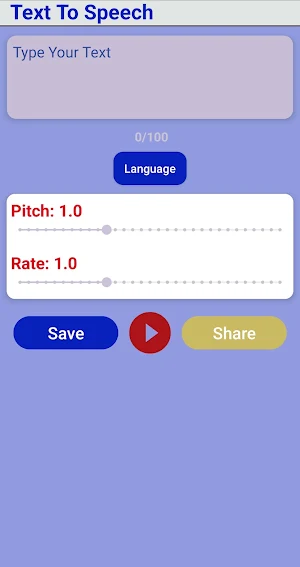
Type or paste your text in the text box.
Select the voice and language of your choice.
Tap "Convert" to turn your text into speech.
Save or share the audio with others instantly!
Download Text to Speech - Convert Text to Audio now and enjoy a seamless text-to-speech experience for free!
Key Features:
Fast Text to Audio Conversion: Quickly convert any text into speech in seconds.
Clear, Natural Voices: Choose from a variety of voices and languages for the best listening experience.
Audio File Sharing: Save and share your generated audio files with others via social media, email, or messaging apps.
Multiple Languages Supported: Enjoy support for many languages and accents to suit your needs.
Simple and User-Friendly: Intuitive interface designed for everyone to use with ease.
Save Audio: Save audio files for offline use, so you can listen to them anytime, anywhere.
Who Can Use This App?
Students & Professionals: Convert text notes or documents into speech for better understanding and listening on the go.
Content Creators: Convert your scripts into natural-sounding audio files.
Anyone looking for convenience: Whether you're driving, multitasking, or just relaxing, listen to your text in the form of audio.
How to Use:
Type or paste your text in the text box.
Select the voice and language of your choice.
Tap "Convert" to turn your text into speech.
Save or share the audio with others instantly!
Download Text to Speech - Convert Text to Audio now and enjoy a seamless text-to-speech experience for free!
What’s new
Version 1.0 · Updated March 23, 2024
First Release
Alternatives to Text to Speech: Audio Convert
Looking for apps like Text to Speech: Audio Convert? Here are 3 similar Android apps on Google Play. All of them are free to download.


| App | Rating | Price | Installs | Last updated | Compare |
|---|---|---|---|---|---|
| Text to Speech: Audio Convert | – | Free | 10+ | Mar 23, 2024 | |
| TNK Конвейер | – | Free | 1,000+ | Jan 16, 2025 | Compare |
| Plinko: Lucky Drop | – | Free | 10+ | Feb 1, 2025 | Compare |
| PlayKids: ABC & Fun Learning | – | Free | 100+ | Jan 17, 2025 | Compare |