

Murmer AI: Voice Typing
Productivity In-app purchases
Speech to text with AI. Turn your voice into polished, ready text.
- Downloads
- 100+
- on Google Play
- Price
- Free
- In-app purchases
- Updated
- Feb 27
- 2026 · v1.3.3
Screenshots


About Murmer AI: Voice Typing
naturally, and Murmer AI transforms your words into professional messages, emails, notes, and AI prompts.
Stop typing. Start speaking.
Unlike basic voice typing or standard dictation, Murmer AI automatically improves grammar, removes filler words, and formats your
text so it's ready to send immediately.
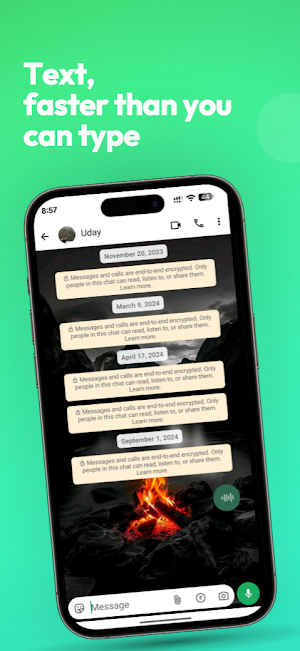
Works in any app, including WhatsApp, ChatGPT, Gmail, Instagram, Slack, and Messages.
Why choose Murmer AI
• Accurate speech-to-text: Advanced AI converts your voice into precise, reliable text instantly.
• AI-polished output: Removes filler words like "um" and "uh" and catches corrections ("5pm, actually make that 6pm" becomes
"6pm").
• Works across all apps: Use Murmer AI anywhere you normally type.
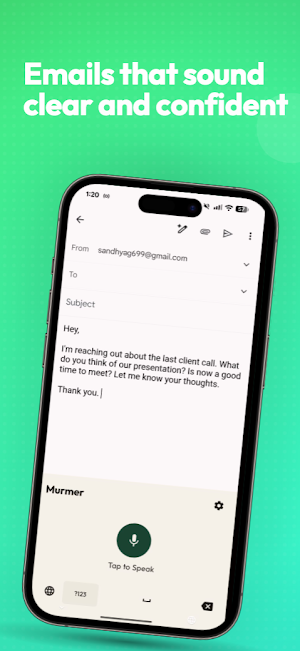
• Clean and professional: Automatic punctuation, formatting, and grammar correction.
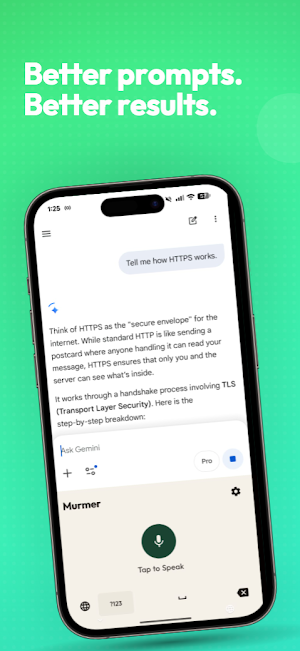
• Perfect for AI prompts: Create better prompts for ChatGPT, Claude, Gemini, and other AI tools.
Great for
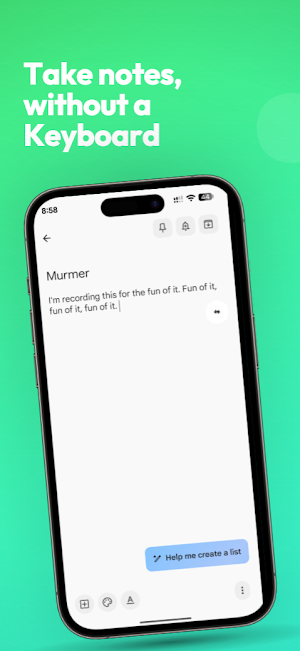
• Sending messages when your hands are full
• Writing emails on the go
• Creating detailed AI prompts
• Capturing ideas quickly
• Taking notes during or after meetings
• Writing social media posts
• Hands-free communication for people with motor impairments, arthritis, RSI, or tremors
• Users with dyslexia, ADHD, or stuttering who prefer voice over typing
• Anyone recovering from hand, wrist, or arm injuries
• Seniors and anyone who finds typing slow, painful, or frustrating
Example
You say: "hey can you send the report at 5pm actually make that 6pm thanks"
Murmer AI writes: "Hi, please send the report at 6pm. Thank you."
No editing required.
Accessibility Service Disclosure
Murmer AI uses the Android Accessibility Service to provide voice typing across all apps. This is required because Android does not
provide a standard API for third-party apps to detect text field focus or insert text into other apps. The Accessibility Service is
used solely for text field detection and text insertion.
Privacy focused
Your data is handled securely. Privacy Policy: https://www.murmer.ai/privacy
Speak freely. Murmer AI writes perfectly.
What’s new
Version 1.3.3 · Updated February 27, 2026
Welcome to the first release of Murmer AI, your AI-powered voice typing and writing assistant. Core Features: • Turn speech into clear, polished text instantly • AI automatically improves grammar, clarity, and tone • Write messages, emails, and notes faster than typing • Works seamlessly across your favorite apps • Smart text polishing for professional communication • Save frequently used keywords for faster prompting We’re just getting started. More powerful features coming soon.
Alternatives to Murmer AI: Voice Typing
Looking for apps like Murmer AI: Voice Typing? Here are 6 similar Android apps on Google Play. All of them are free to download.
-
AI Image Generator: Playground
-
Wear Wonders: AI Fitting Room
-
File Unpacker: Zip 7z Rar Tar
-
Golden Seven: Puzzle Game
-
Depth Clock Wallpaper 3D
-
AI Sticker Maker for WhatsApp
| App | Rating | Price | Installs | Last updated | Compare |
|---|---|---|---|---|---|
| Murmer AI: Voice Typing | – | Free | 100+ | Feb 27, 2026 | |
| AI Image Generator: Playground | – | Free | 500+ | Apr 7, 2026 | Compare |
| Wear Wonders: AI Fitting Room | – | Free | 100+ | Apr 26, 2026 | Compare |
| File Unpacker: Zip 7z Rar Tar | – | Free | 1,000+ | Aug 7, 2026 | Compare |
| Golden Seven: Puzzle Game | – | Free | 100+ | – | Compare |
| Depth Clock Wallpaper 3D | – | Free | 1,000+ | Aug 23, 2026 | Compare |
| AI Sticker Maker for WhatsApp | – | Free | 100+ | Apr 7, 2026 | Compare |