
Scanner App: Scan PDF Document
Business In-app purchases
Photo to PDF Converter. Camera Scanning. Edit Doc
- Rating
- 4.7
- 550 ratings
- Downloads
- 83.9K+
- on Google Play
- Price
- Free
- In-app purchases
- Updated
- Sep 15
- 2026 · v1.7.7
Screenshots


About Scanner App: Scan PDF Document
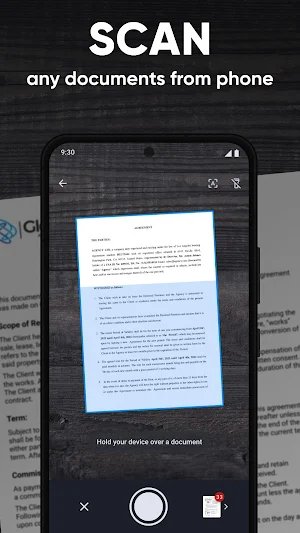
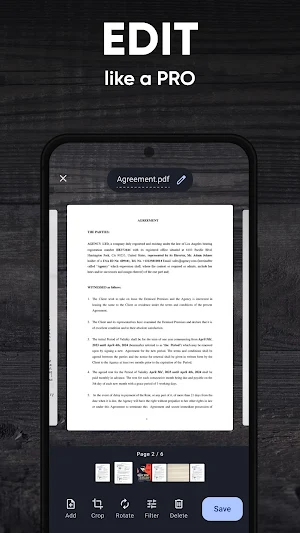
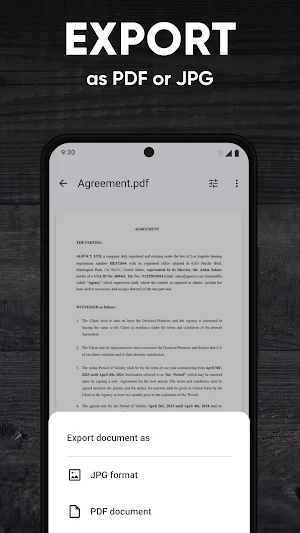
Scanner App is a versatile mobile photo to PDF converter. Easily scan, edit, save, and share documents, receipts, business cards, id, notes, and books as digital high-quality PDFs or JPG files.
Whether you need to convert to PDF, create PDFs from photos, turn a picture into a PDF file - this app has you covered. Choose between automatic or manual image capturing modes, and enhance your scans with edge detection, optimization, and color corrections.
Key Features:
- Scan premium quality PDFs or JPGs.
- Convert images to PDF files with your phone camera effortlessly.
- Capture documents quickly with automatic or manual modes.
- Enhance file scans with camera edge detection.
- Save multi-page documents efficiently.
- Seamlessly integrate with cloud services like iCloud, Dropbox, Evernote, Yandex Disk, Box, OneDrive, Google Drive, and more.
No need for an Internet connection - all your scans are stored locally on your device. Say farewell to traditional office scanners and embrace the mobile Scanner App for your daily business needs!
Capture HIGH-QUALITY images
Free Scanner App ensures optimal image quality with automatic document edge identification.
Convert docs QUICKLY
Experience lightning-fast camera text scanning with mobile Scanner App - scan a document in just one tap.
Scan ANYTHING
Free Scanner App is your go-to solution for scanning all types of documents on your phone.
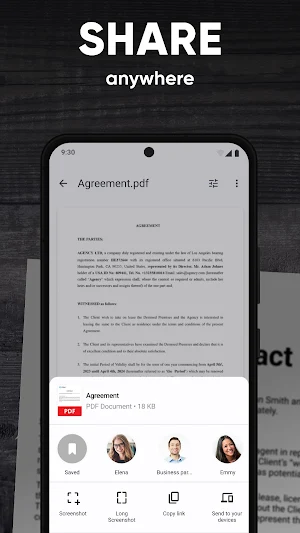
Convert to SHARE
Effortlessly share your phone scanned documents anywhere, making collaboration a breeze.
Share and upload scanned documents and jpg files to cloud services like iCloud, Dropbox, Evernote, Yandex Disk, Box, OneDrive, or Google Drive.
Discover the ultimate and free PDF converter, maker in the palm of your hand with the mobile Scanner App!
Whether you need to convert to PDF, create PDFs from photos, turn a picture into a PDF file - this app has you covered. Choose between automatic or manual image capturing modes, and enhance your scans with edge detection, optimization, and color corrections.
Key Features:
- Scan premium quality PDFs or JPGs.
- Convert images to PDF files with your phone camera effortlessly.
- Capture documents quickly with automatic or manual modes.
- Enhance file scans with camera edge detection.
- Save multi-page documents efficiently.
- Seamlessly integrate with cloud services like iCloud, Dropbox, Evernote, Yandex Disk, Box, OneDrive, Google Drive, and more.
No need for an Internet connection - all your scans are stored locally on your device. Say farewell to traditional office scanners and embrace the mobile Scanner App for your daily business needs!
Capture HIGH-QUALITY images
Free Scanner App ensures optimal image quality with automatic document edge identification.
Convert docs QUICKLY
Experience lightning-fast camera text scanning with mobile Scanner App - scan a document in just one tap.
Scan ANYTHING
Free Scanner App is your go-to solution for scanning all types of documents on your phone.
Convert to SHARE
Effortlessly share your phone scanned documents anywhere, making collaboration a breeze.
Share and upload scanned documents and jpg files to cloud services like iCloud, Dropbox, Evernote, Yandex Disk, Box, OneDrive, or Google Drive.
Discover the ultimate and free PDF converter, maker in the palm of your hand with the mobile Scanner App!
What’s new
Version 1.7.7 · Updated September 15, 2026
This update includes general bug fixes and performance improvements to enhance your app experience
Alternatives to Scanner App: Scan PDF Document
Looking for apps like Scanner App: Scan PDF Document? Here is 1 similar Android app on Google Play.
| App | Rating | Price | Installs | Compare |
|---|---|---|---|---|
| Scanner App: Scan PDF Document | 4.7 / 5 | Free | 50,000+ | |
| FAX App: Send Faxes from Phone | 4.5 / 5 | Free | 1,000,000+ | Compare |