
Drawing Book
Art & Design Contains ads
Draw Whatever You Want.
- Rating
- 4.8
- 12 ratings
- Downloads
- 100+
- on Google Play
- Price
- Free
- No in-app purchases
- Updated
- Feb 26
- 2023 · v1.0.1
Screenshots
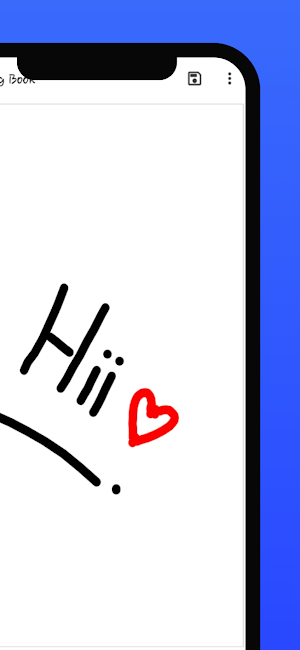



About Drawing Book
This app is made for creative professionals and anyone who likes to capture their ideas and creative thinking into a beautiful picture.
Key Features of this Application
-> Start with a new drawing by clicking the clear button
-> Draw creative pictures using an array of brushes and painting tools
-> Feel the smoothness of drawing while drawing in fingers
-> Multiple brushes, pens, and pencils are available
-> Adjust a width for the brushes and eraser by using the slider bar
-> Erase part of the drawing when needed any correction
-> Activating random brush color will act each stroke and shapes with different color
-> Undo and Redo last action and few strokes
-> Click an area on the canvas to fill it with background-color
-> Edit images/ photos
-> Your drawings have been saved into the photo gallery
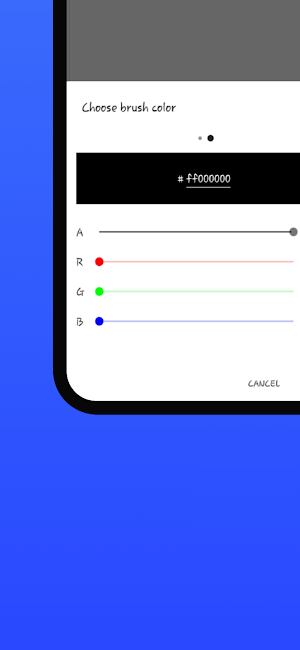
-> Choose background color on easy color picker tool
-> Using the color picker tool select brush and background-color
-> Share your drawings with family and friends
Permissions note:
-> Storage: Needed to allow the user to access your device storage to save your drawings into a photo gallery and display drawings into Gallery.
Don't keep the "Drawing Book" app a secret! We grow with your support, keep sharing Guys..
Please don't leave negative feedback!! Instead, please contact us @ [email protected] and Our Team do best to solve your issues.
Key Features of this Application
-> Start with a new drawing by clicking the clear button
-> Draw creative pictures using an array of brushes and painting tools
-> Feel the smoothness of drawing while drawing in fingers
-> Multiple brushes, pens, and pencils are available
-> Adjust a width for the brushes and eraser by using the slider bar
-> Erase part of the drawing when needed any correction
-> Activating random brush color will act each stroke and shapes with different color
-> Undo and Redo last action and few strokes
-> Click an area on the canvas to fill it with background-color
-> Edit images/ photos
-> Your drawings have been saved into the photo gallery
-> Choose background color on easy color picker tool
-> Using the color picker tool select brush and background-color
-> Share your drawings with family and friends
Permissions note:
-> Storage: Needed to allow the user to access your device storage to save your drawings into a photo gallery and display drawings into Gallery.
Don't keep the "Drawing Book" app a secret! We grow with your support, keep sharing Guys..
Please don't leave negative feedback!! Instead, please contact us @ [email protected] and Our Team do best to solve your issues.
What’s new
Version 1.0.1 · Updated February 26, 2023
Add New Features Fast Response Best Drawing App 2023
User reviews

Loved the app

Amazing experience with this app easy to use
Best App 👌

Really good and easy to use.

This app is very amazing we draw any thing this is very useful for child's because the child's was drawing practise in this app and this app is offline

Best App Super Cool
Alternatives to Drawing Book
Looking for apps like Drawing Book? Here is 1 similar Android app on Google Play.
| App | Rating | Price | Installs | Last updated | Compare |
|---|---|---|---|---|---|
| Drawing Book | 4.8 / 5 | Free | 100+ | Feb 26, 2023 | |
| Calculator 0.1 | – | Free | 500+ | May 27, 2023 | Compare |
Compare Drawing Book with the top alternatives: ratings, updates, ASO score and keyword gaps →