

MOSHI-PATH-LAB
Medical
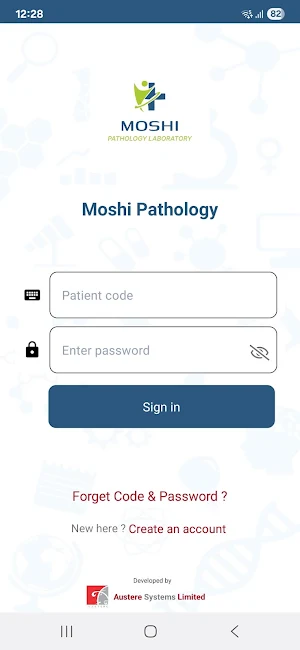
MOSHI-PATH-LAB is the online pathology application.
- Downloads
- 5+
- on Google Play
- Price
- Free
- No in-app purchases
- Updated
- Jun 2
- 2025 · v1.0
Screenshots


About MOSHI-PATH-LAB
1. Patient Dashboard
The patient dashboard in Austere Test Lab's portal is designed to provide easy access to essential services and information. Here's an outline of the typical features available in the side menu
2. Tests
View Test Results: Patients can access and download their lab test results. The results are usually organized by date.
History: A historical view of all tests conducted, allowing patients to track their medical progress over time.
Download Options(reports): Convenient options for patients to download their reports directly from the portal.
Download Options(receipts): Convenient options for patients to download their receipts directly from the portal.
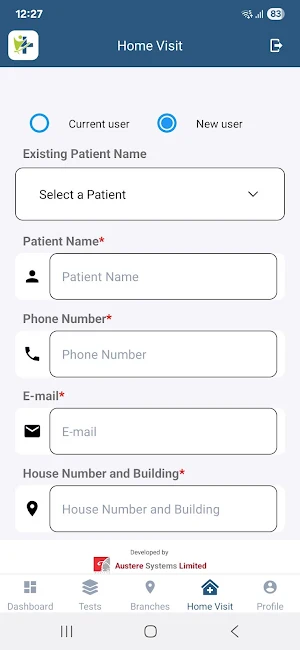
3. Home Visits
Request Home Visits: Patients can schedule appointments for home sample collection. This is particularly useful for those who cannot visit the laboratory in person.
View Scheduled Visits: A section where patients can see their upcoming home visit appointments, with options to reschedule or cancel if needed.
3. Branches
Branch Locations: A list of all branch locations with addresses and contact information.
Map and Directions: Interactive maps and directions to help patients find the nearest branch.
The patient dashboard in Austere Test Lab's portal is designed to provide easy access to essential services and information. Here's an outline of the typical features available in the side menu
2. Tests
View Test Results: Patients can access and download their lab test results. The results are usually organized by date.
History: A historical view of all tests conducted, allowing patients to track their medical progress over time.
Download Options(reports): Convenient options for patients to download their reports directly from the portal.
Download Options(receipts): Convenient options for patients to download their receipts directly from the portal.
3. Home Visits
Request Home Visits: Patients can schedule appointments for home sample collection. This is particularly useful for those who cannot visit the laboratory in person.
View Scheduled Visits: A section where patients can see their upcoming home visit appointments, with options to reschedule or cancel if needed.
3. Branches
Branch Locations: A list of all branch locations with addresses and contact information.
Map and Directions: Interactive maps and directions to help patients find the nearest branch.
What’s new
Version 1.0 · Updated June 2, 2025
Added test library functionality on the Home screen for easier access and improved user experience.
Alternatives to MOSHI-PATH-LAB
Looking for apps like MOSHI-PATH-LAB? Here are 6 similar Android apps on Google Play. All of them are free to download.
-
HGVY
-
MEDILIFE-PATH-LAB
-
Badalda Pind, Badalda Punjab
-
ASL HRMS
-
SUVIDHA-PATHOLOGY-LABORATORY
-
OMKAR PATHOLOGY
| App | Rating | Price | Installs | Last updated | Compare |
|---|---|---|---|---|---|
| MOSHI-PATH-LAB | – | Free | 5+ | Jun 2, 2025 | |
| HGVY | – | Free | 100+ | – | Compare |
| MEDILIFE-PATH-LAB | – | Free | 10+ | Jun 23, 2025 | Compare |
| Badalda Pind, Badalda Punjab | – | Free | 5,000+ | Jun 10, 2026 | Compare |
| ASL HRMS | – | Free | 50+ | – | Compare |
| SUVIDHA-PATHOLOGY-LABORATORY | – | Free | 10+ | May 30, 2025 | Compare |
| OMKAR PATHOLOGY | – | Free | 10+ | May 6, 2025 | Compare |
Compare MOSHI-PATH-LAB with the top alternatives: ratings, updates, ASO score and keyword gaps →