About Hakinet Kids
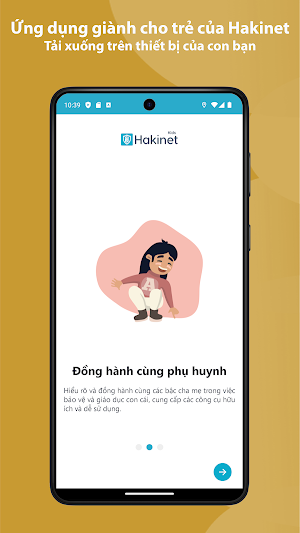
Hakinet Kids application for children is an application that helps parents monitor their children's device usage activities. Please only download this app to devices being used by children or teens.
Create a free account to get started:
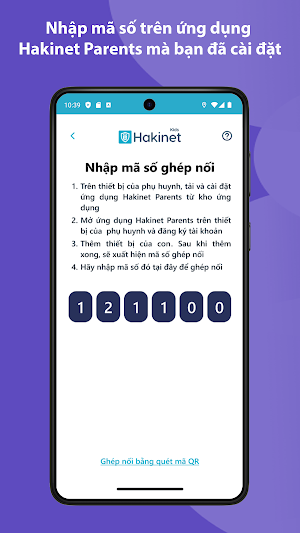
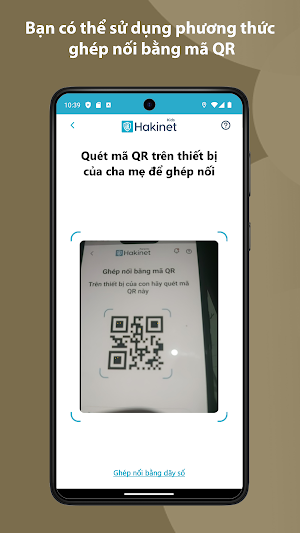
1. Download the Hakinet Parent parent app and register for an account
2. Download the Hakinet Kids App (this app) to the device of each child/teen you want to protect.
Parents, with Hakinet Kids parental controls, you can:
Create a safe space for your child to explore and play online
• Block inappropriate apps and content
• Prevent exposure to gambling, adult content, violence and other threats
Protect your children from suspicious calls
• Displays the call ID list
• Create a list of suspicious or safe calls
• Detect suspicious contacts
• Block unknown calls, spam calls or calls that have been set in the block list
Be involved in your child's digital life
• See a timeline of activity and browsing history, YouTube views, screen time, and more.
• Receive real-time notifications
Promote healthy habits for the whole family
• Helps avoid screen addiction
• Ensure better sleeping habits
• Maintain family time with consistent time limits and no screen time.
Know where your child is at any time
• Locate your child on the map even when the app is closed and running in the background to help know where your child is and where they have been.
• Receive notifications when children arrive or leave home
The Hakinet Kids app for Android is password protected and cannot be uninstalled from a child's device without parental permission.
For support. Contact us: [email protected]
Note:
Hakinet includes Hakinet Kids and Hakinet Parents, data collected from Hakinet Kids will be synchronized with Hakinet Parents and not shared with any other third parties.
To prevent your child from uninstalling the Hakinet Kids App without your knowledge, Hakinet Kids needs to use Device Administrator permissions.
To be able to display the child's location on the map and send notifications to parents when the child arrives at the specified location, Hakinet Kids requires the use of Location permission on the phone.
User data will be deleted when erasing the device on the Hakinet Parent application
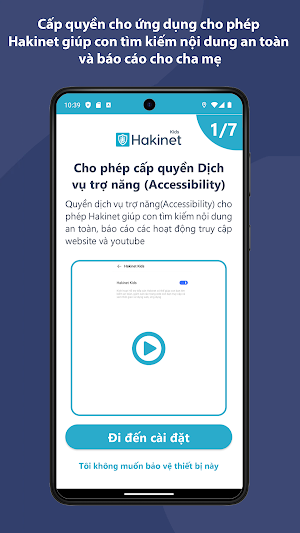
To be able to show you what your children are watching online, as well as detect and prevent them from accessing application settings, Hakinet Kids requires Accessibility Service permissions.
Find a copy of Hakinet's terms and conditions of use at: https://hakinet.com/term-conditions
Similar Apps

Hakinet Kids
Screen time management application

Умный дом MimiSmart
Management of smart home equipment MiMiSmart

CPS Project Connect
Project Connect serves children and families experiencing homelessness

Manjis Gas - Verify
Verify your Manjis Gas Cylinder

Tip Calculator- Split Bill
Smart, easy-to-use app for tip and bill calculations

TempoClear
TempoClear – Smart Time Calculator
