
Clip Catch: Video Downloader
Tools Contains ads
Download your videos, audio, and playlists from links in your chosen quality
- Downloads
- 104+
- on Google Play
- Price
- Free
- No in-app purchases
- Updated
- Aug 17
- 2026 · v1.1
Screenshots
About Clip Catch: Video Downloader
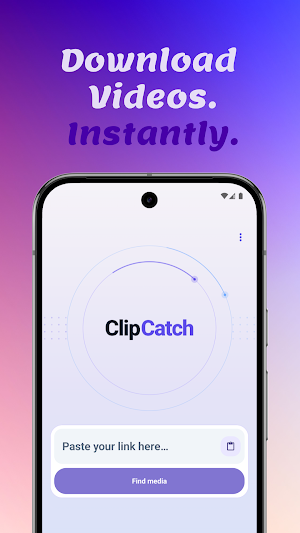
ClipCatch helps you find and save downloadable video and audio files from compatible public HTTPS links. Paste a link or share it from another app, review the formats and quality options available from the source, then choose what to save to your device for offline access.
From link to download
- Paste a link or send it to ClipCatch through the Android Share menu
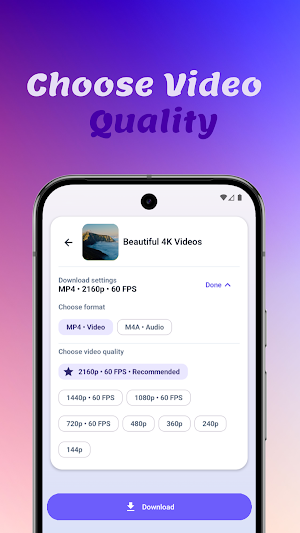
- Review available video and audio options before downloading
- Check details such as title, thumbnail, duration, resolution, and estimated size when provided
- Choose an available format and quality
- Save completed files to the ClipCatch folder or select another location
Playlist downloads, your way
When a compatible link contains a public playlist, album, or collection, browse and search its items. Select individual entries or all available items, choose video or audio and a quality limit, then add your selection to the download queue. Private, removed, and unavailable entries are clearly marked.
A flexible download manager
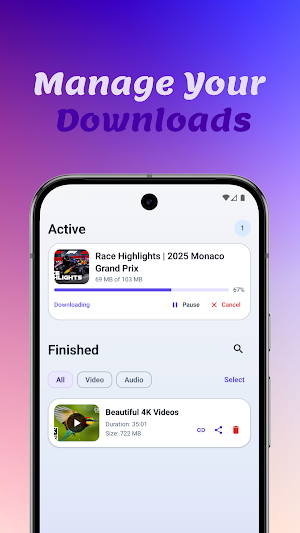
- Download in the background and follow progress in the app and notifications
- Pause, resume, retry, or cancel individual downloads
- Queue multiple files and choose how many can run at once
- Keep queued tasks available after restarting the app
- Use Wi-Fi-only mode when you want to avoid mobile data usage
- Change the destination folder at any time
Keep downloads organized
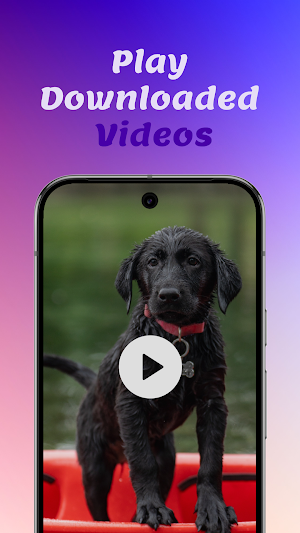
Completed files appear in a local download history. Search by name, filter video and audio, reorder entries, copy a source link, share a file, or delete one or several items. Compatible videos can be played in the built-in player, while other files can be opened with an app of your choice.
Made for responsible downloading
Use ClipCatch only for content that you created or own, that you have permission to download, that is offered under a license permitting downloads, or that may otherwise be downloaded under applicable law. You are responsible for respecting copyright, other applicable rights, and the terms governing the content.
ClipCatch does not host media and is not affiliated with or endorsed by third-party content services. It does not bypass DRM, paywalls, sign-in requirements, or other access controls. The availability of a file does not grant permission to download, share, or use it.
Media availability, formats, quality, and pause or resume support depend on the source. Some links or formats may be restricted, unavailable, or unsupported.
From link to download
- Paste a link or send it to ClipCatch through the Android Share menu
- Review available video and audio options before downloading
- Check details such as title, thumbnail, duration, resolution, and estimated size when provided
- Choose an available format and quality
- Save completed files to the ClipCatch folder or select another location
Playlist downloads, your way
When a compatible link contains a public playlist, album, or collection, browse and search its items. Select individual entries or all available items, choose video or audio and a quality limit, then add your selection to the download queue. Private, removed, and unavailable entries are clearly marked.
A flexible download manager
- Download in the background and follow progress in the app and notifications
- Pause, resume, retry, or cancel individual downloads
- Queue multiple files and choose how many can run at once
- Keep queued tasks available after restarting the app
- Use Wi-Fi-only mode when you want to avoid mobile data usage
- Change the destination folder at any time
Keep downloads organized
Completed files appear in a local download history. Search by name, filter video and audio, reorder entries, copy a source link, share a file, or delete one or several items. Compatible videos can be played in the built-in player, while other files can be opened with an app of your choice.
Made for responsible downloading
Use ClipCatch only for content that you created or own, that you have permission to download, that is offered under a license permitting downloads, or that may otherwise be downloaded under applicable law. You are responsible for respecting copyright, other applicable rights, and the terms governing the content.
ClipCatch does not host media and is not affiliated with or endorsed by third-party content services. It does not bypass DRM, paywalls, sign-in requirements, or other access controls. The availability of a file does not grant permission to download, share, or use it.
Media availability, formats, quality, and pause or resume support depend on the source. Some links or formats may be restricted, unavailable, or unsupported.
What’s new
Version 1.1 · Updated August 17, 2026
🎉 Clip Catch is here! Paste a link, choose the quality, and quickly download videos, audio, or entire playlists. 🎬🎵
Alternatives to Clip Catch: Video Downloader
Looking for apps like Clip Catch: Video Downloader? Here are 5 similar Android apps on Google Play. All of them are free to download.
-
Clip Loop: Boomerang Video
-
AdDash: AdMob Earnings Tracker
-
Simple Click Counter
-
Finger Roulette: Random Picker
-
Flashlight
| App | Rating | Price | Installs | Last updated | Compare |
|---|---|---|---|---|---|
| Clip Catch: Video Downloader | – | Free | 100+ | Aug 17, 2026 | |
| Clip Loop: Boomerang Video | – | Free | 5,000+ | – | Compare |
| AdDash: AdMob Earnings Tracker | – | Free | 100+ | Sep 1, 2026 | Compare |
| Simple Click Counter | – | Free | 1,000+ | Oct 14, 2026 | Compare |
| Finger Roulette: Random Picker | – | Free | 5,000+ | Aug 12, 2026 | Compare |
| Flashlight | – | Free | 10,000+ | Aug 12, 2026 | Compare |