
DocScan
Productivity Contains ads
A mini and Powerful mobile scanner for Android
- Downloads
- 1K+
- on Google Play
- Price
- Free
- No in-app purchases
- Updated
- Aug 21
- 2026 · v1.4.2
Screenshots
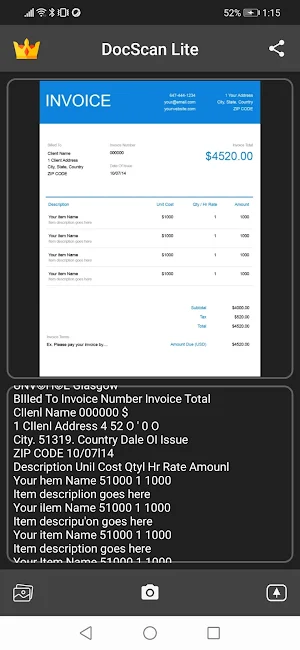


About DocScan
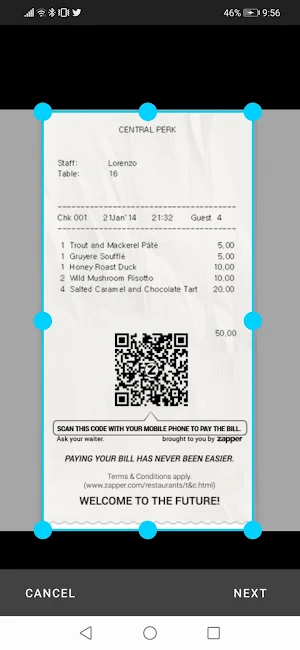
DocScan is currently the fastest and most powerful tool for scanning documents. DocScan will turn your smartphone into a powerful mobile scanner.
You can create and manage a virtual copy of credit cards, books, checks, recipes, timetables and any paper documents by using DocScan. Quickly scan, edit, save, and share any document in PDF JPEG or TXT format.
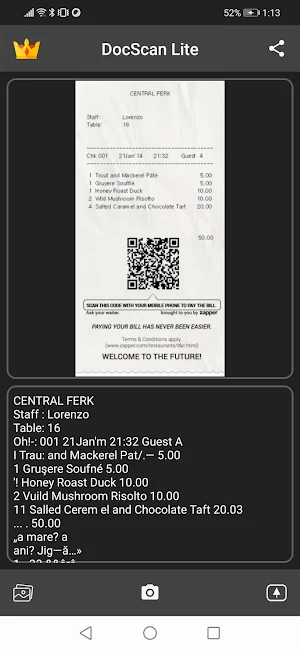
The application supports optical character recognition (OCR) technology and allows you to extract the text from the image. It doesn’t require an Internet connection, as all scans are stored locally on your device.
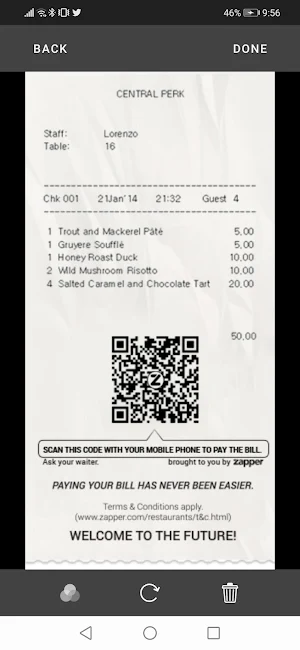
DocScan can process the captured from the camera images and already existing photos in the gallery. The application allows you to adjust and apply the filters for images with the built-in editor. Experiment with your documents and edit them, you can always revert to the original image. You can save your finished pictures to gallery, send by mail, message in JPEG, TXT and PDF formats.
Say goodbye to old office scanners and get this PDF scanner for your daily business needs!
High speed and quality of image processing without tedious manual corrections will make DocScan your ideal companion for business and education.
You can create and manage a virtual copy of credit cards, books, checks, recipes, timetables and any paper documents by using DocScan. Quickly scan, edit, save, and share any document in PDF JPEG or TXT format.
The application supports optical character recognition (OCR) technology and allows you to extract the text from the image. It doesn’t require an Internet connection, as all scans are stored locally on your device.
DocScan can process the captured from the camera images and already existing photos in the gallery. The application allows you to adjust and apply the filters for images with the built-in editor. Experiment with your documents and edit them, you can always revert to the original image. You can save your finished pictures to gallery, send by mail, message in JPEG, TXT and PDF formats.
Say goodbye to old office scanners and get this PDF scanner for your daily business needs!
High speed and quality of image processing without tedious manual corrections will make DocScan your ideal companion for business and education.
What’s new
Version 1.4.2 · Updated August 21, 2026
Bug fixes and compatibility improvements. Updated Android target support, billing, and ad SDKs. Improved layout behavior on modern devices. Improved document crop and text recognition stability.
User reviews

Best app!!!

Just amazing!
Alternatives to DocScan
Looking for apps like DocScan? Here are 5 similar Android apps on Google Play. 4 of the 5 are free to download.

| App | Rating | Price | Installs | Last updated | Compare |
|---|---|---|---|---|---|
| DocScan | – | Free | 1,000+ | Aug 21, 2026 | |
| GPTZero | – | Free | 100,000+ | Sep 17, 2026 | Compare |
| MailGen | – | Free | 10+ | Mar 11, 2023 | Compare |
| DocScan Premium | – | Free | 500+ | Aug 21, 2026 | Compare |
| iOCR | – | Free | 100+ | Oct 6, 2022 | Compare |
| iOCR Pro | – | 1.99 USD | 10+ | – | Compare |
Compare DocScan with the top alternatives: ratings, updates, ASO score and keyword gaps →