
Screen Mirroring for TV
Tools In-app purchases
Phone to mirroring, casting, and remote—effortless control!
- Downloads
- 1K+
- on Google Play
- Price
- Free
- In-app purchases
- Updated
- Jan 3
- 2025 · v1.0.4
Screenshots


About Screen Mirroring for TV
Our Screen Mirroring for TV app allows you to easily connect your phone to your smart TV, enabling real-time HD mirroring, universal remote control, and casting content. Whether you're watching videos, playing games, or giving business presentations, you can enjoy the immersive experience and convenience of a larger screen, enhancing your home entertainment.
Key Features
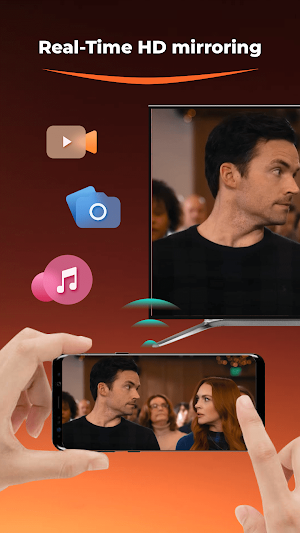
Real-Time HD Mirroring: Stream your phone's screen in HD quality to your smart TV, offering an immersive visual experience.
Universal Remote Control: Turn your device into a remote control to easily manage volume, channels, and menus.
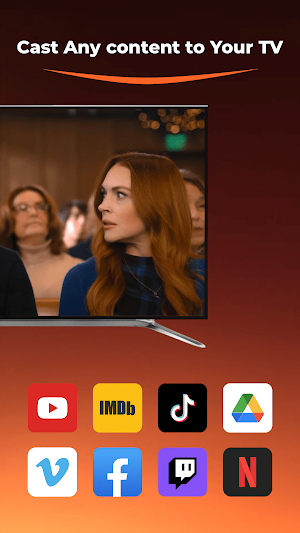
Cast Any content to Your TV: Quickly cast your photos, videos, and mobile games on the big screen for an enhanced big screen experience.
Document Presentation: Easily cast business presentations or educational content to the TV for better efficiency in work or study.
Unique Advantages
Quick Connection: Devices connect swiftly without complicated setup.
User-Friendly: The simple, intuitive interface makes it easy for users of all ages to navigate.
Broad Compatibility: Works with most smart TVs and devices, eliminating compatibility concerns.
Stable Performance: Enjoy smooth, lag-free screen mirroring for the best viewing experience.
How to Use
Ensure your phone and smart TV are connected to the same Wi-Fi network.
Open the Smart Screen Sharing & Remote Control app.
Tap “Start Mirroring” and select your TV to connect.
Enjoy the stunning experience on your big screen.
FAQs
Q: What should I do if my device can't connect?
A: Make sure your device and TV are connected to the same Wi-Fi network, and check if the app is updated to the latest version.
Q: What if there's a delay during screen mirroring?
A: Try restarting your device and TV, and check if your network connection is stable.
Customer Support
We provide fast and responsive customer support. If you experience any issues or have suggestions, feel free to contact us.
Embrace Smart Living
Download the Screen Mirroring for TV app now and start your journey into smart living. Let our app become an essential tool for your home entertainment, bringing convenience and enjoyment to your daily life.
Key Features
Real-Time HD Mirroring: Stream your phone's screen in HD quality to your smart TV, offering an immersive visual experience.
Universal Remote Control: Turn your device into a remote control to easily manage volume, channels, and menus.
Cast Any content to Your TV: Quickly cast your photos, videos, and mobile games on the big screen for an enhanced big screen experience.
Document Presentation: Easily cast business presentations or educational content to the TV for better efficiency in work or study.
Unique Advantages
Quick Connection: Devices connect swiftly without complicated setup.
User-Friendly: The simple, intuitive interface makes it easy for users of all ages to navigate.
Broad Compatibility: Works with most smart TVs and devices, eliminating compatibility concerns.
Stable Performance: Enjoy smooth, lag-free screen mirroring for the best viewing experience.
How to Use
Ensure your phone and smart TV are connected to the same Wi-Fi network.
Open the Smart Screen Sharing & Remote Control app.
Tap “Start Mirroring” and select your TV to connect.
Enjoy the stunning experience on your big screen.
FAQs
Q: What should I do if my device can't connect?
A: Make sure your device and TV are connected to the same Wi-Fi network, and check if the app is updated to the latest version.
Q: What if there's a delay during screen mirroring?
A: Try restarting your device and TV, and check if your network connection is stable.
Customer Support
We provide fast and responsive customer support. If you experience any issues or have suggestions, feel free to contact us.
Embrace Smart Living
Download the Screen Mirroring for TV app now and start your journey into smart living. Let our app become an essential tool for your home entertainment, bringing convenience and enjoyment to your daily life.
Alternatives to Screen Mirroring for TV
Looking for apps like Screen Mirroring for TV? Here are 3 similar Android apps on Google Play. The highest rated is Smart TV Cast -Phone Projector (3.8/5), and all 3 are free to download.


| App | Rating | Price | Installs | Last updated | Compare |
|---|---|---|---|---|---|
| Screen Mirroring for TV | – | Free | 1,000+ | Jan 3, 2025 | |
| Remote Control - for TV | – | Free | 1,000+ | Jan 3, 2025 | Compare |
| Cast to TV - Cast Online | 3.5 / 5 | Free | 50,000+ | Dec 14, 2024 | Compare |
| Smart TV Cast -Phone Projector | 3.8 / 5 | Free | 10,000+ | Nov 24, 2023 | Compare |