

Mavericks Student Hub
Productivity
Mavericks Student Hub app for anytime offline learning, collaborate, activities
- Downloads
- 10+
- on Google Play
- Price
- Free
- No in-app purchases
- Updated
- Mar 31
- 2020 · v28.12.1.1.3
Screenshots
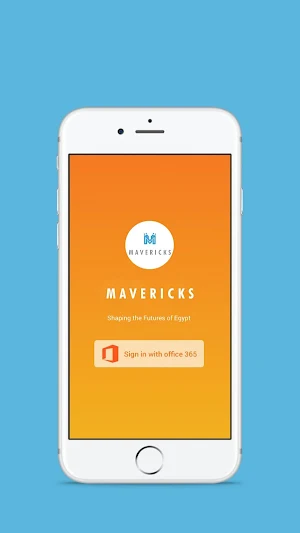

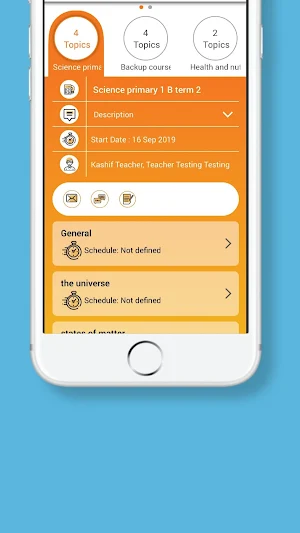
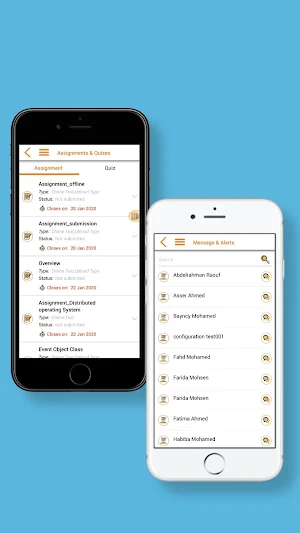

About Mavericks Student Hub
Mavericks Student Hub can use the mobile application anytime anywhere. It works 100% offline and you need to connect and sync once in a week.
a) Download and access your subjects and contents for offline learning.
b) Write and share notes, send video and audio notes to fellow students.
c) Ask your teacher anywhere anytime.
d) Submit assignments & quizzes even when you don't have internet and sync them later.
e) Receive video feedback from teachers on your submitted assignments.
f) Live classes - Live Interactive Classes, Whiteboard & Desktop sharing, Test & Polls, View Recorded sessions, Hand raising.
g) Collaborate with fellow students through forums, messages, and chat.
h) Self evaluate your progress within the class
i) Let your app read the lesson for you.
a) Download and access your subjects and contents for offline learning.
b) Write and share notes, send video and audio notes to fellow students.
c) Ask your teacher anywhere anytime.
d) Submit assignments & quizzes even when you don't have internet and sync them later.
e) Receive video feedback from teachers on your submitted assignments.
f) Live classes - Live Interactive Classes, Whiteboard & Desktop sharing, Test & Polls, View Recorded sessions, Hand raising.
g) Collaborate with fellow students through forums, messages, and chat.
h) Self evaluate your progress within the class
i) Let your app read the lesson for you.
What’s new
Version 28.12.1.1.3 · Updated March 31, 2020
Bug fixed
User reviews

Offline feature is awesome
Alternatives to Mavericks Student Hub
Looking for apps like Mavericks Student Hub? Here are 6 similar Android apps on Google Play. All of them are free to download.






| App | Rating | Price | Installs | Last updated | Compare |
|---|---|---|---|---|---|
| Mavericks Student Hub | – | Free | 10+ | Mar 31, 2020 | |
| BUC Parent LMS | – | Free | 500+ | Dec 19, 2023 | Compare |
| Hogso Teacher | – | Free | 1+ | Oct 6, 2022 | Compare |
| Hogso Student | – | Free | 1+ | Oct 6, 2022 | Compare |
| MobiKlinic App | – | Free | 50+ | May 14, 2024 | Compare |
| FET Academy LMS | – | Free | 100+ | – | Compare |
| RADICAL TECHNOLOGIES | – | Free | 50+ | Jan 5, 2024 | Compare |
Similar apps on Google Play
- BUC Parent LMS
- Hogso Teacher
- Hogso Student
- MobiKlinic App
- FET Academy LMS
- RADICAL TECHNOLOGIES
- ARTIST - HEALTH SKILL ACADEMY
- ChipEdge VLSI Learning
- ACCOUTRE - TEACHING & LEARNING
- BUC LMS
- ChipEdge-Online VLSI Learning
- Funza Trainee App
- Funza Trainer App
- mElimu AI Exam
- BEW NEXT Online MBBS Coaching
- CIS Parent App
- CIS Teacher
- CIS Student
- BBTREE Learner
- BBTREE Teacher
- GETI Trainer App
- GETI Trainee App
- IUEA OnlineU-Teacher
- IUEA OnlineU-Student
- MWS Parent App
- MWS Teacher App
- Shreeji - The Student App
- Shreeji - The Teacher App
- Livetutorians - The Student Ap
- Livetutorians - The Teacher Ap
- Mavericks Educator Hub
- Mavericks Student Hub
- FES Educator Hub
- FES Student Hub
- FES Parent Hub
- mElimu-Teacher
- mElimu-Student