

Login Plus
Tools Contains ads
⏩ Login faster!
- Rating
- 4.0
- 86 ratings
- Downloads
- 10K+
- on Google Play
- Price
- Free
- No in-app purchases
- Updated
- Feb 11
- 2020 · vv1.5.3
Screenshots

About Login Plus
How to Use:
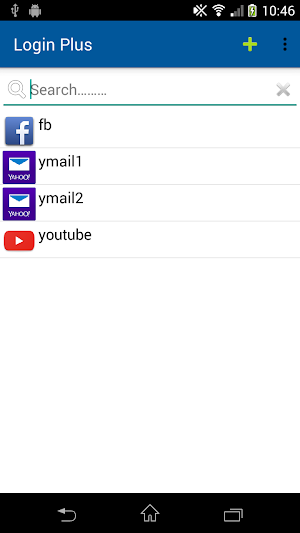
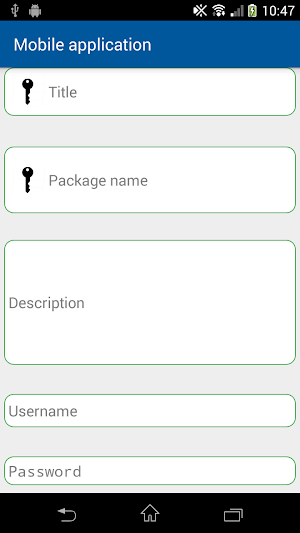
1. First create an record contain your login information (it will just keep it in your phone)
2. Then according to the URL/application you choose, once you click the record, it will lead you to the website/application. And your username and password will save to your clipboard.
3. You can just paste it and login and you don't need to type it again.
👍How to use:
Select "Mobile application" or "Website" that you want to login to, and fill in the relevant information, then press the item you can log into the system you want through this application.
⚠️Note:
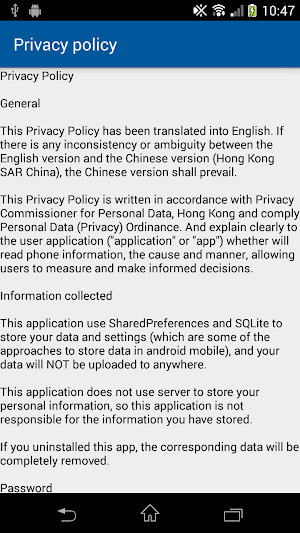
This application use SharedPreferences and SQLite to store your data and settings for login (which are some of the approaches to store data in android mobile), and your data will NOT be uploaded to anywhere.
It is the user's responsibility to protect the security of their password - usernames and passwords stored in the application that is known by you only.
This application can be opened without the password, we recommend that you use encryption software to have a secure access to entering the application.
When you use this application, there may be links to websites and applications operated by third parties. This application makes no representations or warranties about the policies of third party websites that are linked to this application, we recommend that you browse relevant privacy policy posted by those third party websites.
If you have any problems, please feel free to contact me via email: [email protected]
🔨PERMISSION:
INTERNET - Access Internet when using advertising and update promptly
1. First create an record contain your login information (it will just keep it in your phone)
2. Then according to the URL/application you choose, once you click the record, it will lead you to the website/application. And your username and password will save to your clipboard.
3. You can just paste it and login and you don't need to type it again.
👍How to use:
Select "Mobile application" or "Website" that you want to login to, and fill in the relevant information, then press the item you can log into the system you want through this application.
⚠️Note:
This application use SharedPreferences and SQLite to store your data and settings for login (which are some of the approaches to store data in android mobile), and your data will NOT be uploaded to anywhere.
It is the user's responsibility to protect the security of their password - usernames and passwords stored in the application that is known by you only.
This application can be opened without the password, we recommend that you use encryption software to have a secure access to entering the application.
When you use this application, there may be links to websites and applications operated by third parties. This application makes no representations or warranties about the policies of third party websites that are linked to this application, we recommend that you browse relevant privacy policy posted by those third party websites.
If you have any problems, please feel free to contact me via email: [email protected]
🔨PERMISSION:
INTERNET - Access Internet when using advertising and update promptly
What’s new
Version v1.5.3 · Updated February 11, 2020
Ad improvement
User reviews

好勁呀


Very helpful to my mobile job.thanks for the developer

Hey help me to use this

Hay help me to use this

soo!! useful
Alternatives to Login Plus
Looking for apps like Login Plus? Here are 3 similar Android apps on Google Play. All of them are free to download.


| App | Rating | Price | Installs | Last updated | Compare |
|---|---|---|---|---|---|
| Login Plus | 4.0 / 5 | Free | 10,000+ | Feb 11, 2020 | |
| Korean Convenience | – | Free | 50+ | Jan 10, 2022 | Compare |
| Social Curator | – | Free | 500+ | Oct 14, 2022 | Compare |
| Click Smart + | – | Free | 10,000+ | Jul 13, 2026 | Compare |
Compare Login Plus with the top alternatives: ratings, updates, ASO score and keyword gaps →