
Scanner -Scan to all documents
Tools Contains ads
Scanner -Singnature, Watermark, All Doc📃 Scan, 💳 ID Card, 📚 Books, Scan PDF,
- Downloads
- 5+
- on Google Play
- Price
- Free
- No in-app purchases
- Updated
- Mar 26
- 2022 · v1.1
Screenshots
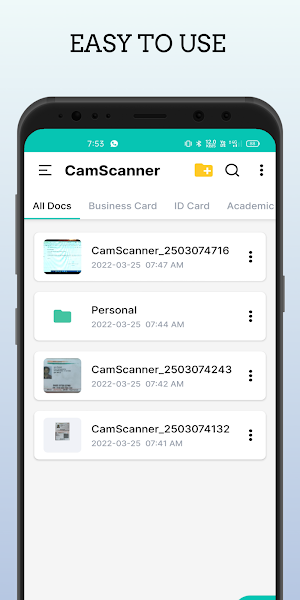
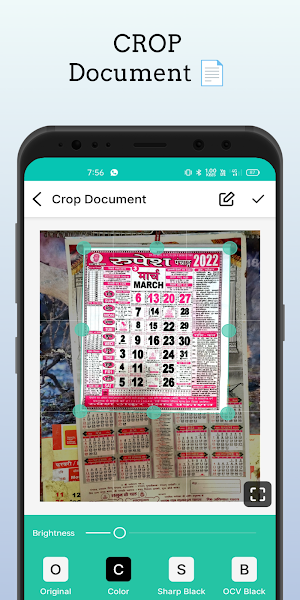
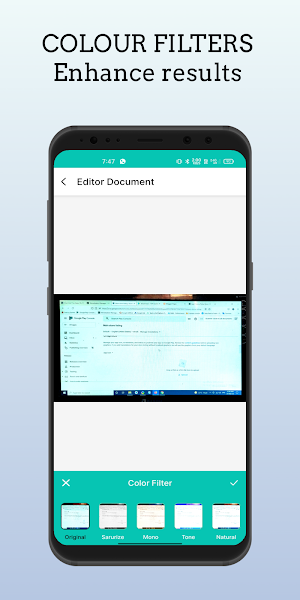
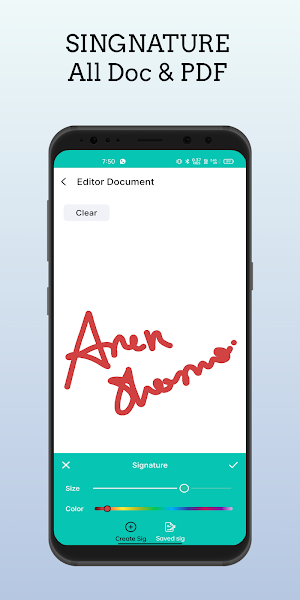


About Scanner -Scan to all documents
Doc Scanner automatically detects the corner of the paper you want to scan for better quality. The clear scanner cuts out the part of the document that you want to scan. Users can use the phone's camera to clear scan and manage all kinds of paper documents, receipts, notes, invoices, whiteboard discussions, business cards, and certificates. Name and organize your scan in a folder, or share it using a fast scanner app. A mobile phone document scanner automatically removes clutter background. Generate high definition JPEG images or PDF files using different filters like Scan Color, Grayscale, or Black and White.
📃 Scan Doc :-
By having a document scanner app, you can save time and effort by fast scanning at any time. Scans are saved to your device in JPEG or PDF image format by using a doc scanner and PDF creator.
💳 Scan ID Card :-
Do you need a business card scanner? An ID card scanner manages all ID cards, passports, driver's licenses, visas, work permits, and other identity documents in just seconds. Save or share all documents in the phone gallery using a business card scanner.
📚 Scan Books :-
Phone Scanner app easily scan books, novels, magazines, and convert to PDF. The Scanner app can be used as a library book scanner or business receipt scanner and even lets you scan multi-page documents and save them with one tap.
🖼️ Scan Important Photos :-
Retouch photo scans and documents from your camera roll. Whether it's a PDF or a photo, you can preview, reorder, crop, rotate, and adjust colors using filters. Digitize your images with a photo scanner and OCR scanner.
🖷 Feature of Scanner -Scan to all documents
• Automatically document edge recognition and perspective correction.
• Flexible editing, able to edit the file after saving.
• Scan & print documents with a free scanner app.
• Photoscan enhance the scan quality automatically or manually.
• Organize your doc in folder and subfolders by name and date.
• Create PDF in different sizes like Letter, Legal, A4, Postcard, letter, Note, etc.
• Extract texts from Image OCR, transfer images to texts so that you can search, edit, or share.
• Multi-page PDF creator and simple scanner are optimized to run very fast
• Quick search by document title.
• Import multiple images from the gallery and convert them into a single PDF file as a document.
• Share Docx in PDF or JPEG format with friends and post it on social media.
• General - The Document Scanner application has all the functions you need.
How to scan :-
1. Choose a camera as a scanner to scan or import photos from the gallery.
2. Smart cropping and automatic enhancement ensure text and graphics in scanned documents.
3. All documents are clear and sharp with premium colors and resolutions.
4. Improve the quality of an image by applying filters.
5. Export to PDF or JPEG if necessary.
Scanner App - Free Document Scanner & Scan PDF is the best scanning application that saves you time and money by using a fast scan. We suggest that you send us your feedback and tell us what you think about Scanner - Free Document Scanner & Scan PDF application to develop a good next version.
What’s new
Version 1.1 · Updated March 26, 2022
🔸Share & save image/PDF with password easily. 🔸Added a new camera screen to easily capture documents. 🔸Added selection of multiple images from the gallery. 🔸Improved image quality for documents. 🔸Supports batch modification when importing PDF documents. 🔸New document filters have been added. 🔸Image converter to PDF form, OCR PDF generator. 🔸Flexible editing, able to edit the PDF file after save. 🔸View and Read PDF File Easily. 🔸Improved application performance.
Alternatives to Scanner -Scan to all documents
Looking for apps like Scanner -Scan to all documents? Here are 6 similar Android apps on Google Play. The highest rated is Document Scanner - Cam Scanner (5.0/5), and all 6 are free to download.
-
Document Scanner - Cam Scanner 5.0
-
Document Scanner - PDF, OCR
-
Doc Scanner - Scan PDF, OCR 4.0
-
Super Scanner : Fast Camera Sc 4.7
-
QuickScan: Document Scanner 5.0
-
Smart Doc Scanner: Free PDF Sc 4.8
| App | Rating | Price | Installs | Last updated | Compare |
|---|---|---|---|---|---|
| Scanner -Scan to all documents | – | Free | 5+ | Mar 26, 2022 | |
| Document Scanner - Cam Scanner | 5.0 / 5 | Free | 1,000+ | Feb 22, 2022 | Compare |
| Document Scanner - PDF, OCR | – | Free | 100,000+ | Oct 25, 2026 | Compare |
| Doc Scanner - Scan PDF, OCR | 4.0 / 5 | Free | 500,000+ | Sep 29, 2026 | Compare |
| Super Scanner : Fast Camera Sc | 4.7 / 5 | Free | 1,000,000+ | Dec 5, 2018 | Compare |
| QuickScan: Document Scanner | 5.0 / 5 | Free | 100,000+ | Jun 12, 2026 | Compare |
| Smart Doc Scanner: Free PDF Sc | 4.8 / 5 | Free | 1,000,000+ | May 4, 2020 | Compare |
Similar apps on Google Play
- Document Scanner - Cam Scanner
- Document Scanner - PDF, OCR
- Doc Scanner - Scan PDF, OCR
- Super Scanner : Fast Camera Sc
- QuickScan: Document Scanner
- Smart Doc Scanner: Free PDF Sc
- SCAN SHOT document scanner pdf
- PDF Reader - Scan, Edit & Sign
- Camera Scanner - PDF Scanner
- airScan: Documents Scanner app
- PDF Scanner App - AltaScanner