

qBittorrent Controller
Tools Contains ads
Handle qBittorrent servers remotely
- Rating
- 2.9
- 1.6K ratings
- Downloads
- 100K+
- on Google Play
- Price
- Free
- No in-app purchases
- Updated
- Oct 29
- 2020 · v4.8.9
Screenshots
Save to Pinterest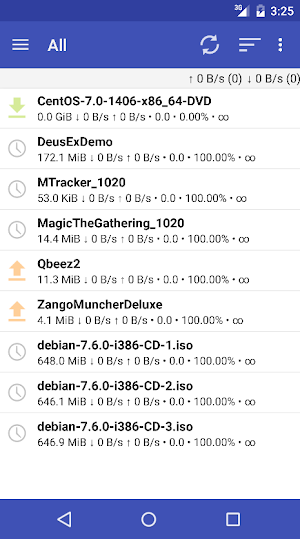


About qBittorrent Controller
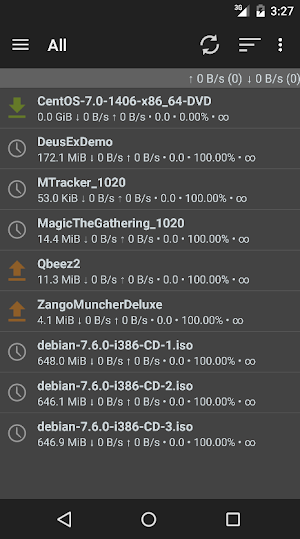
Open source application for handling qBittorrent servers (web UI).
DISCLAIMER:
- This application will not download torrents to your phone/tablet.
- In order to make it work you must have already configured your qBittorrent Web UI. Please check your server configurations with your browser before using this app.
- To start using the app, you must set your qBittorrent server's settings and account by selecting 'Settings' from the left menu.
If you need help setting the application check the documentation pages http://git.io/pQB5
FEATURES:
* Add torrents directly, by clicking the link on your device's browser or from downloaded .torrent files.
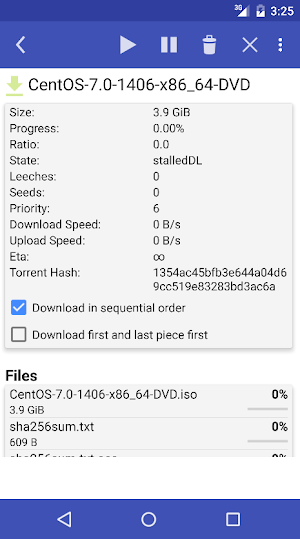
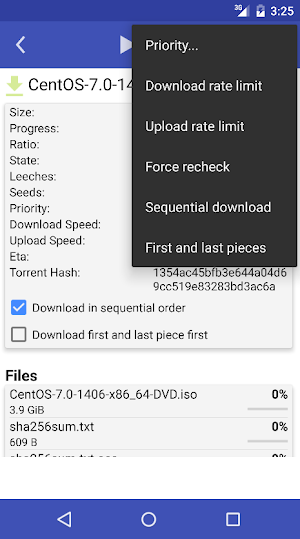
* Pause, resume, or delete with its downloaded data individual torrents. Pause or resume all torrents
* Set and save a connection accounts (up to three servers for the Pro version)
* Design for phone and tablets
* Support for server version: 4.1.x, 4.2.x
* Web server sub-folder publishing support
* Magnet support
qBittorrent Controller (free) vs. qBittorrent Controller Pro
Both versions have the same functions for handling qBittorrent servers, but the Pro version includes a nicer UI, the latest features and fixes, and it's Ads-free!!
DISCLAIMER:
- This application will not download torrents to your phone/tablet.
- In order to make it work you must have already configured your qBittorrent Web UI. Please check your server configurations with your browser before using this app.
- To start using the app, you must set your qBittorrent server's settings and account by selecting 'Settings' from the left menu.
If you need help setting the application check the documentation pages http://git.io/pQB5
FEATURES:
* Add torrents directly, by clicking the link on your device's browser or from downloaded .torrent files.
* Pause, resume, or delete with its downloaded data individual torrents. Pause or resume all torrents
* Set and save a connection accounts (up to three servers for the Pro version)
* Design for phone and tablets
* Support for server version: 4.1.x, 4.2.x
* Web server sub-folder publishing support
* Magnet support
qBittorrent Controller (free) vs. qBittorrent Controller Pro
Both versions have the same functions for handling qBittorrent servers, but the Pro version includes a nicer UI, the latest features and fixes, and it's Ads-free!!
What’s new
Version 4.8.9 · Updated October 29, 2020
* Change port behaviour for nginx * Improve code
User reviews

Does what it does perfectly! Bad reviews from idiots who can't RTFM.

Well Done!

It really works 😀

Works well, simple but all you need

Works just as expected. This is not a stand alone software but a qbittorrent "remote control". You will need a qbittorrent client with Web Gui enable to use this application.

Works seamlessly. I saw quite a few comments saying it's not working, but they probably didn't read or configure the app. I just put in the IP of my server and it's working smoothly. Great app!
Alternatives to qBittorrent Controller
Looking for apps like qBittorrent Controller? Here are 3 similar Android apps on Google Play. The highest rated is qBittorrent Controller Pro (4.2/5), and 1 of the 3 are free to download.



| App | Rating | Price | Installs | Last updated | Compare |
|---|---|---|---|---|---|
| qBittorrent Controller | 2.9 / 5 | Free | 100,000+ | Oct 29, 2020 | |
| youTorrent Controller | 3.6 / 5 | Free | 10,000+ | Apr 8, 2016 | Compare |
| youTorrent Controller Pro | – | 2.49 USD | 100+ | Apr 8, 2016 | Compare |
| qBittorrent Controller Pro | 4.2 / 5 | 2.49 USD | 5,000+ | Oct 29, 2020 | Compare |