

Assistive Touch, Home Button
Personalization Contains ads
Virtual Home button, Back button, Flash light, 1 tap turn off screen
- Rating
- 4.8
- 26 ratings
- Downloads
- 1K+
- on Google Play
- Price
- Free
- No in-app purchases
- Updated
- Jan 1
- 2025 · v1
Screenshots
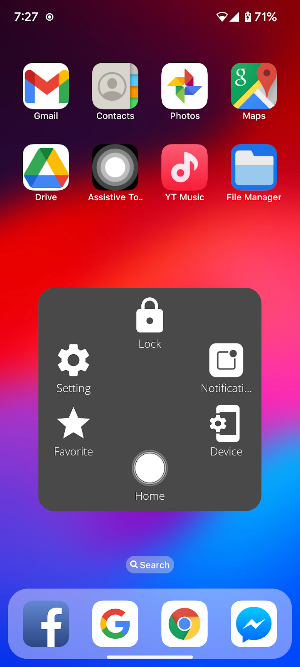
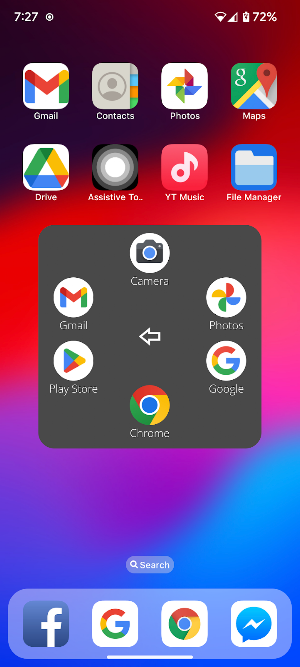
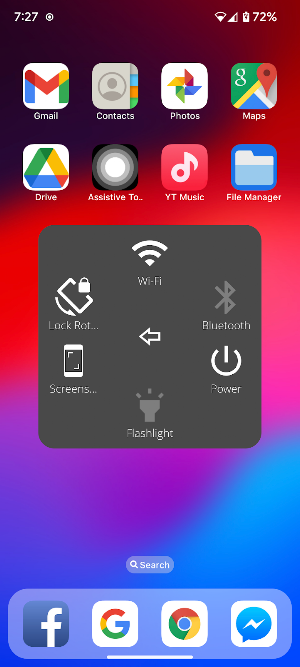
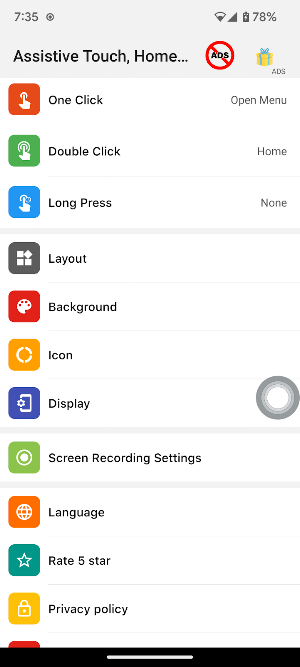
About Assistive Touch, Home Button
Assistive Touch aka Virtual Home Button aka Floating Touch come to Android with rich features
ACCESSIBILITY SERVICE:
This app uses ACCESSIBILITY SERVICE
To use some action: going back, going home, opening recent, power dialog, open notifications shade, please allow Accessibility services. The service is only used to allow this app to to perform above features. Please grant this permission to use these actions: Go to Settings > Accessibility > Services and turn on Easy Touch.
FEATURES:
- Virtual Home Button
- Virtual Back Button, recent apps
- SCREENSHOT CAPTURE
- Power popup
- Quick Open Notification
- Quick Lock Screen with one touch
- Turn on/off WiFi
- Bluetooth
- Change Screen rotation setting
- Flashlight
- Favourite apps to quick access
- Custom size and color Floating icon.
- Custom color Touch menu.
- Custom gesture on screen
- And more....
"This app uses the Device Administrator permission." It is necessary and used only for locking the device when you use feature turn off/lock the screen. You need to enable Administration before it can be used that feature.
If you have any question or feedback, please contact to:
- Email: [email protected]
- Website: https://smarttoolstudio.blogspot.com/
Notice: To uninstall the app, please open this app, scroll down to end and click the "Uninstall" button.
ACCESSIBILITY SERVICE:
This app uses ACCESSIBILITY SERVICE
To use some action: going back, going home, opening recent, power dialog, open notifications shade, please allow Accessibility services. The service is only used to allow this app to to perform above features. Please grant this permission to use these actions: Go to Settings > Accessibility > Services and turn on Easy Touch.
FEATURES:
- Virtual Home Button
- Virtual Back Button, recent apps
- SCREENSHOT CAPTURE
- Power popup
- Quick Open Notification
- Quick Lock Screen with one touch
- Turn on/off WiFi
- Bluetooth
- Change Screen rotation setting
- Flashlight
- Favourite apps to quick access
- Custom size and color Floating icon.
- Custom color Touch menu.
- Custom gesture on screen
- And more....
"This app uses the Device Administrator permission." It is necessary and used only for locking the device when you use feature turn off/lock the screen. You need to enable Administration before it can be used that feature.
If you have any question or feedback, please contact to:
- Email: [email protected]
- Website: https://smarttoolstudio.blogspot.com/
Notice: To uninstall the app, please open this app, scroll down to end and click the "Uninstall" button.
User reviews

I love it
Alternatives to Assistive Touch, Home Button
Looking for apps like Assistive Touch, Home Button? Here are 2 similar Android apps on Google Play. The highest rated is OS Launcher 18 (4.8/5), and all 2 are free to download.

| App | Rating | Price | Installs | Last updated | Compare |
|---|---|---|---|---|---|
| Assistive Touch, Home Button | 4.8 / 5 | Free | 1,000+ | Jan 1, 2025 | |
| OS Launcher 18 | 4.8 / 5 | Free | 5,000,000+ | – | Compare |
| Screen Recorder Internal Audio | 3.9 / 5 | Free | 50,000+ | May 20, 2024 | Compare |