
ScreenStitch Screenshot Editor
Photography In-app purchases Contains ads
Stitch screenshots into one long image. Clean, fast & efficiently.
- Downloads
- 767+
- on Google Play
- Price
- Free
- In-app purchases
- Updated
- Mar 14
- 2026 · v1.0.4
Screenshots
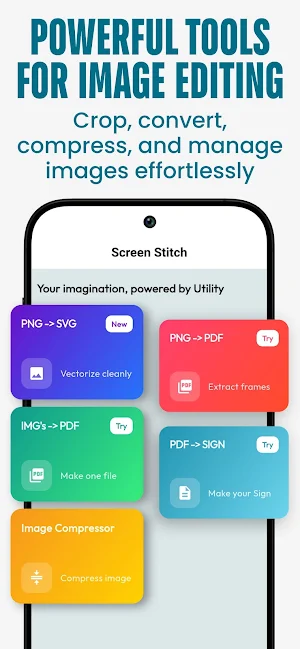


About ScreenStitch Screenshot Editor
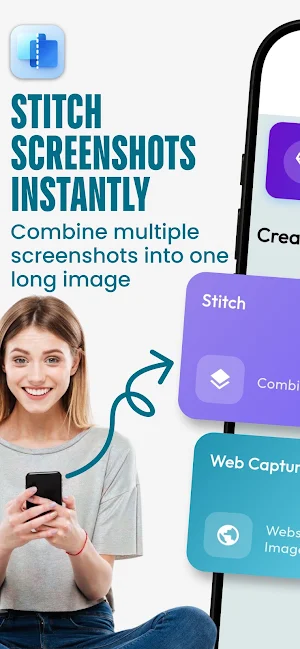
Create clean, seamless long screenshots in seconds with ScreenStitch Screenshot Editor.
Whether it’s chats, receipts, notes, or social media posts, ScreenStitch makes it effortless to stitch multiple screenshots into a single smooth image — all offline and privacy-friendly.
No complicated tools. Just pick your screenshots, arrange them, and stitch.
⭐ Key Features
✅ Auto Screenshot Stitching
Automatically combines multiple screenshots into one long image with smooth alignment.
✅ Batch Support
Select multiple images at once and stitch them quickly without lag.
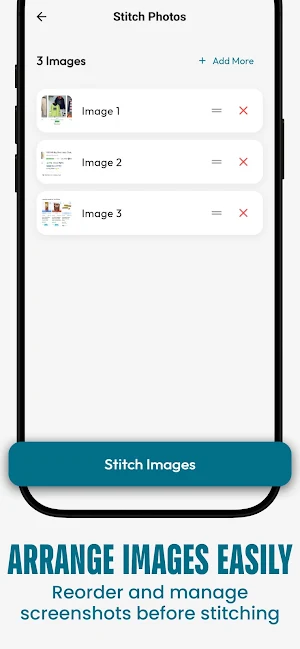
✅ Reorder Before Stitching
Drag and arrange screenshots in the correct order before merging.
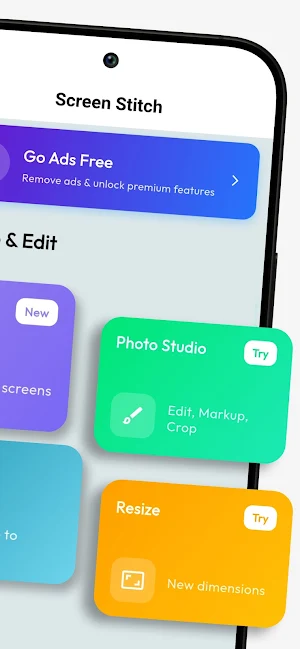
✅ Built-in Editing Tools
Crop, rotate, adjust brightness & contrast, and add text before exporting.
✅ Multiple Export Formats
Save stitched images as PNG, JPG, or PDF in high quality.
✅ Snip & Stitch
Capture or crop only the important parts and stitch exactly what you want.
✅ Offline & Privacy-Friendly
Works fully offline. Your images never leave your device.
🎯 Perfect For
✔ Stitching WhatsApp & chat screenshots
✔ Long receipts & invoices
✔ Notes, articles & web content
✔ Social media creators
✔ Clean documentation & records
🚀 Why ScreenStitch?
• Simple & fast workflow
• Clean UI with no clutter
• High-quality output
• No account required
• Works offline
Download ScreenStitch Screenshot Editor and turn multiple screenshots into one perfect long image — effortlessly.
Whether it’s chats, receipts, notes, or social media posts, ScreenStitch makes it effortless to stitch multiple screenshots into a single smooth image — all offline and privacy-friendly.
No complicated tools. Just pick your screenshots, arrange them, and stitch.
⭐ Key Features
✅ Auto Screenshot Stitching
Automatically combines multiple screenshots into one long image with smooth alignment.
✅ Batch Support
Select multiple images at once and stitch them quickly without lag.
✅ Reorder Before Stitching
Drag and arrange screenshots in the correct order before merging.
✅ Built-in Editing Tools
Crop, rotate, adjust brightness & contrast, and add text before exporting.
✅ Multiple Export Formats
Save stitched images as PNG, JPG, or PDF in high quality.
✅ Snip & Stitch
Capture or crop only the important parts and stitch exactly what you want.
✅ Offline & Privacy-Friendly
Works fully offline. Your images never leave your device.
🎯 Perfect For
✔ Stitching WhatsApp & chat screenshots
✔ Long receipts & invoices
✔ Notes, articles & web content
✔ Social media creators
✔ Clean documentation & records
🚀 Why ScreenStitch?
• Simple & fast workflow
• Clean UI with no clutter
• High-quality output
• No account required
• Works offline
Download ScreenStitch Screenshot Editor and turn multiple screenshots into one perfect long image — effortlessly.
What’s new
Version 1.0.4 · Updated March 14, 2026
Optimized stitching performance, and minor UI changes
Alternatives to ScreenStitch Screenshot Editor
Looking for apps like ScreenStitch Screenshot Editor? Here are 5 similar Android apps on Google Play. All of them are free to download.
-
Exit Jam: Bus Sort Puzzle
-
Space Lore: Galaxy Escape
-
PrimeRise – Glow Up Tracker
-
Freight Empire Idle Tycoon
-
Clean Stream
| App | Rating | Price | Installs | Last updated | Compare |
|---|---|---|---|---|---|
| ScreenStitch Screenshot Editor | – | Free | 500+ | Mar 14, 2026 | |
| Exit Jam: Bus Sort Puzzle | – | Free | 1+ | – | Compare |
| Space Lore: Galaxy Escape | – | Free | 10+ | Jun 2, 2026 | Compare |
| PrimeRise – Glow Up Tracker | – | Free | 100+ | – | Compare |
| Freight Empire Idle Tycoon | – | Free | 100+ | – | Compare |
| Clean Stream | – | Free | 10,000+ | Feb 6, 2026 | Compare |